How Much Does Shopify Inbox Cost? Pricing, AI Agent, Plans and Real Costs Explained
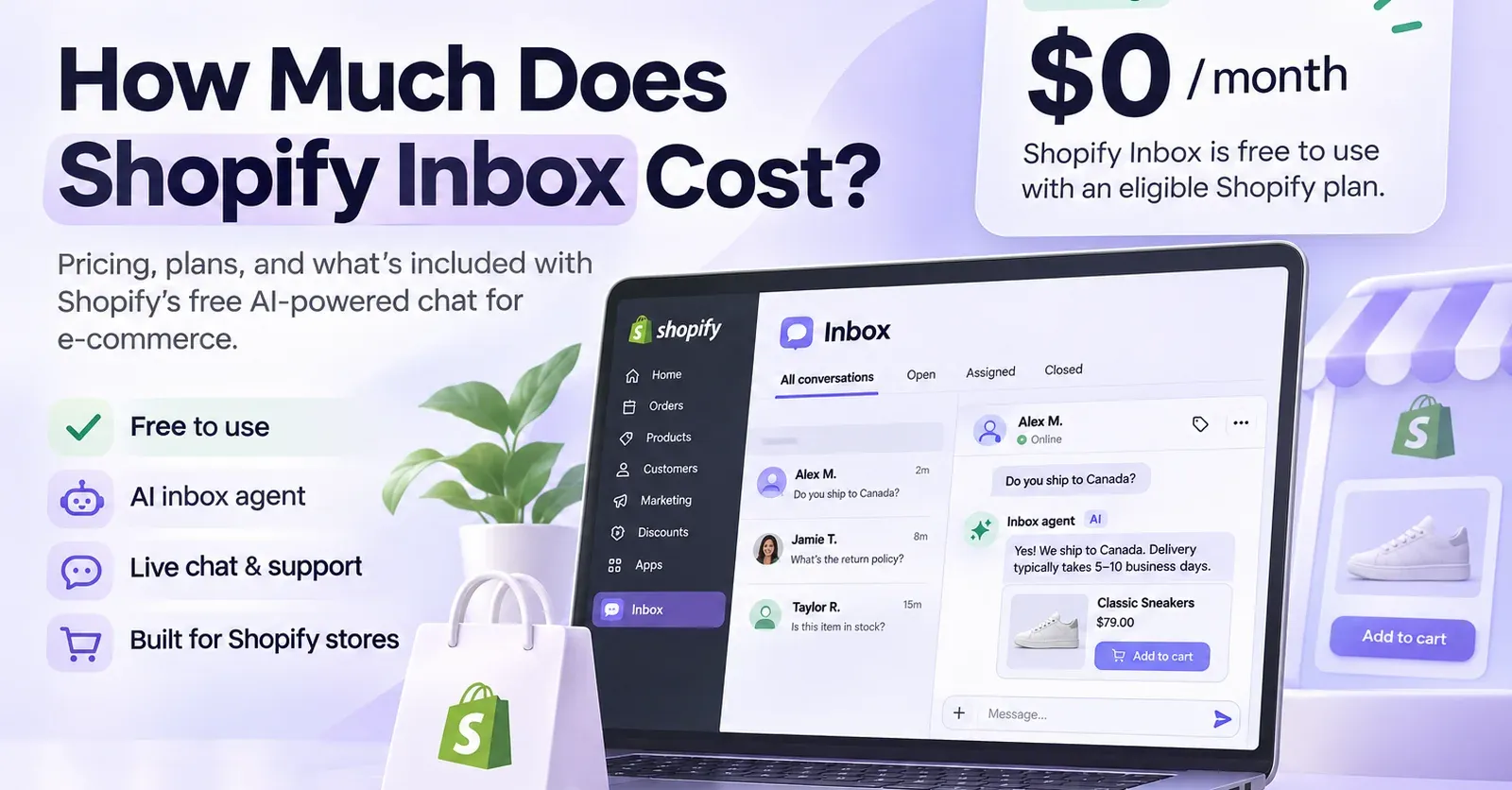
Shopify Inbox is free to install and use on an eligible Shopify store. The app has no separate monthly subscription price in its public Shopify App Store listing, and Shopify does not publish an additional per-message, per-conversation, or per-resolution price for the Inbox agent. For a merchant already paying for an eligible Shopify plan, the publicly listed incremental app subscription cost is therefore $0 per month.
That straightforward answer comes with a few important qualifications. You need an eligible Shopify store, some AI features have technical requirements, and the automated Inbox agent has usage limits. Your Shopify subscription, payment processing fees, other applications, and the time your team spends on customer service are separate from the price of Inbox itself.
This guide explains what Shopify Inbox actually costs, which Shopify plans can use it, what its AI features include, where its limits begin, and how to estimate the real cost of running customer support on your store.
Shopify Inbox pricing at a glance
| Pricing item | What you pay or need to know |
|---|---|
| Shopify Inbox app | Free — $0/month |
| Separate Inbox subscription tiers | None publicly listed |
| Inbox agent | Included in the app, subject to eligibility and usage limits |
| Published fee per AI message | No separate rate listed |
| Published fee per AI conversation or resolution | No separate rate listed |
| Eligible Shopify plans | Basic, Grow, Advanced and Shopify Plus |
| Annual discount for Inbox itself | Not applicable: the app is free |
| Free trial for Inbox itself | Not applicable: the app is free |
| Staff handling conversations | Available within Inbox; staff time remains an operating cost |
The key distinction: Shopify Inbox pricing and Shopify platform pricing are not the same thing. A merchant with an eligible Shopify subscription does not need to buy another Inbox subscription. A merchant without an eligible Shopify store cannot treat the app as an independent, free customer-support platform for an unrelated website.
Is Shopify Inbox really free?
What the $0 app price includes
Yes. Shopify lists Inbox as a free application. You can install it on an eligible store and use it to communicate with shoppers through the storefront chat widget. Inbox supports conversations handled by your employees, and it now also offers an opt-in Inbox agent that can respond automatically.
For staff-managed conversations, the team can answer customer messages, share product links, send discount codes, and provide images or videos. Team members can access their conversations through desktop and mobile apps. Merchants can also configure chat appearance, notifications, availability and other settings.
The Inbox agent extends that experience beyond traditional live chat. It draws on the store's catalog and other available information to answer common shopping questions and recommend products. Shopify does not advertise a separate paid Inbox plan merely to activate that agent.
The word free, however, describes the Inbox application. It does not remove the subscription or operating costs associated with having a Shopify store. This matters when comparing Inbox with a standalone helpdesk, chatbot or AI shopping assistant.
Why free does not necessarily mean zero overall cost
Imagine two merchants. Merchant A already runs a Shopify Basic store and wants to add a chat widget. Adding Inbox does not create a new publicly listed monthly app subscription. Merchant B has a website on another ecommerce platform and no qualifying Shopify store. Merchant B cannot simply install Shopify Inbox as an independent, zero-cost support solution for that existing website.
Even for Merchant A, the business may still spend money on people, payment processing, other ecommerce apps, or more advanced support software. Those expenses should be included in a realistic operating budget, but should not be mislabeled as Shopify Inbox fees.
Which Shopify plans include Shopify Inbox?
Shopify's documentation specifies that Inbox is available on Basic, Grow, Advanced and Shopify Plus. These are Shopify platform plans, not different paid versions of Inbox.
Here are the standard US prices displayed on Shopify's pricing page at the time of this review:
| Shopify plan | Billed monthly | Monthly equivalent when billed annually | Inbox app fee |
|---|---|---|---|
| Basic | $39/month | $29/month | $0 |
| Grow | $105/month | $79/month | $0 |
| Advanced | $399/month | $299/month | $0 |
| Shopify Plus | From $2,300/month | Contract-dependent | $0 separately listed |
These are US-dollar Shopify subscription prices, not worldwide quotes. Taxes, promotional offers, regional pricing and negotiated terms may affect a store's actual invoice. An annual equivalent means the yearly subscription is billed annually, rather than the lower amount being charged each month.
Shopify Basic: the lowest standard eligible tier
For a new store considering Inbox primarily for chat, Basic is the lowest of the four standard eligible plans identified in Shopify's documentation. At the public US rate, that means $39 per month with monthly billing or an equivalent $29 per month when billed annually.
If you already need Basic to operate the store, Inbox does not add another listed monthly subscription. If you are launching a Shopify store solely to access Inbox, the Basic subscription is a real platform cost to include in your decision.
 Quentin Olaya
Grow, Advanced and Shopify Plus
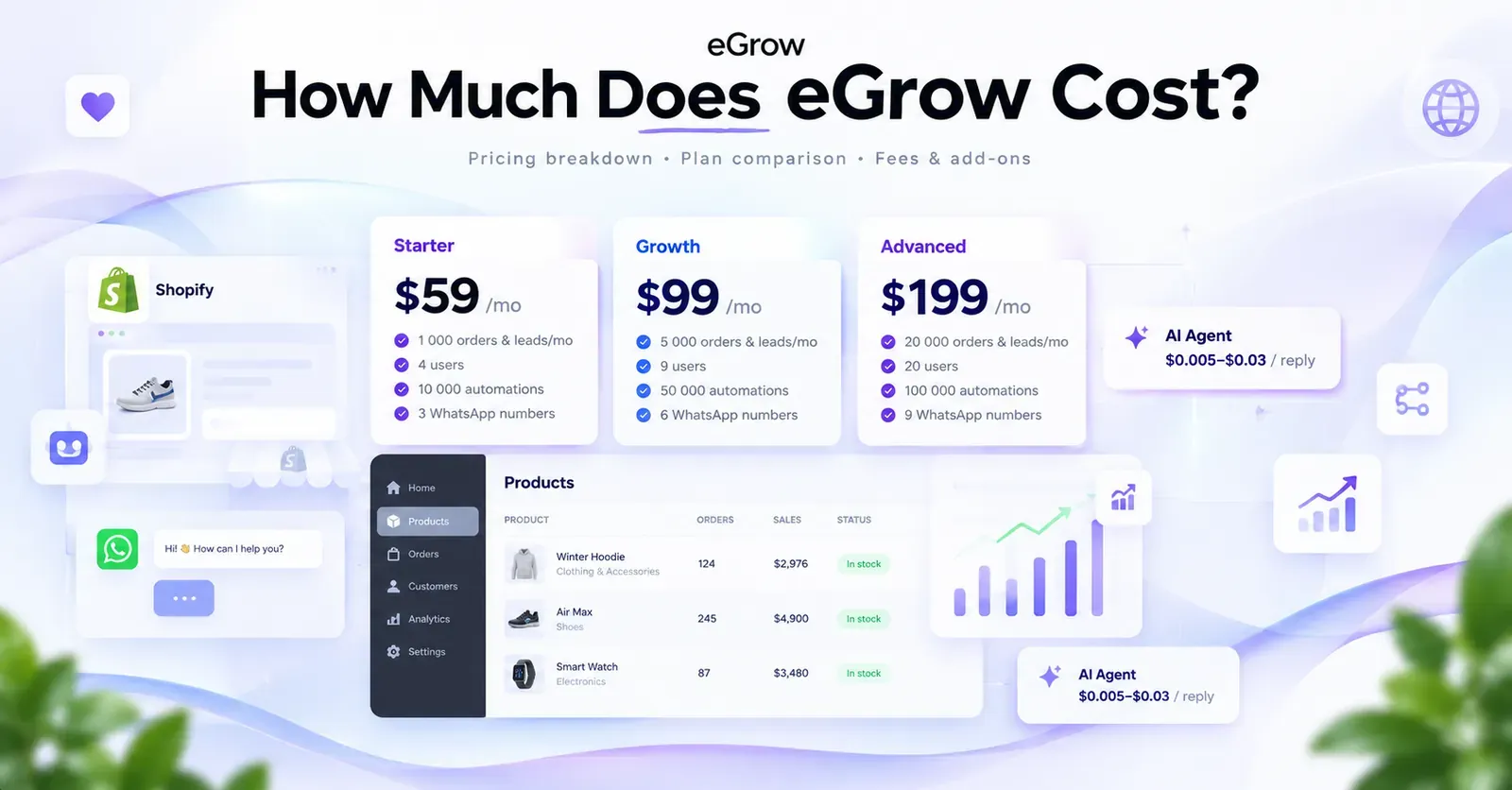
Moving to Grow or Advanced does not mean purchasing a higher Inbox subscription. Those plans change the capabilities and economics of the wider Shopify platform. Shopify Plus serves larger or more complex operations and uses its own commercial terms.
Do not assume that paying more for Shopify creates a separately advertised pool of AI resolutions in Inbox. Shopify's public Inbox documentation explains the agent's operational limits, but does not present an Inbox price ladder based on Basic, Grow, Advanced or Plus.
Does the Shopify Inbox AI agent cost extra?
No separately published AI usage price
The Inbox agent is part of Shopify Inbox's current product offering. Shopify's public app listing marks the application as free, while its help center explains how merchants enable the agent and control which conversations it handles.
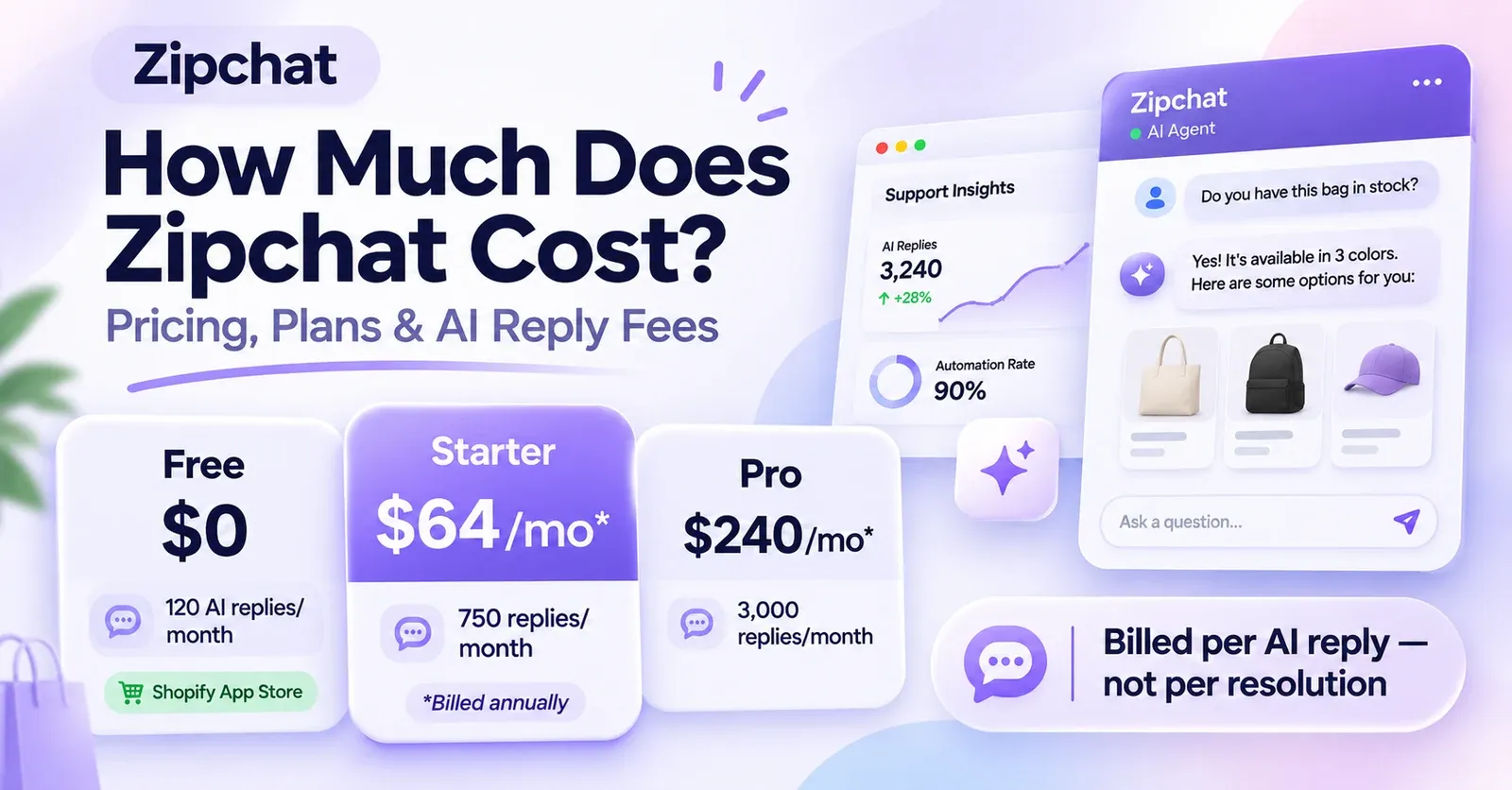
Unlike tools that advertise an amount per automated resolution or a package of billable AI conversations, Shopify does not publicly list a separate Inbox agent charge per message, conversation or resolution in the pricing information reviewed here. That makes the published incremental price different from a usage-metered AI support product.
However, no publicly listed charge is a more precise statement than unlimited AI forever. Product terms and features can change, and operational limits are explicitly documented. Check your current Shopify admin and billing information before relying on any price for long-term budgeting.
What the Inbox agent can do
The agent answers questions using store information such as the product catalog, policies, published pages and Knowledge Base content. Depending on what information is available, it can help shoppers with product details, availability, sizing, shipping and returns. It can recommend catalog products, help with order lookups when the customer is authenticated, and add items to a customer's cart.
This makes Inbox more than a passive message box. It can assist shoppers while they are considering a purchase, not merely collect support questions after an order. Still, a recommendation or cart action is not the same as a guaranteed sale, and merchants remain responsible for ensuring that store information is accurate.
AI agent versus AI-generated suggested replies
Shopify Inbox has two distinct uses of artificial intelligence that are easy to confuse. The Inbox agent is an automated conversational assistant that can answer customers directly when enabled. AI-generated suggested replies, by contrast, help a human employee draft a response; the employee reviews and sends the message.
The suggested-replies feature has its own requirements, including English-language settings and a catalog of no more than 200,000 products. That English restriction should not be presented as a universal language restriction on the Inbox agent. A merchant evaluating multilingual support should test the particular workflow that matters rather than assume every AI feature has identical eligibility rules.
What are the Shopify Inbox agent's usage limits?
Shopify documents safety and conversation limits for the Inbox agent. These are usage boundaries, not published billing tiers.
| Agent limit | Documented threshold |
|---|---|
| Replies in one conversation with a customer who is not signed in | Up to 100 messages |
| Replies in one conversation with a signed-in customer | Up to 1,000 messages |
| New conversations a customer can start with a store | Up to 50 per day |
What happens when a limit is reached?
When the agent reaches a limit, it stops responding in that conversation. If staff handoff is available, the conversation can go to the merchant's team. If staff handoff is unavailable, the customer receives the store's sender email address so they can initiate contact.
The distinction between per-customer and store-wide limits is crucial. A threshold of 50 new conversations per customer per day does not mean the entire store is capped at 50 conversations every day. Similarly, the 100-message or 1,000-message limits describe responses in a single conversation, not a monthly bundle purchased by the merchant.
Are there overage charges?
Shopify does not publish a standard Inbox agent overage rate comparable to a charge for each additional AI resolution. The documented response to reaching a conversation limit is to stop the agent's replies and follow the applicable handoff behavior, not automatically to charge a published overage amount.
That does not justify promising unlimited capacity, nor should an article invent a cost for the 101st or 1,001st AI response. For budgeting purposes, model the potential need for staff assistance rather than assuming an undisclosed per-message charge.
Requirements for activating the Inbox agent
Installing the free app is not the only condition for using the automated agent. Shopify requires an active online store, an eligible Shopify plan, and the new customer accounts experience.
New customer accounts are required
The Inbox agent does not work with legacy customer accounts. If a merchant still uses the older customer-account system, conversations remain with staff until the store moves to the new experience and the agent is activated.
This is particularly relevant to established stores. An owner might see that Inbox is installed and free, yet wonder why automated chat is unavailable. Before assuming that a paid upgrade is required, check the store's customer-account configuration.
The agent is opt-in
Existing Inbox users are not automatically forced into automated chat. A merchant can decide whether the agent handles all new conversations, only those received when staff are unavailable, or none at all. This distinction gives smaller teams a way to introduce automation without abruptly changing how they interact with customers.
The configuration affects workload as well as customer experience. A store that enables the agent only outside staff hours may use automation primarily for coverage, while a store assigning all new conversations to the agent may use it as the first point of contact.
Store information matters more than a pricing upgrade
The agent relies on the accuracy of product listings, policy pages and other available store information. A poorly maintained catalog can lead to poor answers even when the app itself costs nothing. Merchants should prioritize up-to-date shipping terms, return policies, sizing guides, stock information and product descriptions before expecting the assistant to handle a wide variety of customer questions.
Which features are included in Shopify Inbox?
Live chat and staff messaging
Inbox lets visitors message the store while browsing. Staff can manage conversations on desktop or mobile, send links to relevant products, share discount codes and respond with images or videos. Settings for notifications, chat appearance and team availability help fit the tool into the store's existing support process.
For a small Shopify business, these capabilities may be sufficient without a separate customer-service subscription. The trade-off is not necessarily price but the scope of the workflow: a merchant requiring complex ticket routing, advanced service operations or multiple external channels should test whether Inbox covers those needs.
AI-assisted product discovery
The Inbox agent can help visitors narrow down product choices and make recommendations based on the store's own catalog. When relevant information is available, it can use customer preferences, sizes and purchase history to personalize suggestions. This is useful for stores with products that require comparison or explanation, although recommendations still depend on the completeness of the underlying data.
The agent can also support shopping actions such as adding items to a cart. Those actions make the feature commercially relevant, but they are not evidence that every store will see a particular increase in conversion rate or average order value.
 Quentin Olaya
Order questions and human escalation
The agent can help customers with order-related questions, but access to a customer's private order details requires the appropriate sign-in. When a question needs human judgment or the customer requests a person, staff handoff can take over if available.
If no employee handoff is available, the agent may provide the shop's sender email address. It does not automatically send a support email on the shopper's behalf. This is a practical limitation for merchants that promise uninterrupted human service.
Reporting and performance monitoring
Shopify Inbox provides agent-related reporting, including assisted sessions, assisted orders, satisfaction feedback and average response time. These metrics can help a merchant see whether customers engage with the chat and where the experience needs improvement.
An assisted order should not automatically be interpreted as a sale caused entirely by the agent. Use the analytics as directional operational evidence, compare them with other store metrics, and review actual conversations before attributing revenue gains to the tool.
What are the real and hidden costs of Shopify Inbox?
Shopify Inbox does not have a published paid app plan, but the business using it can still have other costs. The useful question is not whether those expenses are hidden inside Inbox; it is which ones are directly attributable to the chat tool and which belong to the store as a whole.
1. Your Shopify subscription
A qualifying Shopify subscription is the most obvious prerequisite. If you already pay for Basic, Grow, Advanced or Plus, the publicly listed app subscription is an incremental $0. If you need to open a store to use Inbox, Shopify's platform fee becomes part of the decision.
2. Staff time and support operations
A free chat application does not make employee time free. Some conversations still require manual responses, sensitive decisions or access to information that the agent cannot resolve. Even highly automated stores need someone to monitor handoffs, handle exceptions and maintain the underlying support information.
3. Payment processing and transaction fees
Payment processing costs are part of running a Shopify store, not a Shopify Inbox chat fee. They vary with payment method, plan and location. Including them in a whole-store financial model can be useful, but adding them to a supposed Inbox per-conversation price would be misleading.
4. Complementary support applications
A merchant may separately choose a returns system, dedicated helpdesk, WhatsApp integration or another tool. Those subscriptions have their own prices and capabilities. Do not imply that their charges are imposed by Inbox or that installing Inbox automatically provides their features.
5. Store content and configuration work
The agent needs trustworthy product, policy and customer-service information. Writing accurate help content, reviewing AI responses and keeping those sources current takes time. It may be a worthwhile investment, but it is an internal operating effort rather than a published Shopify Inbox add-on fee.
Shopify Inbox total cost: three practical examples
Example 1: a small store already on Shopify Basic
Suppose a US merchant pays $39 per month for Shopify Basic with monthly billing and uses Inbox for chat and an eligible Inbox agent setup.
| Subscription item | Monthly amount |
|---|---|
| Shopify Basic | $39 |
| Shopify Inbox | $0 |
| Separate published Inbox agent subscription | $0 |
| Combined listed subscription amount | $39 |
This example excludes taxes, payment processing, other applications and labor. It does not imply that Shopify Basic itself is free or that the complete business operates for $39 per month.
Example 2: a growing merchant on Shopify Grow
A merchant paying Shopify Grow monthly at the standard US public price has a Shopify platform subscription of $105 per month. Installing Inbox adds no separate publicly listed app subscription, so the two listed subscriptions still total $105 before the other costs described above.
If the merchant pays for Shopify annually, the displayed Grow equivalent is $79 per month. That lower figure reflects the annual billing choice for Shopify, not an Inbox discount. The merchant should compare annual cash commitment with monthly flexibility before changing plans.
Example 3: a store with many customer conversations
Imagine a store receiving thousands of chat interactions over a month. It would be incorrect to take that count and multiply it by a hypothetical $0.50 or $1 AI resolution fee for Shopify Inbox. No such standard rate is publicly listed in the information reviewed.
Instead, examine how conversations are distributed across customers, how often agent limits or handoffs occur, how many questions require staff, and whether the workflow meets the brand's service standards. The agent's per-conversation limits remain relevant even when its separately listed app price stays at $0.
Is Shopify Inbox cheaper than a paid ecommerce helpdesk?
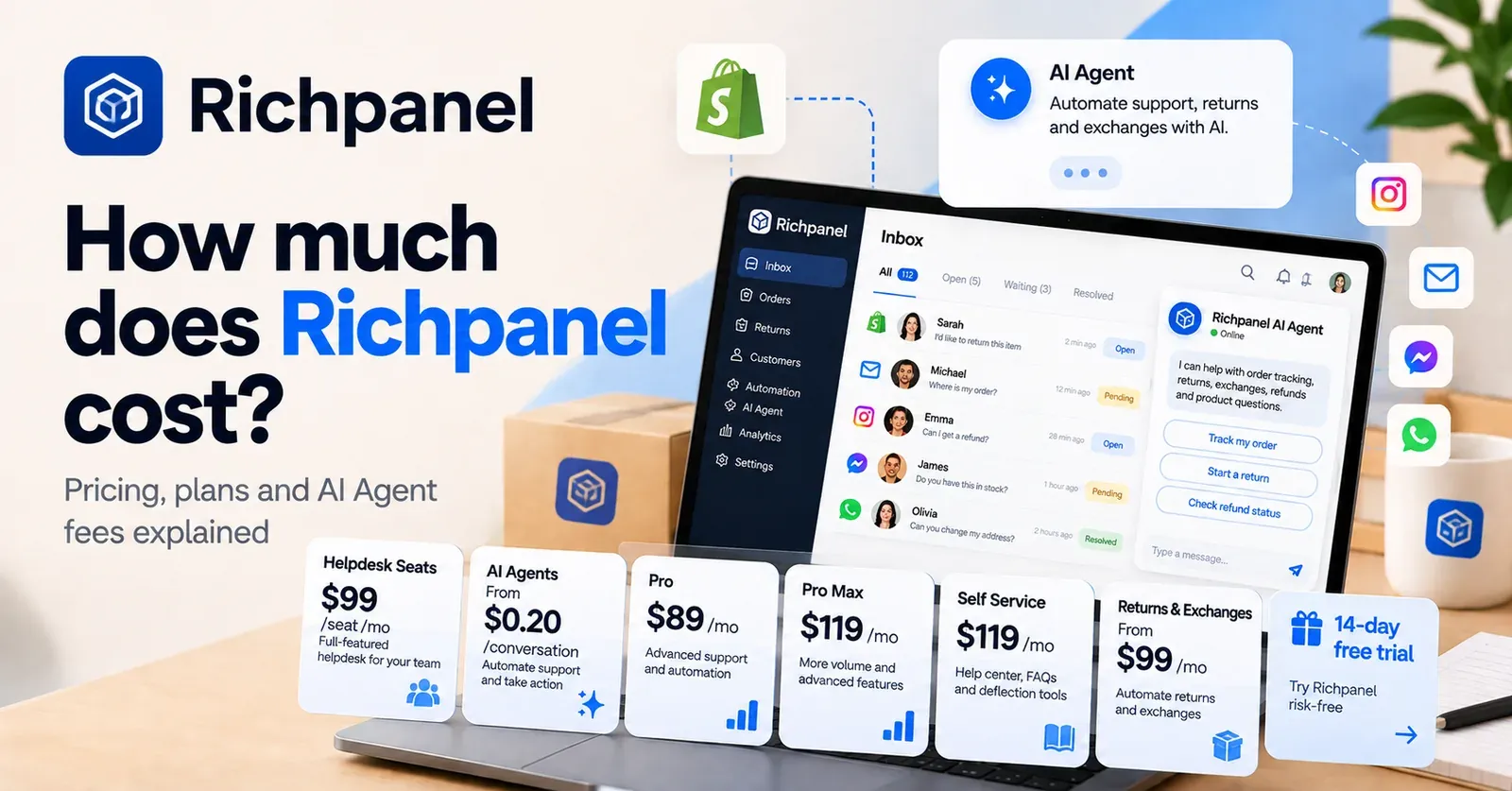
In direct listed application subscription costs, a free Inbox app has an obvious advantage over a paid helpdesk. That comparison alone does not establish equivalent functionality.
A paid support platform may offer particular workflows, channel coverage, reporting, integrations or contractual service arrangements that a merchant needs. Shopify Inbox, meanwhile, is particularly attractive to a store whose primary requirement is storefront chat combined with Shopify-connected shopping assistance.
The fairest comparison starts with the same requirements: where customers contact you, which tasks must be automated, what happens when automation fails, which employees need access, and which reporting capabilities are essential. Then compare the total tool spend and operational workload rather than relying only on headline monthly fees.
 Quentin Olaya
Is Shopify Inbox worth using?
For eligible Shopify merchants who want storefront messaging, Shopify Inbox is an accessible starting point because the application itself is free. The Inbox agent also makes it relevant to merchants interested in AI-assisted shopping conversations without a separately advertised usage fee.
Its value depends on fit. A small catalog with clear product descriptions and straightforward customer questions may suit the tool well. A complex operation that needs tightly managed multichannel ticket queues or highly specialized automation should test the workflow before assuming Inbox can replace every existing support system.
The most useful evaluation is practical: install the app on an eligible store, check customer-account requirements, review its assignment modes, populate accurate information, test realistic questions, and measure whether staff receive fewer routine inquiries without sacrificing customer experience.
Frequently asked questions about Shopify Inbox pricing
How much does Shopify Inbox cost per month?
Shopify Inbox is listed as free, so its public standalone app subscription price is $0 per month. You still need an eligible Shopify store and must account separately for the platform subscription and other business costs.
Is Shopify Inbox free on Shopify Basic?
Yes. Basic is one of the eligible Shopify plans, and Inbox has no separately listed monthly app charge. Basic itself is a paid ecommerce plan; the public US prices reviewed are $39 monthly or the equivalent of $29 monthly with annual billing.
Do you have to pay for the Shopify Inbox AI agent?
Shopify does not publish a separate standard per-message, per-conversation or per-resolution price for the Inbox agent in the pricing information reviewed. The agent is included as an opt-in Inbox feature for eligible stores, subject to requirements and limits.
Does Shopify Inbox charge for each AI resolution?
No separate per-resolution tariff is publicly listed for Shopify Inbox. Do not apply rates published by other AI support products to Shopify Inbox. Also, do not confuse a documented operational conversation limit with a paid bundle of resolutions.
Are Shopify Inbox messages unlimited?
It would be inaccurate to describe the Inbox agent as completely unlimited. Shopify documents limits of up to 100 agent messages per conversation for customers who are not signed in, 1,000 for signed-in customers, and 50 new conversations per customer per day.
Is there a Shopify Inbox free trial?
The Inbox application is free, so there is no separate paid Inbox subscription that requires a conventional free trial. Shopify may offer trial or introductory promotions for its ecommerce platform, but those are separate offers.
Can Shopify Inbox work without a Shopify store?
No. Inbox is designed for eligible Shopify stores. A standalone website on a different platform should not assume that the free app can be installed and operated independently of Shopify.
Does Shopify Inbox include WhatsApp AI support?
The documented Inbox agent operates through the online store chat widget. Do not assume that this gives a store native automated WhatsApp, Instagram or other third-party channel coverage. Such requirements should be evaluated separately.
Can the Inbox agent check orders or process refunds?
The agent can help with order lookups, with sign-in required for private order information. Its documented capabilities should not be expanded into a claim that it can autonomously approve or issue refunds without evidence of that feature.
Is Shopify Inbox suitable for a large store?
It can be used with eligible Shopify plans, including Shopify Plus, but suitability depends on your service requirements. Test coverage, handoff behavior, reporting and operational limits rather than assuming a free app can replace every enterprise helpdesk workflow.