How to Migrate from Rep AI to Enovai on Shopify: A Safe Transition Guide
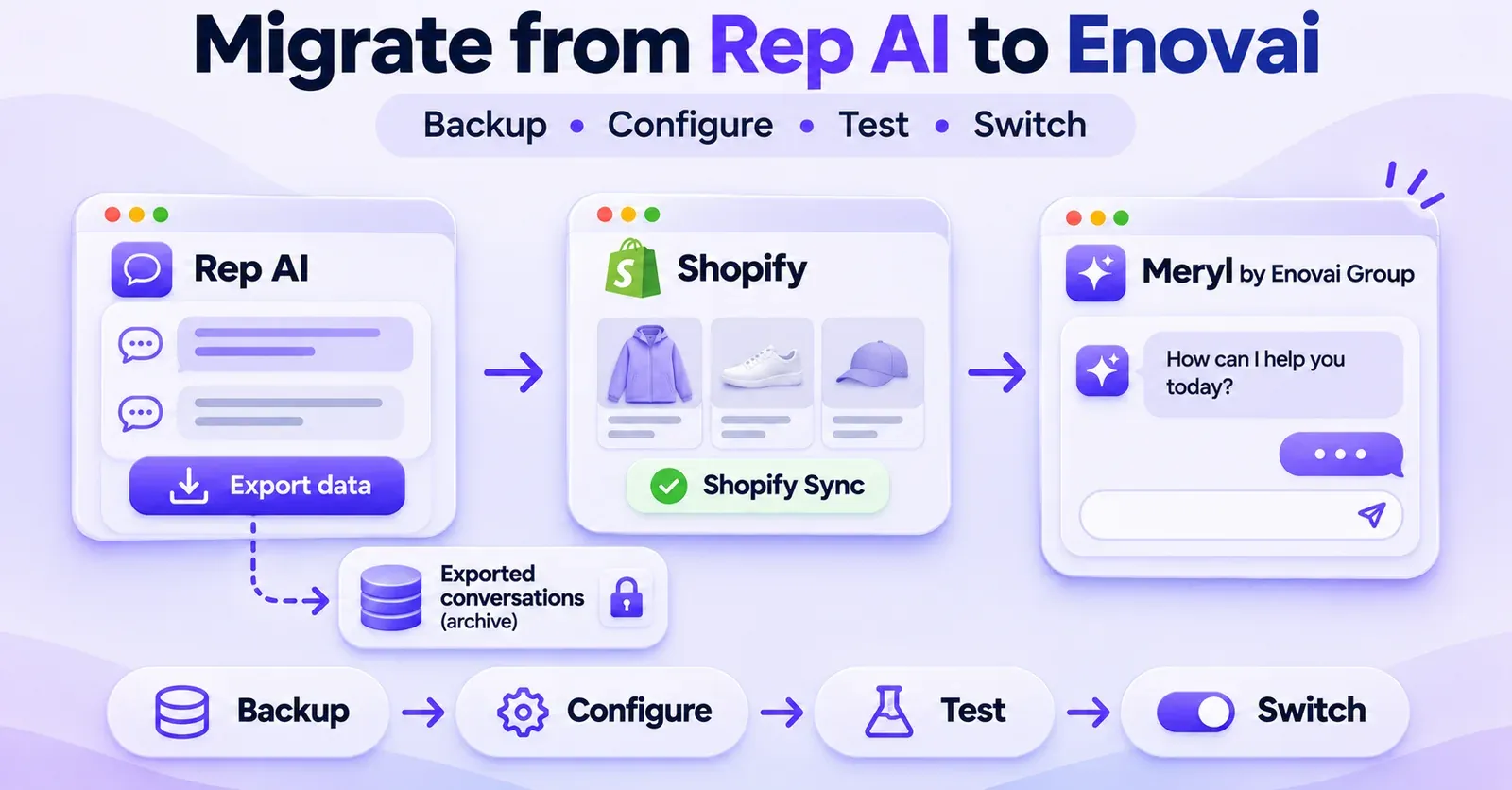
You can move from Rep AI to Enovai on Shopify by preparing the replacement assistant, connecting Enovai to your existing Shopify catalog, rebuilding the knowledge and workflows you need, testing the new experience, and switching the live chat widget before canceling Rep AI. What you should not assume is that this is a one-click data migration. Rep AI documents conversation exports, and Enovai documents Shopify onboarding and widget installation, but a native importer that automatically transfers Rep AI conversations, training, and settings into Enovai has not been publicly confirmed.
That distinction matters. Changing an AI shopping assistant affects more than a storefront icon. It can change which product facts customers see, how support questions are handled, where unresolved conversations go, what your team can access, and when an old subscription is closed. A careless uninstall can also remove access to information you wanted to preserve.
This guide gives Shopify merchants a practical, low-risk transition plan. It separates documented product proceduresfrom recommended migration practices and identifies which capabilities require a test or confirmation before launch. Enovai's Shopify application is listed as Meryl by Enovai Group; this guide uses Enovai for the destination service and Meryl when referring to the app or assistant.
The short version: migrate in this order
| Stage | What to do | Evidence that you can proceed |
|---|---|---|
| 1. Inventory | Record Rep AI features, connected channels, billing, knowledge, and storefront installation | You know what the replacement must cover |
| 2. Preserve | Export eligible Rep AI conversations and download available source documents | Files are secured, checked, and readable |
| 3. Prepare | Create your Enovai workspace and connect Shopify | Shopify reports a connection and the product counter populates |
| 4. Rebuild | Configure brand settings, policies, FAQs, routing, and relevant use cases | Critical scenarios have a defined destination behavior |
| 5. Test | Check products, variants, mobile, sensitive requests, privacy, and handoff | Tests meet predefined acceptance criteria |
| 6. Switch | Deactivate the old live widget and enable the new one using the method appropriate to your theme | Shoppers see one working assistant |
| 7. Monitor | Review conversations, failures, escalations, and catalog accuracy | The new setup is stable enough to retire Rep |
| 8. Close | Confirm remaining exports, cancel Rep, check invoices and residual scripts | Access and billing outcomes have been verified |
Important: This is a recommended operational sequence assembled from the products' separate documentation, not a jointly certified Rep AI-to-Enovai migration wizard. Shopify stores with a custom theme, headless front end, extensive automations, or regulated workflows may require additional technical and legal review.
What actually transfers from Rep AI to Enovai?
Start by separating three kinds of assets: information that already lives in Shopify, records held by Rep AI, and configuration that must be reconsidered for the new assistant. Treating all three as a single export file is one of the biggest migration mistakes.
Your Shopify catalog does not need to be exported from Rep AI first
Your products, variants, prices, inventory, and collections are managed in Shopify. Enovai documents a Shopify Syncconnection that accesses this store data directly, subject to permissions and synchronization. In the normal case, the right approach is therefore to connect your Shopify store to Enovai and verify the resulting catalog—not to copy a historical version of the catalog out of Rep AI and expect Enovai to adopt it.
That still requires validation. A successful connection indicator is not proof that every SKU, option, availability rule, or product description is correct. Check representative items, especially those whose prices, stock, and variants affect buying decisions.
Rep AI conversations can be exported, but import is another question
Rep AI documents a conversation-history API for stores with an API key. It supports retrieving a shopper's conversations by email or exporting conversations over a UTC date range. The bulk route is paginated, with a maximum page size of 200, and documented history is limited to approximately one year. Requests for older dates are clamped to the supported boundary.
This makes the Rep export useful for an archive, audit, analysis, or a separately designed data workflow. It does not establish that Enovai can ingest that export as historical conversations. No native Rep AI-to-Enovai conversation importer is confirmed in the public materials reviewed for this guide. Ask Enovai support whether a supported import route exists before designing a project around one.
Knowledge and automations are not automatically portable
Rep AI can hold uploaded file sources, URL sources, custom FAQs, promotions, and configured sales and support behavior. Its documentation explains how to download available original file sources. But downloading a PDF or spreadsheet is not the same as transferring the training state, rules, priorities, or behavior of the original assistant.
Before deactivating Rep, create an inventory. Save the files you are allowed to retrieve, list useful URLs, capture essential FAQs, record the tone of voice, and describe what each automation is supposed to accomplish. Rebuild only what is both needed and supported by the destination product. For sensitive actions or unsupported workflows, retain a human process until a replacement is verified.
Portability checklist
| Rep AI asset | Reasonable preparation | What remains to be confirmed |
|---|---|---|
| Shopify products, stock, variants | Connect Shopify directly to Enovai and test samples | Actual product and variant accuracy |
| Conversation transcripts | Export via Rep API and keep a protected archive | Any supported third-party-history import into Enovai |
| Uploaded PDF/TXT/CSV sources | Download available originals and review freshness | Supported Enovai ingestion methods and plan access |
| Custom FAQs | Inventory and rewrite important responses where necessary | Any structured bulk import |
| URL-based knowledge | Record and validate source pages | Whether each source can be reused in Enovai |
| Promotions | Document terms, dates, exclusions, and status | Equivalent promotion behavior in Meryl |
| Sales and support skills | Describe triggers, permissions, outcomes, and failure cases | Feature-by-feature destination equivalence |
| Widget design | Save screenshots and brand settings | Exact theme and placement behavior |
| Analytics | Preserve authorized reports and baseline metrics | Comparable metrics and reporting definitions |
| Other channels | List email, messaging, and helpdesk integrations | Supported Enovai channels and handoff mechanisms |
The objective is continuity of business decisions and shopper experience, not a promise of identical underlying systems.
Step 1: Audit your existing Rep AI setup
Before making changes, open your Rep console and write down how the current solution is used. A simple storefront that answers product questions may be relatively straightforward to replace. A store using proactive sales skills, custom support actions, multiple languages, or connected service channels needs a more detailed plan.
Record the operating environment
Capture the Shopify store domain, published theme, and whether Rep currently appears through a Shopify App Embed, an older script-based installation, or another deployment arrangement. Also note any custom theme code, headless storefront, consent platform, and browser-specific behavior. The technical installation method determines what must eventually be disabled.
Record who can edit the theme and manage applications. The person making the cutover needs the required Shopify permissions and should be able to restore the previous theme configuration if something breaks. A theme duplicate or other controlled backup can help, but it is only useful if you know which version contains the working configuration.
 Quentin Olaya
Inventory features that shoppers actually use
Do not rely on the plan name as your feature inventory. Instead, ask:
- Does Rep recommend products only after shoppers ask, or also initiate conversations based on behavior?
- Are product recommendations expected to account for size, color, stock, price, or special catalog fields?
- Does the assistant answer shipping, return, warranty, payment, or sizing questions from uploaded knowledge?
- Does it retrieve order-related information or attempt eligible order actions?
- Can a shopper request a human agent, and where does that request go?
- Are there active email, Meta, helpdesk, or other non-storefront channels?
- Which promotions, language rules, geographic exclusions, and escalation conditions are currently active?
For every important behavior, write one test question and one expected outcome. This produces a real acceptance checklist instead of an unrealistic assumption that two different assistants work identically.
Capture a useful performance baseline
Save a dated snapshot of conversations, traffic or session usage, common request categories, human escalations, catalog questions, and customer feedback. If you examine sales attribution, document the attribution definition and period. You will want to compare the new setup against the same business questions after launch.
Be cautious about units. Rep AI may bill or report website sessions, while Enovai's public offers also refer to conversation allowances. A session is not necessarily a conversation, and neither is automatically an incremental sale. Do not translate one into the other without a defensible model.
Check commitments and access while the account is still active
Confirm the Rep billing period, active plan, extra services, contractual terms, and available API access. Make sure you can access the knowledge files, exports, and any information required for business records before removing the app. Rep's documented consequences of uninstalling differ between trial and paid accounts; those differences matter later in this guide.
Step 2: Preserve Rep AI conversations and source material
Exporting historical data is a separate activity from configuring the new live assistant. It protects records you may need for lawful retention, customer support, troubleshooting, or future reporting. It does not turn those records into Enovai's operational knowledge automatically.
Export conversation history using Rep's documented API
Rep describes two retrieval approaches: looking up a shopper's conversations by email and exporting a range of conversations. The bulk route is the appropriate candidate when your authorized objective is to preserve a larger set of conversations.
A developer or technical administrator should:
- Open Settings → API Keys in the Rep console and verify access to the Account Key and API Key.
- Decide which date ranges are required, remembering that request times use UTC.
- Request an initial bulk-export page, with a page size no greater than the documented maximum of 200.
- Continue while the response indicates
hasMore, usingnextCursorwithout changing the other pagination filters. - Check whether the response includes
clamped, which flags an older start date adjusted to the one-year history boundary. - Handle rate limiting appropriately. The API describes HTTP
429responses and aRetry-Afterinstruction. - Save and validate the resulting records in a protected location, with a count of records and a log of any failed requests.
Rep's bulk response can contain conversation messages together with shopper details, page activity, cart interactions, order information, or labels when such data exists. For this reason, the export is not an anonymous marketing sample. Treat it as potentially sensitive personal data.
Do not place API keys in storefront JavaScript, a theme file, a public document, or a shared SEO draft. Use access-controlled storage and restrict who can see the extracts. A visible error or incomplete range should be resolved before concluding that the archive is complete.
What if you need more than one year? The documented bulk API does not guarantee access beyond its one-year window. Contact Rep AI about any other lawful and contractually available retrieval route; do not assume that an older archive can be reconstructed.
Download eligible knowledge files
Where Rep's file-source interface provides original-file downloads, retrieve the materials that still matter: product guides, fit charts, warranty documents, service policies, and other approved files. Keep track of their owners and last update dates. Revisit every document before reusing it: a shipping policy from last year or a discontinued promotion should not become authoritative in the new assistant.
For custom FAQs and URL sources, an inventory or manual copy may be the most reliable method available. Document the question, approved answer, source page, version, and any geographic exceptions. Do not claim there is a guaranteed bulk importer or a supported one-click FAQ transfer unless your Enovai account and its current documentation confirm it.
Decide what should not move
Migration is also an opportunity to delete outdated content. Exclude expired discounts, contradictory support scripts, old return windows, unnecessary personal data, and knowledge derived from products no longer sold. Preserve legally required business records separately; do not repurpose customer transcripts as a training dataset without appropriate permissions and a legitimate purpose.
A smaller, current knowledge set is often safer than a large archive whose contents have not been verified. Prioritize approved customer-facing information over copying every internal note.
Step 3: Prepare Meryl by Enovai Group on Shopify
Enovai's Shopify application is listed as Meryl by Enovai Group, developed by ENOVAI GROUP. Confirm you have the correct app and developer when setting up the replacement. The public documentation uses both Enovai and Meryl terminology, so a change of branding in the interface should not be confused with a separate migration product.
Create an Enovai workspace
The documented onboarding flow includes creating an account, verifying access, and creating a workspace through Enovai's application. Give the appropriate administrator ownership and make sure more than one necessary team member knows how support and account management will work after launch.
Before accepting a subscription, review the currently presented offer in your own checkout and order documents. The public materials have used Launch in one pricing surface and Starter in another for the entry tier. Do not assume that a name seen in an older help article is the definitive label for your live checkout.
Likewise, look at the catalog allowance, monthly conversation allowance, number of team seats, retention period, and any export or support entitlement. Enovai's published plan descriptions do not make every feature universal. A CSV export from Enovai, where available, is not evidence of a Rep AI import into Enovai.
Connect your existing Shopify store
Enovai's documented connection procedure is straightforward:
- Open Shopify Sync from the Enovai navigation.
- Enter your Shopify domain in the native format
yourstore.myshopify.com. - Choose Connect Shopify.
- Review the Shopify authorization request and approve the permissions required for the intended use.
- Return to Enovai and look for Synced with Shopify.
- Check Plan & Usage → Products and verify that the product counter begins to populate.
If the product count remains at zero, the Enovai help guidance recommends revisiting the Shopify connection and permissions. A visible synced indicator is a starting signal, not the final quality-assurance result.
For stores with extensive catalogs, sample the new data across product types. Check an active item, an out-of-stock item, a discounted item, multiple sizes or colors, and a product with restrictive delivery conditions. If the new assistant cannot reliably distinguish them, keep the cutover on hold.
Rebuild core brand and service settings
Enovai documents settings including Bot Settings → General for business identity, assistant appearance and welcome messaging, and Bot Settings → Widgets for widget-related presentation. Configure the elements exposed in your actual account, save changes, and inspect the resulting behavior rather than copying menu labels blindly from screenshots.
Begin with a compact, approved knowledge pack:
- Store identity, customer-service hours, contact and escalation channels.
- Shipping destinations, shipping estimates, and special delivery restrictions.
- Returns, exchanges, warranty, cancellation, and refund policies.
- Sizing guidance and product-care details that shoppers commonly ask about.
- Payment options and any limitations the merchant needs to disclose.
- Country-specific policy differences and promotion conditions, if applicable.
Do not presume that Enovai can use every old Rep file format, reproduce every old sales trigger, or perform every order operation just because it can connect to Shopify. Confirm the actual feature in the subscribed account or with Enovai support. For any unverified sensitive capability, direct the shopper to a human team member.
Step 4: Rebuild behavior, not just a list of features
Migration succeeds when essential customer journeys still have a safe outcome. It is not enough to find a similar-looking control in the destination dashboard.
Recreate answers using approved knowledge
For each high-volume question, specify the authoritative source and expected answer. A shipping question should follow the active shipping policy; a return question should use current eligibility rules; a sizing response should distinguish the actual product and size chart. When content conflicts, resolve the business policy before training or configuring the new assistant.
A practical review sheet has four columns: customer question, approved answer, source owner, and test result. Add a fifth column for escalation when the answer depends on private customer details or a discretionary business decision.
 Quentin Olaya
Map proactive selling carefully
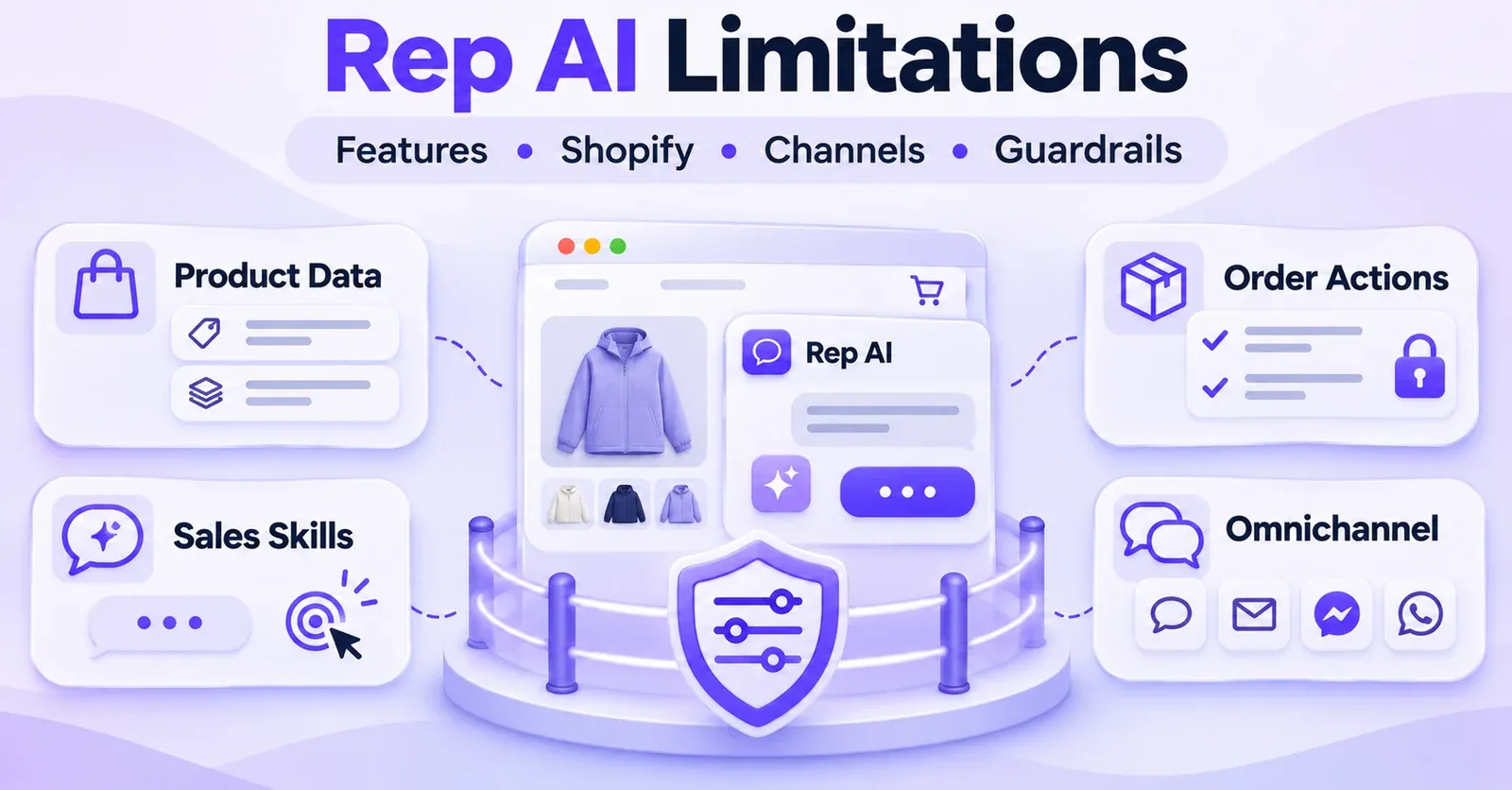
Rep AI may use configured Sales Skills and proactive interventions. These do not automatically map to an identical Enovai configuration. Write down what the existing skill was intended to accomplish: remind a hesitant visitor about sizing information, introduce a relevant product, or offer an approved promotion. Then verify whether Enovai provides an appropriate, documented way to achieve that outcome.
If the destination lacks an equivalent trigger, do not fake it with an aggressive generic pop-up. You may decide to retain only responsive product discovery, or to launch with a narrower set of capabilities. Being explicit about this gap is better than shipping an experience that surprises customers.
Keep order-changing actions under control
Order cancellation, address changes, refunds, credits, and similar operations can create financial or contractual consequences. Never treat a generic “Shopify integration” claim as proof that the assistant can perform these actions with the same permissions and restrictions as Rep.
For each operation, establish three things: whether the destination actually supports it, which orders are eligible, and what happens if the operation cannot safely proceed. If any answer is uncertain, provide a reliable human escalation path. For acceptance testing, use approved test cases that cannot accidentally alter real customers' orders or issue real refunds.
Confirm where unresolved questions go
A replacement assistant needs a real route for questions it cannot answer. Define the merchant's actual support email, helpdesk, chat queue, or contact form and make sure team members know who is responsible. Test the request “I need to speak to a person” and the follow-up process end to end.
A screen that says “transferring you” is not enough. The request should reach a team that can act on it, with whatever context is genuinely supported. The old Rep ticket history should not be assumed to accompany the new conversation.
Step 5: Test Enovai before changing the live storefront
Testing should occur before the merchant intentionally exposes the replacement to general traffic. Depending on the theme and integration, a duplicate or unpublished theme, a controlled preview, or a carefully arranged low-traffic validation window may be useful. Do not assume that Enovai has a guaranteed private staging or shadow mode; verify what your actual setup permits.
Build a test set that reflects the store, not only generic chatbot questions. The following matrix can be used as a launch gate.
| Test scenario | What to ask or do | Pass condition |
|---|---|---|
| Store policy | Ask when a returned item qualifies for a refund | Answer follows current policy, not an old Rep source |
| Product discovery | Request a specific use case and price range | Recommendations are relevant and real |
| Variants | Ask for a particular size/color | Correct available variant is identified |
| Stock | Ask for an item that is unavailable | No invented stock or checkout promise |
| Pricing | Check a product with an active sale price | Details match the storefront's current data |
| Shipping | Ask about a restricted region | Answer reflects store-specific conditions |
| Sensitive order request | Ask to cancel a test order | Approved action or safe escalation only |
| Human support | Request a human | A usable contact or handoff process appears |
| Mobile | Visit a product page and open chat on mobile | Widget is accessible and does not obstruct checkout |
| Consent | Test relevant consent choices | Behavior matches implemented privacy requirements |
| Language | Ask in an important store language | Answer is accurate and policy-consistent |
| Theme placement | Visit home, collections, product, cart pages | No duplicate or broken widget presentation |
| Analytics | Run a controlled conversation | Appropriate observable events or records appear |
| Failure handling | Ask an unknown or ambiguous question | Assistant expresses uncertainty or escalates |
Test business outcomes, not just whether the widget opens
A widget that appears on a product page can still recommend the wrong size, quote an obsolete policy, or fail to route a support request. Include at least one negative case for each important capability. Negative tests deliberately ask for something that should not happen, such as recommending an out-of-stock item as available or granting an unauthorized refund.
Where possible, use the same approved questions against the old setup and the new one for internal observation. Record the date, test environment, product identifiers, expected outcome, observed outcome, and person who approved the result. Do not interpret a small, uncontrolled set of examples as proof that one vendor has superior AI performance.
Decide in advance what blocks launch
Define clear no-go criteria. Examples include wrong prices, inaccurate stock, failure to honor a critical return rule, an inoperative human escalation path, an unexpected second widget, and problems preventing mobile checkout. A soft wording issue may be fixed after launch; a broken sensitive process should generally be resolved first.
If a capability cannot be verified, classify it as not confirmed. Do not quietly reclassify it as supported because the marketing page mentions a broader category such as “support automation.”
Step 6: Switch from the Rep widget to the Enovai widget
Treat the public switch as a controlled change with an assigned owner. The exact controls depend on the current Rep installation, your Shopify theme, and the Enovai installation method.
Understand Enovai's installation options
For Shopify Online Store 2.0 themes, Enovai's documented preferred method is App Embed. The general flow is Bot Settings → Widgets → Install widget, followed by enabling the app in the Shopify theme editor's App embeds section and selecting Save.
Enovai also documents manual installation methods, including adding a script to theme.liquid or using a Custom Liquid section where supported. These are conditional alternatives for compatible themes or cases in which App Embed is unavailable; they are not instructions to use all installation methods together. Duplicating Enovai's own embed and manual script can create duplicate widgets.
A headless Shopify store requires additional technical validation. Do not assume the OS 2.0 instructions apply unchanged to a custom frontend. Your developer should examine placement, routing, script policies, consent, and event tracking in the real customer environment.
Use a cautious cutover sequence
A practical cutover sequence is:
- Confirm the product and policy tests are complete and an authorized administrator is available.
- Record the currently published theme and the working Rep display configuration.
- Make a safe, reversible change to the method that currently exposes Rep's widget, without deleting the account or knowledge at this stage.
- Enable the chosen Enovai widget method on the appropriate theme and save it.
- Open the storefront as a shopper, including a private browsing session and mobile device.
- Confirm that one chat interface appears and it belongs to the intended provider.
- Ask test questions and confirm that the new assistant can use current Shopify product data.
- Watch for theme errors, consent conflicts, or unexpected behavior around cart and checkout.
The goal is to avoid an unplanned gap or confusing overlap. This sequence is recommended migration practice; it is not a promise of zero downtime or a documented cross-vendor hot-swap feature.
What if both apps are installed at once?
An installed Shopify app does not necessarily mean its storefront widget is currently active. However, enabling two independent chat experiences for the same customer can cause confusion, overlapping interfaces, and misleading measurement. During preparation, you may need accounts available in both systems, but the public experience should be intentionally controlled.
Enovai explicitly warns about installing its own widget through two methods simultaneously. That warning is not proof that every Rep-plus-Enovai coexistence causes a specific technical failure. Inspect what your actual storefront displays rather than assuming it is safe or automatically broken.
Prepare a rollback without promising session continuity
Keep a rollback note with the previous theme configuration, installation method, responsible person, and steps required to stop the new widget and restore the old one if a serious issue appears. Test your ability to reverse the visibility settings before canceling Rep.
Rollback does not imply that an ongoing chat can be seamlessly moved between providers, that an Enovai conversation can continue inside Rep, or that every event can be replayed. No such session-continuity function has been confirmed. A rollback is a way to restore a known storefront experience, not a data-merge guarantee.
Step 7: Monitor the new setup after launch
Once Enovai is visible, do not immediately declare the project complete. Observe real requests over an agreed review period and identify failures you did not encounter in testing. The right review period depends on traffic, business risk, and staffing; there is no universal fixed number of days that proves a migration is successful.
Look for patterns, not just isolated successes: repeated questions the assistant cannot answer, incorrect product or policy statements, shoppers struggling to reach a human, catalog mismatches, mobile interaction problems, and unexpected consumption of plan allowances.
For an accurate comparison, keep your original baseline alongside the new data and label the metrics carefully. You cannot conclude that Enovai caused an increase in incremental revenue just because its dashboard reports attributed orders. Differences in traffic, campaigns, seasonality, customer mix, and attribution windows can explain part of the change.
Review the plan before traffic grows
Enovai's public plans describe limits involving conversations, catalog size, team access, and retention. The applicable checkout and contract should determine what your store has purchased. Check whether a larger catalog, multilingual store, or support team needs an upgraded plan, and clarify what happens at the relevant quota.
Rep usage and Enovai usage may be defined differently. If the old platform measured sessions and the new one emphasizes conversations, a line-by-line comparison of their posted figures does not reveal the actual monthly cost for your store. Use your observed behavior and the contracted billing definitions instead.
Review access and data retention
After the switch, make sure only authorized people have access to the Rep archive, Enovai console, Shopify permissions, and any temporary test data. Define retention for old exports and delete working duplicates when they are no longer necessary, subject to lawful obligations. Review the destination plan's published retention policy and contract rather than assuming every plan stores two years of history.
For stores operating under GDPR or another relevant privacy regime, review the legal basis for processing and transfer, customer disclosures, data-processing arrangements, and data-subject rights. A service change does not remove the merchant's data-protection responsibilities.
 Quentin Olaya
Step 8: Cancel Rep AI only when you are ready
Do not uninstall Rep AI as the first step in this migration. Its own account-management documentation distinguishes trial accounts from paid accounts, and uninstalling a paid account can have consequences for future access.
If your Rep account is on a free trial
Rep's July 2026 guidance describes Shopify uninstall as removing the store connection and storefront chat, while preserving access to the Rep console and existing settings through the remaining original trial period. Reinstalling during that window does not restart the trial clock. The account can close when the original trial ends if it is not reinstalled.
This is a time-limited behavior described in the vendor's help materials, not a universal promise of indefinite data availability. Export what you need first and confirm your account's actual status.
If your Rep account is on a paid plan
Rep's same guidance states that uninstalling the Shopify app closes the account and schedules subscription cancellation for the end of the current billing period. It also describes the widget being removed from the storefront. Because the document does not guarantee post-closure access to all records, a merchant should assume that data retrieval belongs before uninstall, not afterward.
An older Rep cancellation guide also describes paths through Shopify or the Rep console. The exact screen and contractual effects should be checked in the account before action. Cancellation must not be represented as an automatic refund, and an existing billing period may still have obligations or charges.
Check Shopify and external billing separately
Shopify warns that uninstalling an app may leave theme code requiring additional cleanup. It also distinguishes Shopify-billed recurring charges from payments billed directly by external services. Removing a Shopify app does not automatically cancel every outside subscription.
Before marking the migration finished, verify the old vendor's confirmation, the applicable final billing period, any separately billed services, and whether obsolete storefront scripts remain. Avoid deleting code without understanding its purpose; coordinate with the theme developer if the implementation is unclear.
Common migration mistakes and how to avoid them
Mistake 1: Confusing an export with an import
Rep's conversation API is useful for extracting your data. It does not itself tell Enovai where to put it. Enovai's CSV export capability, where included, points in the opposite direction: out of Enovai. Ask specifically about third-party historical imports before committing engineering work to a presumed connector.
Mistake 2: Assuming Shopify synchronization replaces the knowledge base
Shopify product data can ground recommendations, but it may not include return exceptions, editorial size guidance, warranty policies, or support-team procedures. Build an approved knowledge inventory and test the actual source of answers.
Mistake 3: Treating a similar feature label as equivalent behavior
A sales assistant, order integration, or support workflow can be implemented very differently by two vendors. A capability should count as migrated only when the relevant permission, eligibility, error handling, and business outcome are documented or tested.
Mistake 4: Leaving both widgets visible
A customer should not have to guess which assistant to use. Map each installation method, check the published theme, and verify appearance on mobile, product pages, collection pages, and the cart. Also check for residual manual scripts from earlier implementations.
Mistake 5: Canceling before the new assistant passes critical tests
If you uninstall a paid Rep account before exporting the data and validating the replacement, restoring the previous working state may be more difficult. Keep account closure separate from widget visibility and execute closure only after the launch decision.
Mistake 6: Forgetting third-party channels
If Rep currently supports your service team beyond the storefront, switching a website widget is not necessarily a complete transition. Inventory every existing channel and integration, decide whether it is needed after the move, and confirm available Enovai capabilities individually.
Mistake 7: Declaring success from an attribution dashboard alone
A safe migration is evidenced by correct answers, reliable shopping assistance, acceptable handoffs, a functioning storefront, compliance, and usable operations. Attributed revenue can be one observation, but it is not proof of causal uplift without a suitable measurement design.
A practical migration schedule for a Shopify team
The following is an illustrative plan, not a vendor-guaranteed delivery timeline. A small store with simple FAQ and product discovery needs may complete the work in fewer review cycles than a multi-market store with complex automations.
| Work block | Responsible owner | Deliverable |
|---|---|---|
| Preparation | Shopify admin + support lead | Feature inventory and migration scope |
| Data preservation | Data owner / developer | Verified Rep exports and knowledge register |
| Destination configuration | Shopify admin + Enovai admin | Connected catalog, brand rules, escalation route |
| Functional acceptance | Support + ecommerce team | Test log with pass/fail and blocking defects |
| Cutover | Theme owner + operations | Single live Enovai widget and rollback plan |
| Post-launch review | Support + analyst | Issue log, usage review, go/no-go on Rep closure |
| Account closure | Billing owner | Rep confirmation, invoices, residual-code audit |
One person should explicitly authorize the live switch, and one should be responsible for reversing it if critical tests fail. This avoids the common situation in which marketing believes engineering has disabled the old widget while engineering assumes billing has already closed the account.
Final migration checklist
Use this checklist as a gate before you consider the transition complete:
- Identified the correct Meryl by Enovai Group Shopify application and applicable subscription.
- Documented the Rep AI account state, active channels, automations, and current widget installation.
- Exported eligible Rep conversations and checked date coverage, pagination, and secure storage.
- Downloaded available Rep source files and inventoried FAQs, URL knowledge, and promotions.
- Connected Enovai to the right
myshopify.comstore and verified the catalog counter. - Checked representative SKU variants, prices, stock, and store-specific policies.
- Configured the assistant's brand settings and safe human-escalation behavior.
- Confirmed which required Rep functions have an equivalent Enovai workflow and which do not.
- Passed mobile, privacy, support, product-discovery, and negative-action tests.
- Switched the correct published theme so shoppers see one intended chat experience.
- Kept a rollback procedure and responsible owner available during the transition.
- Reviewed new usage, unanswered questions, customer-support handoffs, and errors.
- Confirmed Rep data retrieval is complete before uninstall or account closure.
- Checked cancellation, external billing, residual theme code, and data retention.
Bottom line
Migrating from Rep AI to Enovai on Shopify is best treated as a controlled service transition, not a file conversion. Preserve what you can legitimately retrieve from Rep, use Shopify as the source of truth for catalog data, configure Meryl around real store policies, test the outcomes that matter, switch only one public chat experience, and retire the old account after confirming the result.
The safest plan does not depend on an unverified importer or an unsupported promise that all features are identical. It depends on documented procedures, clear ownership, tested customer journeys, and an explicit decision about what must remain under human control.
Frequently asked questions
Can I migrate directly from Rep AI to Enovai in one click?
A native one-click migration that transfers Rep AI's conversations, training, skills, and configuration into Enovai is not publicly confirmed in the documentation reviewed. The dependable approach is a controlled replacement: preserve appropriate Rep data, set up Meryl using Shopify Sync, rebuild the required knowledge and workflows, test, and switch.
Is Meryl the same product as Enovai?
Meryl is the name used for Enovai Group's Shopify assistant, and its Shopify App Store listing is Meryl by Enovai Group. It is not a new name for Rep AI. Use the listing and developer identity to confirm that you are installing the intended destination app.
Will my Shopify products and inventory move automatically?
Enovai documents connecting directly to Shopify and starting a product synchronization. That is different from importing the catalog from Rep AI. Connection alone does not guarantee perfect stock, variant, or product-policy accuracy, so check representative examples before going live.
Can Enovai import my Rep AI chat history?
The available public materials establish a Rep AI export API but do not confirm a supported Enovai importer for those third-party transcripts. You can preserve an authorized archive; ask Enovai support about any current import capability, format, security process, and applicable plan before expecting historical conversations to appear in Meryl.
How much Rep AI history can I export?
Rep documents up to approximately one year of history through its bulk conversation-export API, with UTC date ranges and cursor-based pagination. Requests outside that supported window are adjusted, and the response indicates when clamping occurred. Any alternative access to older records should be confirmed with Rep support.
Do I need a developer to switch the widget?
For a compatible Shopify Online Store 2.0 theme, Enovai recommends an App Embed workflow, which generally avoids manual script editing. A classic theme, headless storefront, residual older scripts, or complex consent integration may need developer review. The exact installation method should match the live storefront.
Can I keep Rep AI and Enovai installed during testing?
You may need both accounts available during preparation, but you should manage the visible storefront experiencedeliberately. Do not assume that two installed apps always produce two visible widgets, or that two active chat interfaces are harmless. Test the exact theme and avoid enabling multiple Enovai installation methods at once.
Will my Rep AI Sales Skills and Support Skills be preserved?
Not automatically, based on the documented procedures. Inventory their goals, triggers, eligibility rules, and connected actions, then confirm equivalent supported behavior in Enovai. Retain human handling for capabilities that cannot be verified, particularly order-changing tasks and sensitive customer requests.
Should I uninstall Rep AI before installing Meryl?
Generally, no. Export needed data, prepare and validate the destination, and control the widget switch before closing the old account. Rep's account guidance indicates different uninstall outcomes for trial and paid accounts, making premature removal particularly risky for data access and rollback.
Does uninstalling Rep AI cancel every charge immediately?
Do not assume so. Rep documents cancellation effects tied to the current billing period, and Shopify explains that services billed outside Shopify may require separate cancellation. Review the current contract, Rep billing screen, final invoice, and any third-party charges. Uninstall does not automatically imply a refund.
Will Enovai work on a headless Shopify storefront?
Enovai documents compatibility considerations and manual installation paths, but headless deployments need implementation-specific validation. Check the frontend's script loading, layout, catalog access, consent handling, and event tracking with your developer before making a compatibility promise.
Is the migration guaranteed to improve conversion rate or reduce support cost?
No. A migration can be successful operationally without proving an increase in incremental revenue. Measure factual outcomes—correct responses, product relevance, escalation quality, technical reliability, usage, and customer feedback—and interpret conversion and attribution figures within a consistent measurement framework.
How do I protect customer information during the migration?
Limit exports to legitimate business purposes, secure API credentials, restrict transcript access, define retention, and review relevant privacy requirements and contracts. Rep exports may contain customer and order data. Moving systems is not permission to publish, freely reuse, or indefinitely retain those records.
What should I do if Enovai does not support an important Rep workflow?
Do not silently remove a critical customer journey. Identify the missing capability, ask Enovai support for a documented alternative, and use a verified human or third-party process where appropriate. If the gap blocks a non-negotiable requirement, postpone the cutover until the store can continue to serve customers safely.