Rep AI vs Enovai: Shopify Features, Pricing Models, and Key Differences
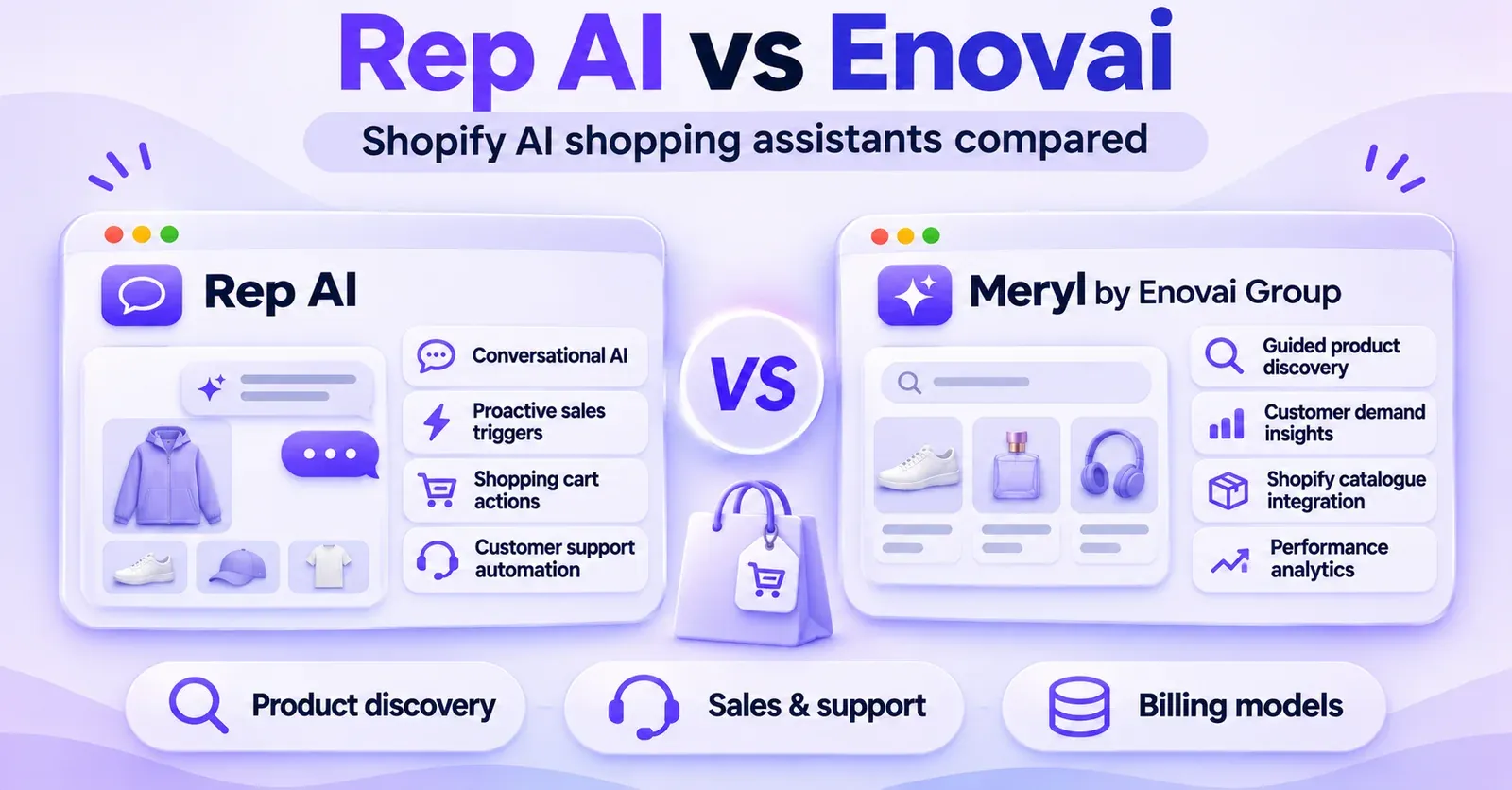
Rep AI and Enovai both help Shopify merchants use AI to guide shoppers, recommend products, and answer questions. Their priorities and public documentation, however, are not identical. Rep AI describes an extensive system of behavior-triggered Sales Skills, conditional Shopify support actions, and AI answering across connected service channels. Enovai's assistant, Meryl by Enovai Group, emphasizes conversational product discovery, catalog-based guidance, and Demand Intelligence that helps merchants learn what shoppers are looking for.
Neither is automatically the better choice. The relevant questions are what you want the assistant to do, which capabilities your subscription actually includes, how the assistant behaves on your catalog, and how its usage is counted. In particular, Rep AI's website pricing is organized around billable sessions, while Enovai publishes monthly conversation allowances. A starting monthly price cannot tell you which will cost less for your store.
This comparison reflects publicly documented features and commercial information reviewed in November 2026. It is not the result of an independent head-to-head benchmark. Where a capability is not described in the reviewed documentation, we identify it as not publicly confirmed, rather than claiming it does not exist. Plans, permissions, and integration details should be checked in the current merchant dashboard or at checkout before committing.
Rep AI vs Enovai at a glance
| Decision criterion | Rep AI | Enovai / Meryl |
|---|---|---|
| Core positioning | Shopify-oriented AI sales and support, including proactive engagement | Shopify AI shopping assistant focused on guided discovery, recommendations, and shopper insights |
| Shopify product catalog | Integrates product and store information; offers Product Finder under eligible plans | Shopify Sync with product, variant, inventory, and catalog-based recommendations |
| Conversational product search | Guided and direct product search are documented for Product Finder | Natural-language discovery by need, budget, color, size, availability, and other catalog attributes is described |
| Proactive engagement | Built-in and custom Sales Skills with documented behavior triggers and frequency controls | Proactive engagement is described commercially; equivalently detailed merchant-configurable triggers were not confirmed in the reviewed help articles |
| Custom sales automation | Up to 10 Custom Sales Skills documented | Equivalent limit and trigger editor not publicly confirmed in the reviewed materials |
| Order-related AI actions | Certain Shopify actions documented with rules, conditions, and required permissions | Product assistance, order-related guidance, and human escalation described; equivalent autonomous order-editing scope not publicly confirmed |
| Email and social AI | Omnichannel AI documents email, Instagram, Facebook Messenger, and WhatsApp, subject to setup and additional commercial terms | Equivalent independent-channel coverage not established from the reviewed public Shopify listing and help articles |
| Shopper insights | Sales analytics, conversation insights, and attributed commerce metrics | Dashboard KPIs and Demand Intelligence focused on questions, catalog gaps, and opportunities |
| Primary website billing unit | Billable website sessions, even when no chat is opened | Conversations per month, with additional SKU and plan limits |
| Deployment | Shopify App Embed, with headless-specific integration guidance | Shopify App Embed, alternative script methods, and compatibility guidance |
| Human involvement | Human handoff via Rep Inbox or eligible connected helpdesks | Human escalation is documented for sensitive or unresolved cases |
How to read this table: “Documented” means a supplier provides a public description or help procedure, not that we independently verified its performance. “Not publicly confirmed” is an evidence limitation, not a product defect. The actual experience can depend on plan, merchant configuration, storefront, connected systems, and ongoing releases.
What are Rep AI and Enovai designed to do?
Rep AI: an AI sales-and-support operation around the storefront
Rep AI presents an AI assistant that works during shopping visits, not only after someone opens a chat bubble. Its sales functionality uses store activity and configured rules to decide when a visitor might benefit from an offer of help. The shopper can also initiate a conversation and ask questions about products, shipping, or an order.
The platform organizes much of this through Sales Skills and Support Skills. Sales Skills may help with product discovery, nudges related to the cart, or selected behavior-based interventions. Support Skills cover various questions and, in documented cases, can perform restricted Shopify actions after the merchant grants the required permissions and sets policies. There are also options for human handoff and, with separate enablement, AI answering through connected email and social channels.
A practical consequence: if your team wants to manage when an AI assistant approaches visitors, and also wants to investigate automating specific post-purchase requests, Rep publishes detailed operational guidance for those workflows. That does not mean every capability is available to every merchant, nor that an intervention will appear on every visit.
 Quentin Olaya
Enovai: Meryl as a guided shopping and demand-insight layer
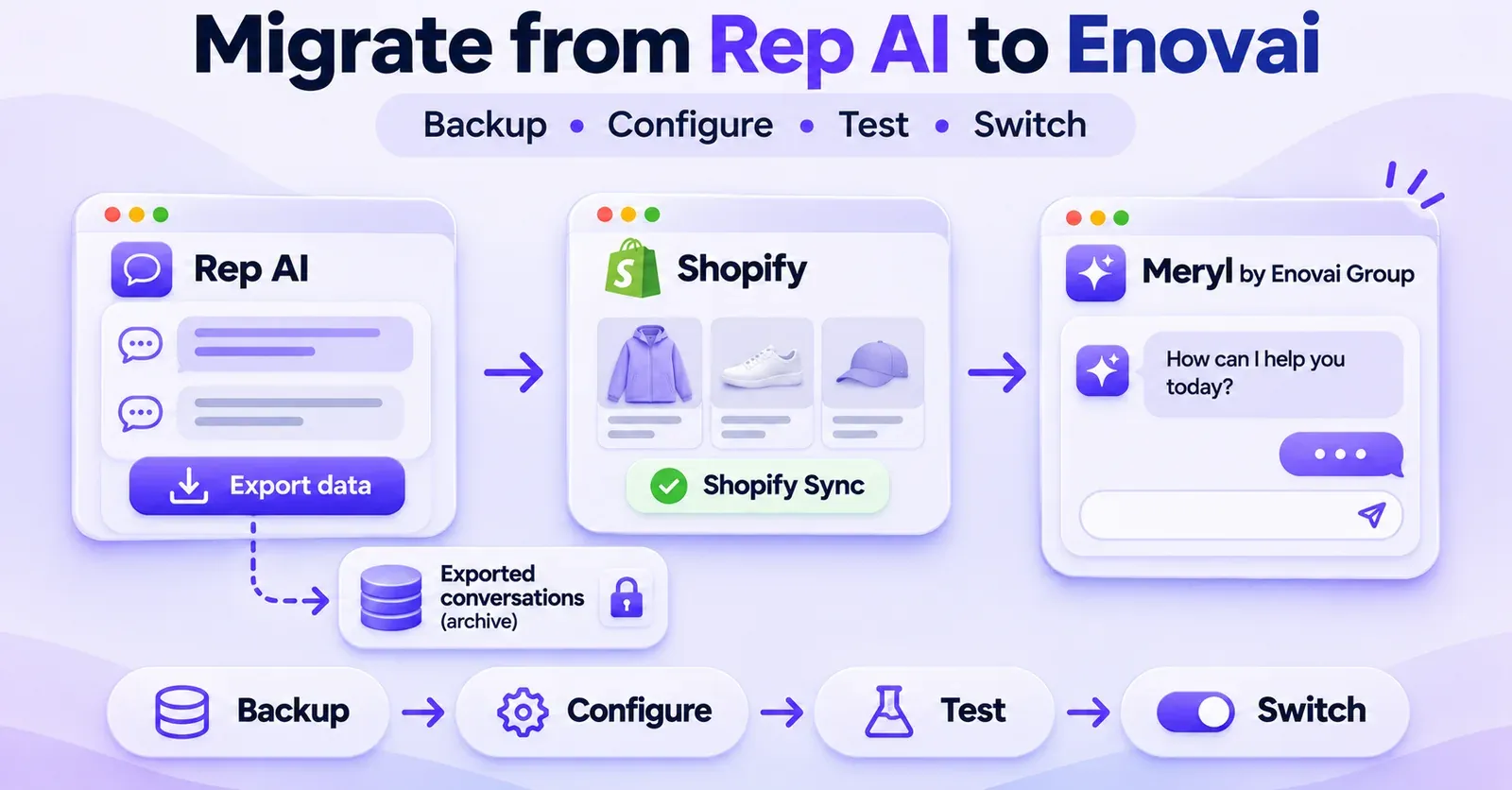
Enovai's Shopify application is listed as Meryl by Enovai Group. The assistant is described as helping customers find relevant products through natural questions rather than requiring them to navigate catalog filters unaided. A visitor can explain a need, budget, preferred color or size, and availability requirements; Meryl can use Shopify product information to suggest relevant choices and, where appropriate, a complementary product.
Enovai also emphasizes Demand Intelligence. Instead of treating every conversation only as a support interaction, this proposition asks what shoppers were trying to find, which questions repeat, and whether the catalog lacks products or attributes people routinely request. Its public dashboard and plan descriptions refer to conversations, leads, assisted orders, influenced revenue, automation measures, and insight reports.
Enovai also markets proactive shopper assistance. However, the publicly reviewed behavior-settings guide covers items such as welcome messaging, opening behavior, and hours; it does not give an equivalent step-by-step description of Rep AI's custom trigger-and-goal builder. That difference is about the amount of documented configuration, not proof that Meryl lacks advanced proactivity. Merchants for whom those controls are essential should ask for a live demonstration.
One comparison, two different business questions
A fashion retailer asking “Which assistant can proactively approach a hesitant shopper, then help with an eligible size change after purchase?” has a different decision to make from a large catalog retailer asking “Which assistant helps shoppers express complex needs and tells us which products customers cannot find?” Both vendors belong on a shortlist, but the testing criteria should follow the problem.
The safest way to decide is to write down two or three required outcomes before looking at a price table: better guided discovery, fewer routine support interventions, useful demand insights, controlled proactive messaging, or coverage across multiple communication channels. An impressive feature that you do not intend to use should not dominate your choice.
Shopify integration and product catalog understanding
How Rep AI uses Shopify information
Rep AI's Shopify connection supports product and catalog context for sales conversations. Rep's Product Finder documentation describes Guided Search, in which the assistant asks follow-up questions to narrow the selection, and Direct Product Search, used when someone requests a specific item. Product Finder is described as a Sales Skill available on Sales Assistant or Concierge plans, not as a universal entitlement across every package.
Product information is only as reliable as the data made available. If a product has poor descriptions, inconsistent option names, outdated stock, or unsupported metadata, an assistant cannot safely invent missing specifications. A retailer should test precise variant availability, actual item attributes, and whether the AI admits when the catalog does not answer a question.
Rep also documents an optional product/variant metafield capability. The published limit for that activation mechanism is 10 product metafields and 5 variant metafields. This is not a limit on Shopify's total metafields or proof that Rep only understands 15 attributes across the whole catalog. Rather, it is a configuration limit for that specific Rep feature. Businesses whose sales depend on complex structured attributes should verify which metafields are supported and how they can actually be used in matching or filtering.
How Meryl uses Shopify information
Meryl's public Shopify listing describes an AI shopping assistant that searches a connected catalog and refines recommendations based on the shopper's expressed preferences. Enovai's help documentation explains connecting Shopify Sync, checking product data, and re-synchronizing if product information becomes stale or inconsistent.
For example, suppose a shopper asks for a navy waterproof jacket in medium, below €120, available now. The assistant should determine whether those attributes exist in the catalog and whether the correct size-color variant is actually in stock. A plausible-looking recommendation is not enough if it points to the wrong variant or invents a waterproof rating absent from the product data.
Enovai's stated value extends beyond the initial recommendation. Repeated failed searches may indicate missing attributes, unclear product descriptions, unmet demand, or an assortment gap. The Demand Intelligence proposition is relevant to merchants who want to use conversation data to adjust merchandising—not just improve the chat response.
The product-discovery test both vendors should pass
Build a test set with real products and expected answers recorded from your Shopify admin. Include easy and difficult cases:
- A request for a named product that exists and is available.
- A request using two or three valid catalog filters.
- A request for a color-size combination that is sold out.
- A request containing an attribute absent from your product data.
- A request for an accessory compatible with a specific main product.
- A product returned after a recent price or inventory update.
- A request for an item no longer published to the storefront.
- A question that requires the assistant to say it cannot confirm a specification.
Evaluate relevance, factual correctness, availability, the ability to explain the recommendation, and whether the visitor can continue toward the correct product or cart. Use the same prompts and store conditions for both products. This is more informative than assuming one is better because its product page contains more feature labels.
Proactive selling: triggers, timing, and control
Rep AI's documented Sales Skills
Proactive assistance is one of Rep AI's more explicitly documented features. Its standard Sales Skills cover common shopping moments, while Custom Sales Skills allow a merchant to define a behavioral trigger and an AI goal. A trigger might concern several product views without cart activity, time spent on a page, or a selected cart condition. The AI goal expresses what the merchant hopes the conversation will achieve.
Rep's documentation specifies a maximum of 10 Custom Sales Skills at a time. Cart-dependent triggers require an active Shopify integration. The merchant can inspect skill settings, eligibility, and reporting, but should not expect every test visit to trigger the same message. Frequency, audience conditions, the actual visitor's behavior, and experiment or holdout logic all matter.
Imagine a merchant selling technical running shoes. A useful custom goal might be to offer sizing guidance when someone browses multiple models without adding one to the cart. The relevant test is not merely whether a popup appears. It is whether the timing is reasonable, the conversation helps the shopper choose, and the approach does not interrupt people who have no need for assistance.
Enovai's proactive proposition: what is known and unknown
Enovai's commercial materials describe spotting signals and engaging visitors during their shopping journey. Its help materials document some visible behavior settings, such as the welcome message, online/offline status, and whether the widget should automatically open. The reviewed public guide does not establish a feature-for-feature equivalent of Rep's Custom Sales Skills editor, including advanced triggers, audience rules, A/B conditions, and per-skill performance reporting.
A proper comparison should therefore ask Enovai to show—not merely describe—the available controls in the merchant's actual plan. Can a store target visitors on particular product pages? Can it wait until several relevant actions occur? Can it suppress an outreach message for an audience? What reporting exists for each intervention? The answers may change with releases and plans.
It would be inaccurate to translate incomplete documentation into “Enovai cannot engage shoppers proactively.” It would be equally inaccurate to claim both systems provide identical trigger-level control without observing the settings.
A reproducible proactive-selling trial
For both tools, run several sessions in a clean browser environment and log the intended conditions:
| Shopper scenario | What to observe |
|---|---|
| Visitor opens one product page, then waits | Whether a proactive approach occurs and whether it is relevant |
| Visitor examines three related products | Whether an assistant notices comparison behavior without being intrusive |
| Visitor adds an item to cart | Whether cart-related guidance depends on accurate cart context |
| Visitor is on mobile | Whether prompts interfere with navigation or checkout |
| Returning visitor on a later day | Whether the assistant repeats outreach too frequently |
| Consent-restricted visitor | Whether relevant consent and messaging preferences are respected |
A “no message shown” result should not automatically count as failure. In a correctly configured system, remaining quiet can be intentional. Define beforehand when the assistant should intervene and when silence is preferable.
Customer support, Shopify order actions, and human handoff
Rep AI: documented actions, not unlimited autonomous control
Rep AI publishes procedures for support functions that can extend beyond answering a question. One example is Modify Order, which allows an eligible shopper to change a variant of the same product in a Shopify order, subject to order status, time rules, available stock, price restrictions, and the required order-editing permission.
The documented conditions matter. The item generally must not have shipped, the request must fall inside the merchant's allowed window when one is configured, the new variant must be available, and the new variant's price must not exceed what the customer paid. The skill does not provide an open-ended ability to switch products, change quantities, collect an additional charge, or rewrite shipping methods. Certain cases are handed to a human rather than completed automatically.
Other order-support workflows described by Rep also have their own permissions and limitations. A feature listed on a marketing page should never be treated as authorization for every refund, cancellation, discount, or edit. The correct test is to examine each enabled skill, its permitted actions, and its safe failure behavior.
For example, if a customer asks to exchange a medium for a large after the item has shipped, a correct response may be an explanation and an escalation or returns workflow—not an attempted edit that the system cannot safely perform.
Meryl: customer assistance with documented escalation
Enovai describes customer assistance and product-related answers, including handling cases where the bot should not decide autonomously. Its published escalation guidance calls for human involvement in disputes, complaints, financial requests, suspected fraud, highly specific commercial decisions, and situations involving missing or conflicting information about price or stock.
That is a useful operating boundary. It does not, however, establish that Meryl has exactly the same autonomous Shopify order-editing procedures as Rep's Modify Order skill. In the public documentation reviewed for this comparison, equivalent step-by-step support for order cancellations, refunds, or variant swaps was not confirmed. This should lead to a product demonstration or written confirmation, not the stronger assertion that those operations are impossible in Meryl.
A merchant whose main objective is to automate post-purchase transactions should request a live demonstration of each required action, including the permissions needed and the failure case. A merchant whose main objective is accurate pre-purchase guidance may place a higher priority on product relevance and escalation quality.
 Quentin Olaya
What good human handoff looks like
The question is not only whether both vendors can offer human assistance. It is whether the transition works in the merchant's actual workflow:
- Does the assistant identify when it lacks reliable information?
- Can it explain the reason for escalation without inventing a policy?
- Does the human agent receive relevant conversation context?
- Are there separate rules for complaints, fraud, requests for refunds, and commercial exceptions?
- Is the shopper told what happens next and through which channel?
- Does the assistant avoid making promises that only an authorized employee may approve?
Test those questions with your own team. If the handoff creates duplicate work or leaves the shopper uncertain, a high theoretical automation rate is not particularly useful.
Email, social channels, and other integrations
Rep AI documents Omnichannel AI, an extension to connected email and messaging channels. The public materials describe email through eligible helpdesk integrations, Instagram direct messages, Facebook Messenger, and WhatsApp through the relevant connected accounts. Certain Instagram comment features are also described. Individual capabilities and channel limitations differ, and the extension has its own activation and billing conditions.
That creates a meaningful operational choice for stores whose support questions arrive far beyond the website. But it would be an error to assume that buying a basic Rep web plan automatically activates AI answers on every social platform, or that a Facebook comment feature is identical to Instagram comment moderation. The precise workflow must be checked for the specific channel, account, region, and service plan.
For Enovai, the publicly reviewed application listing and help articles establish its Shopify shopping-assistant experience. They do not provide the same level of confirmation for independently automated email, Instagram, Messenger, or WhatsApp support. Those capabilities should be treated as requiring confirmation, not marked “unsupported.”
A retailer using an established helpdesk should ask both vendors how an agent takeover works, whether history is available to the team, what data is shared, and whether there is an additional helpdesk or per-resolution charge. A retailer whose main need is website discovery should avoid paying for multichannel capabilities merely because they appear in a feature list.
Analytics, attributed sales, and Demand Intelligence
What Rep AI reports
Rep's Sales Analytics describes measures such as conversation conversion, AI-attributed sales, AI-related orders, and shopping actions such as product-page redirects and add-to-cart activity. It also presents comparisons with baseline traffic in certain reports.
These are operational metrics, not an independent causal experiment. Rep's own explanation warns that shopping-action categories can overlap: an order may follow more than one AI action, so summing action-level revenue figures can exceed the overall amount shown for that category. “AI-generated revenue” in a vendor dashboard should therefore be read as revenue under the vendor's attribution method, not automatically as incremental sales that would never have happened otherwise.
For merchants using custom Sales Skills, the ability to inspect approaches, conversations, and associated outcomes can be valuable for tuning when an intervention happens. But results still depend on traffic quality, seasonality, promotions, inventory, and visitor intent.
What Meryl reports
Enovai documents dashboards covering conversations, leads, automation measures, assisted orders, and influenced revenue. Its product listing also promotes Demand Intelligence, which organizes recurring shopper questions and potential catalog gaps into useful commercial signals. Depending on the plan, public pricing lists periodic insight emails and conversation export options.
For a merchandising team, that may answer a different question from a traditional support report: “What are shoppers asking for that our current navigation, descriptions, or range fails to satisfy?” Consider a store where customers repeatedly ask whether a component fits a certain model. That pattern could point toward a missing compatibility field, unclear product copy, or an assortment opportunity. The value comes from reviewing the evidence and acting on it, not from assuming that every reported insight is correct.
The metrics across vendors are not interchangeable. An Enovai order assisted is not necessarily counted under the same logic as a Rep AI-generated order. A lead captured in chat is not a purchase. A conversion rate among chat users is not a storewide conversion rate. A fair assessment defines comparable events and uses Shopify as a separate reference where practical.
The analytics comparison worth making
Before the trial, agree on a scorecard: factual answer accuracy, valid product suggestions, escalation appropriateness, human effort saved, leads that meet your definition of qualified, and a carefully defined view of assisted orders. Capture failed interactions too. A few persuasive dashboard cards are not a substitute for auditing real transcripts and representative orders.
If the objective is proving incremental revenue, arrange a suitable holdout or experiment design and consider selection bias: people who choose to chat may be more likely to buy even without help. Without that work, it is more accurate to discuss attribution and observed behavior than guaranteed uplift.
Rep AI vs Enovai pricing: why the headline numbers can mislead
The two websites publish prices, but their primary usage units are different. Rep AI's website plans are organized by eligible sessions. Enovai's published plans include a fixed monthly allowance of conversations, together with SKU, seat, retention, and other conditions. A store with many visitors and very few conversations may behave differently under these models from a store whose visitors frequently open chat.
Pricing below is a public November 2026 snapshot, not a quote, tax-inclusive offer, or prediction of a future invoice. Check the exact checkout, billing period, add-ons, and overage policy before purchase.
Rep AI: session-based website usage, plus separate service components
The Rep AI pricing FAQ published Support, Sales, and Concierge entry points for stores with up to 3,000 monthly website sessions. At the time of this review, the monthly figures shown in that FAQ were $19 for Support, $39 for Sales, and $46 for Concierge, with lower equivalents for annual billing. These figures are starting tiers, not prices guaranteed for any traffic volume.
The important detail is what Rep calls a session. Its published definition is a shopper's device visiting the store on a UTC calendar day while the Rep chat is shown. A shopper does not need to open the conversation for that visit to count. A later-day return may count again; certain visits, including known bots, very short visits, or hidden-chat views, are excluded under the documented rules.
The session model fits the logic of a system that may monitor shopping behavior before deciding whether an intervention is appropriate. It also means that a store should not estimate its Rep bill only from the number of conversations opened.
Rep documents additional commercial dimensions beyond website sessions. For example, Omnichannel AI is offered through separate resolution-based charges, and Rep Inbox may involve its own ticket and seat economics. Overage and larger-store pricing can depend on the billing arrangement. The all-in monthly cost should be evaluated for the specific modules you intend to use, not by selecting a single starting price from the website.
If you encounter different headline pricing on another Rep official page, treat it as a surface-specific presentation requiring clarification, not as evidence that one of the pages is automatically the price your store will pay. A landing page's “starting at” figure may refer to a different package, audience, or configuration from the detailed pricing FAQ. Your subscription screen and applicable commercial terms take precedence over estimates.
Enovai: published conversation allowances and catalog limits
Enovai's public plan table listed the following at the time of review:
| Enovai plan | Monthly list price | Conversations/month | Catalog allowance | Team seats | Conversation retention |
|---|---|---|---|---|---|
| Launch | $49 | 500 | Up to 1,000 SKUs | 1 | 30 days |
| Accelerate | $99 | 1,000 | Up to 10,000 SKUs | 3 | 6 months |
| Performance | $189 | 4,000 | Up to 50,000 SKUs | 10 | 24 months |
The same published material lists annual alternatives of $470, $950, and $1,800, respectively. Accelerate and Performance include conversation CSV export in the public table, and their insight-email schedules differ. These are product-plan descriptions, not a blanket promise about every feature or every contract term.
A naming inconsistency is worth noting: Enovai's current pricing page and Shopify listing identify the entry plan as Launch, while an earlier official help-center table calls it Starter. That is a naming discrepancy between official sources, not evidence of two distinct $49 products. Confirm the plan name and inclusions in your checkout before treating a screenshot or older help page as authoritative.
Enovai's pricing page also describes its tiers as suitable for stores with certain amounts of website traffic. Those ideal-forsession figures should not be read as equivalent to Rep's session billing unit or as a contractual usage allowance. The explicitly presented primary included volume for Enovai is conversations, alongside SKU and other listed limits.
For Enovai too, a plan's headline amount may not represent the complete invoice. What happens after the included conversation allowance, whether there are charges or temporary limitations, and what commercial conditions apply must be established from the active checkout and terms. Do not invent a universal overage price.
A worked example: 15,000 visits and 450 conversations
Consider a hypothetical Shopify store that records approximately 15,000 relevant web sessions in one month and 450 real AI conversations. The resulting 3% conversation-to-session ratio is an arithmetic example, not an industry benchmark and not a guaranteed mapping between the two vendors' metering systems.
- Under Rep AI, the merchant must obtain the actual price for the website-session bracket covering its billable sessions and the functionality chosen. The starting 3,000-session price cannot simply be multiplied by five. Social resolutions, ticket handling, seats, and other selected services may introduce separate costs.
- Under Enovai, 450 conversations would be below Launch's published 500-conversation allowance if Enovai counts those conversations in the same way and all the other constraints fit. A merchant with 8,000 SKUs, for instance, could not judge suitability from the conversation allowance alone, because Launch publicly lists a 1,000-SKU limit.
- At 600 conversations, the Launch allowance would be exceeded. That does not establish a specific overage bill or suspension behavior; the merchant should check the current billing rules and whether moving to Accelerate makes more sense.
Even this simple example depends on definitions. Sessions seen by Shopify analytics may not equal Rep billable sessions; raw chat events may not equal Enovai's counted conversations. Repeat visitors across UTC day boundaries can matter for Rep. Shopify variants and SKUs may affect which Enovai catalog threshold is relevant. Test the billing counters in both admin interfaces before making long-term projections.
Build a real total-cost-of-ownership estimate
Ask each vendor for a quote or in-app checkout summary against the same merchant scenario, including:
- Monthly billable storefront visits or sessions and actual conversation counts.
- Catalog size, variants, and growth forecast.
- Website Sales versus Support versus combined functionality.
- Any email, Instagram, Messenger, WhatsApp, or helpdesk usage.
- Human seats, agent licensing, and reporting requirements.
- Data-retention needs, exportability, and required permissions.
- Seasonal spikes and what happens when quotas are exceeded.
- Annual commitment, taxes, discounts, cancellation terms, and optional services.
Then record estimated monthly cost, cost per useful conversation, and cost per correctly completed task. Those metrics require observed merchant data, but they give a more meaningful comparison than “$19 versus $49.” A cheaper headline plan can be the wrong solution if the indispensable function is missing; a more expensive one can be wasteful if the merchant never uses the included capabilities.
 Quentin Olaya
Setup, theme compatibility, and technical effort
Both products have a documented path for Shopify integration, but neither should be assumed to work identically across every storefront architecture.
For Rep AI, current guidance uses Shopify App Embed for ordinary theme installations. The vendor has also published instructions for stores moving away from older script-tag integrations, with a specific deadline for affected merchants in early 2027. Merchants on custom headless frontends need to follow the relevant web-client integration and event-tracking guidance rather than assuming the same theme-editor steps will work.
For Meryl, the help center recommends App Embed on compatible Shopify Online Store 2.0 themes. It also describes alternative installation approaches—such as a theme script or Custom Liquid—when appropriate. Those alternatives require care: enabling two installation methods simultaneously can lead to duplicate widgets or inconsistent behavior. Headless integrations similarly require the developer to confirm how the widget and needed data are initialized.
The important comparison is not a promise of “no-code installation” under every condition. It is the time and risk required for your theme, checkout flow, consent implementation, language setup, and analytics. Before enabling either assistant in production, test on mobile and desktop, inspect the storefront console for errors, check load behavior, and confirm that product links and cart actions preserve the correct variants.
For a complex store, include agency or developer time in total cost. A subscription savings of a few dollars will not compensate for repeated script conflicts, missing data, or prolonged manual intervention. Conversely, a standard OS 2.0 theme with a straightforward catalog might need only the documented app connection, content checks, and careful launch validation.
Languages, brand voice, and quality control
Both providers communicate multilingual capabilities, but a language-support claim does not prove that every product attribute, idiom, policy, or technical term will be handled accurately. Enovai documents automatic language detection and recommends preparing content in the languages that matter to the store. Rep documents AI configuration and Test & Train to review and improve responses; results in a testing interface must not be confused with live activation on every connected channel.
For a bilingual Shopify store, run the same question in both languages: shipping to a specific country, finding a product by an uncommon feature, and explaining a returns exception. Check not only fluency but also whether the source information and policy remain correct. The assistant should admit uncertainty when data is missing rather than translate a fabricated answer confidently.
Brand voice is a separate dimension. Ask whether the bot can stay concise, use an approved terminology list, avoid unauthorized discounts, and escalate when a customer asks for an exception. An eloquent response that violates company policy is a failed answer.
Data retention, privacy, permissions, and governance
Comparing AI assistants also means comparing the consequences of connecting them to customer and order data. An app's Shopify permissions reveal access requested by the integration, not that every field is consulted in every conversation or that any AI action is automatically authorized.
Enovai publicly lists different conversation-retention windows across its plans. Those windows are operationally important if a support team needs to review prior chats or export them for quality analysis. Rep's applicable retention and export policies should be checked in its current account and contractual materials rather than inferred from the Enovai table. Rep provides an API export mechanism in its documentation, subject to its documented scope and constraints; the existence of export capability does not establish that another product can import the same data directly.
For either vendor, review legal responsibilities, data protection documentation, subprocessors, access roles, international transfers where applicable, consent and cookie behavior, deletion controls, and incident-response arrangements. A merchant processing sensitive customer requests should also decide which actions require explicit human authorization.
Treat vendor security badges and compliance claims as starting points for diligence. They are not warranties against every incident, and neither a large permission set nor a long retention period is automatically good or bad. The right configuration is the one aligned with your customer obligations and internal processes.
Which Shopify merchant should test which product first?
There is no universal winner, but the documentation supports a few conditional shortlisting decisions.
Test Rep AI first if you need detailed sales intervention controls
If your priority is to define specific visitor behavior triggers, assign a sales objective to each, and examine which interventions occur, Rep AI has a more explicit public workflow for that purpose. The documented Custom Sales Skills builder gives you concrete items to evaluate in a trial: eligibility, trigger timing, frequency, reporting, and plan access.
Rep is also a natural candidate to test when your business needs selected order-related AI actions or connected email and social AI answering. That is not a claim that its automation is unlimited or that it will outperform another product. It means those workflows are clearly documented enough to test directly—and that their restrictions and added fees must be examined.
Test Meryl first if guided product discovery and catalog insight drive the project
If your biggest problems are shoppers struggling to find the right product, fragmented variant information, repeated questions, and little visibility into unmet demand, Meryl's guided-discovery and Demand Intelligence proposition aligns closely with those goals. The Shopify listing describes product finding by natural-language needs and insights into recurrent requests and catalog gaps.
That does not mean Rep lacks analytics or product discovery. It means Meryl's public positioning puts those outcomes near the center of the merchant experience. Verify discovery accuracy and the usefulness of the resulting insight reports against real catalog data before reaching a decision.
Put both through a trial if the needs overlap
A store may want both proactive selling and merchandising intelligence, or both product guidance and human escalation. In such cases, the right decision is not visible from a positioning statement. Test both vendors on the same catalog, with equivalent settings and a shared scorecard. If the two plans provide different entitlements, document the mismatch rather than pretending the test was identical.
A practical 30-scenario head-to-head test plan
Use a representative Shopify test environment or controlled production pilot. Prepare expected results from the actual catalog and store policies before running prompts. Assign a reviewer who was not involved in choosing the vendor when possible.
| Test category | Number of cases | Examples |
|---|---|---|
| Product discovery | 8 | Named product, attribute filters, variants, out-of-stock item, compatibility, missing detail |
| Sales engagement | 5 | PDP hesitation, multiple page views, cart activity, mobile visitor, repeated visit |
| Pre-purchase policies | 4 | Shipping, returns, delivery region, discount restrictions |
| Order and support handling | 5 | Order lookup, eligible action, ineligible action, human escalation, identity-sensitive request |
| Quality and language | 4 | Secondary language, ambiguous question, unsupported claim, contradictory data |
| Analytics and governance | 4 | Conversation history, reporting definition, permissions, data/export visibility |
| Total | 30 | Use the same expectations and store state for both tools |
Score each item separately for factual accuracy, task completion, safety, customer clarity, and operational effort. If the function is not enabled on the selected plan, mark the result “not tested—plan or access limitation,” not zero performance. If a feature is unconfirmed, request evidence from the vendor rather than fabricating a test result.
For example, an order modification should be marked successful only if the action was permitted, the Shopify order actually changed correctly, and the customer received an accurate confirmation. A polished chat answer that merely claims to have modified the order is not a successful transaction.
Run the test at realistic times and under realistic storefront conditions. Take note of synchronization delays after catalog changes, whether the same question yields stable product options, and when the assistant chooses to escalate. After the pilot, compare the results with the costs and staff work needed to maintain each tool.
 Quentin Olaya
Questions to ask Rep AI and Enovai before signing
- Which exact plan includes the sales, support, reporting, and human handoff functions we need?
- How do you define a billable website session, conversation, resolution, or ticket?
- What happens at the usage limit, and what does an overage cost under our contract?
- Which Shopify catalog fields and metafields can your assistant use to select a specific variant?
- What can the AI change in an order without human approval, and what are the restrictions?
- Which proactive triggers can our team configure directly, and can you demonstrate them?
- Which external channels are truly supported in our plan and region?
- Can our existing helpdesk receive the handoff context we need?
- What does the reported “assisted revenue” or “AI-generated sale” actually mean?
- How do you handle customer data, retention, export, deletion, and security reviews?
- Can we disable or roll back the widget safely on our existing theme or headless storefront?
- What features are still in beta, require onboarding assistance, or need a custom agreement?
Written answers to these questions make the commercial comparison much more reliable and reduce the risk of discovering important restrictions after launch.
Final verdict: select the best documented fit, then verify it in your store
Rep AI is worth prioritizing in a trial when your requirements center on configurable proactive selling, documented transaction-specific support automation, or AI support across connected channels. Enovai's Meryl is worth prioritizing when guided product discovery, catalog-centered assistance, and insights into unmet shopper demand are central to the project.
Both can belong on a serious Shopify shortlist. Neither deserves an automatic endorsement based on a marketing promise, an app-store screenshot, or a few headline prices. The decisive evidence is a like-for-like trial using your own catalog and policies, combined with a contract that matches your traffic, conversations, required integrations, and governance standards.
If a capability is not publicly established, request confirmation. If a vendor dashboard says revenue was influenced, check the attribution definition. If an assistant looks impressive in a demo, make sure it also handles out-of-stock variants, policy exceptions, and cases requiring a human. Those checks—not an unsupported declaration of superiority—make a Rep AI vs Enovai comparison useful for a real merchant.
Frequently asked questions
1. Is Rep AI better than Enovai for Shopify?
Not in every situation. Rep AI publishes detailed procedures for proactive Sales Skills, certain Shopify support actions, and connected service channels. Enovai's Meryl emphasizes guided product discovery and shopper demand insights. Which is preferable depends on your required tasks, plan entitlements, catalog, and results from a controlled trial. Public documentation is not enough to establish a universal winner on conversion, accuracy, or ROI.
2. Does Enovai offer the same proactive chat triggers as Rep AI?
Enovai describes proactive engagement, but the publicly reviewed behavior-settings guide does not establish a trigger editor with the same documented configuration as Rep's Custom Sales Skills. That is a documentation gap, not evidence that Enovai lacks proactive AI. Ask Enovai to demonstrate the triggers, audience rules, and reporting available to your account.
3. Can both tools recommend Shopify products?
Yes. Both suppliers describe recommendations grounded in a connected Shopify catalog. Rep publishes Product Finder documentation for eligible Sales Assistant or Concierge plans. Meryl describes conversational discovery using needs, budget, size, color, and availability. Accuracy still depends on product data and configuration; test actual SKUs and variants before buying.
4. Does Rep AI charge per conversation?
For its principal website plans, Rep describes billing based on eligible website sessions rather than only conversations that begin. A session may count even if the shopper does not open the chat. Certain Omnichannel AI activities follow a different, resolution-based charging model. Always distinguish website activity from separately billed connected channels.
5. How does Enovai count usage?
Enovai's public plans list monthly conversation allowances, alongside SKU limits, seat limits, and retention differences. The billing details in your actual account determine what counts as a conversation and what happens if you exceed the allowance. Do not assume its “ideal for” website-session descriptions are equivalent to Rep's billable sessions.
6. Which product costs less for a small Shopify store?
The published entry prices alone cannot answer this. For a low-traffic store, Rep's starting website plan may appear inexpensive, while Enovai's Launch plan lists a 500-conversation allowance and a 1,000-SKU catalog limit. Your actual monthly sessions, conversations, selected functionality, and add-ons determine whether one is more economical. Compare checkout estimates, not just starting prices.
7. Does Enovai's Starter plan differ from Launch?
The reviewed official Enovai help-center table calls the $49 entry plan Starter, while its newer pricing page and Shopify listing call the entry plan Launch. The core published allowance appears aligned, but the name differs between sources. Confirm the live plan name and features before relying on either wording in a commercial decision.
8. Can Rep AI modify Shopify orders automatically?
Certain support actions are documented, but they are subject to conditions. The Modify Order skill, for example, can change an eligible variant of the same product when the order state, time rule, stock, price, discount conditions, and Shopify permissions allow it. It cannot arbitrarily replace products, change quantities, or collect extra payment. Do not describe it as unrestricted autonomous order editing.
9. Can Meryl cancel or refund Shopify orders automatically?
The public materials reviewed establish customer assistance and escalation guidance, but they did not verify an equivalent autonomous cancellation or refund procedure. That is not proof the feature is impossible. Ask Enovai for a written capability list and a live demonstration of the exact workflow your store requires.
10. Is Rep AI omnichannel, and is Meryl omnichannel too?
Rep publishes Omnichannel AI guidance for connected email, Instagram, Facebook Messenger, and WhatsApp, subject to plan and channel-specific setup. Equivalent automated coverage for Meryl could not be confirmed from the public sources reviewed for this comparison. Ask both providers which channels, actions, and handoff integrations are supported under your intended agreement.
11. Can I use either assistant with a headless Shopify storefront?
Both suppliers have public guidance pointing to technical installation options beyond a standard theme setup. That does not imply plug-and-play parity: a headless implementation may need scripts, web-client configuration, event tracking, or developer support. Review your architecture and test the storefront before launch.
12. Which system has more useful analytics?
It depends on what you intend to measure. Rep documents sales, engagement, and action-attribution reports, while Enovai publishes dashboard metrics and promotes Demand Intelligence for repeated requests and catalog gaps. Neither supplier's attributed-sales figure should be treated as an independently established increase in revenue. Define your own scorecard and inspect the underlying conversations.
13. Can I migrate my conversation history between Rep AI and Enovai?
Rep documents ways to export conversation history, but an export file is not evidence that Enovai can automatically import it or rebuild Rep's Skills and settings. If migration is a requirement, ask both providers about exact formats, supported import fields, privacy requirements, and retention rules. Treat migration as a separate implementation project rather than an automatic benefit of choosing either tool.
14. What is the best way to decide between Rep AI and Enovai?
Start with two or three essential use cases and a realistic monthly usage estimate. Check the feature entitlements for each plan, run the same product and support tests, verify a human handoff, inspect what the analytics actually count, and request a total-price estimate. Prefer the tool that reliably completes your store's required tasks at an acceptable operational cost—not whichever product makes the broadest marketing claim.