How to Cancel Rep AI Subscription: Billing, Refunds, and Next Steps
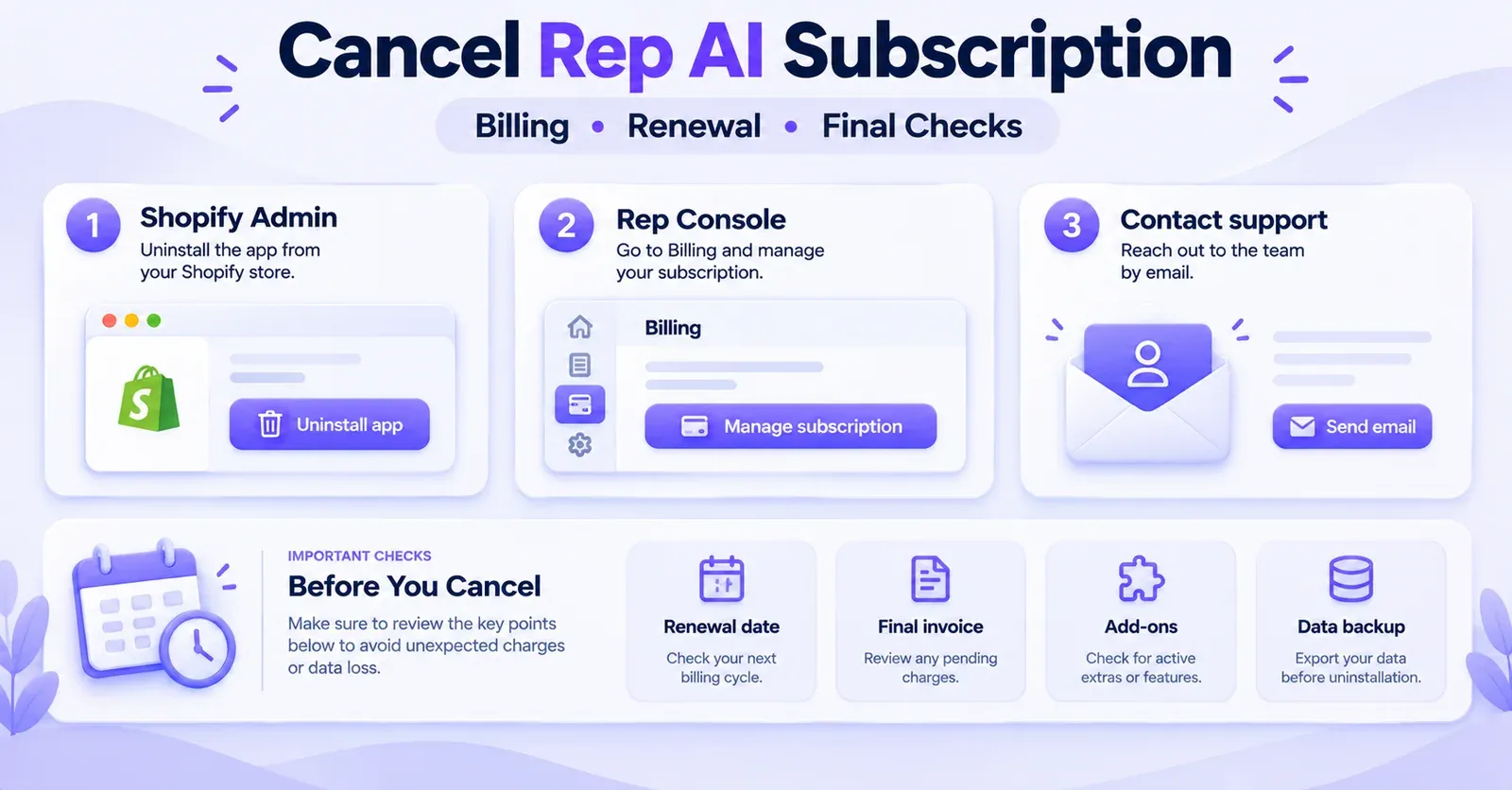
You can cancel a Rep AI subscription through your Shopify admin, through the Rep AI Console, or by contacting Rep AI support. Rep AI's cancellation instructions describe uninstalling the Shopify app or using the account-cancellation option in the Console. Its revised service terms also recognize cancellation by email to support@hellorep.ai. Before choosing a method, check who bills you, when your plan renews, which add-ons are active, and whether you need to export any information from your account.
The most important distinction is this: cancelling future renewal is not the same as making every existing charge disappear. Charges generated before cancellation may still reach an invoice. And uninstalling the Shopify app can remove the live storefront widget before the end of a paid billing period, even when contractual cancellation is scheduled for the end of that period.
This guide explains the three documented routes, how to verify the result, and how free trials, annual commitments, Rep Inbox, Omnichannel AI, Shopify billing, and direct billing can change the outcome. It focuses on subscription cancellation rather than the technical cleanup of an uninstalled app.
Rep AI cancellation at a glance
| Your goal | Where to start | What to confirm |
|---|---|---|
| Stop a Rep AI subscription billed through Shopify | Rep AI's cancellation option or uninstall the app from Shopify | The recurring app subscription is no longer renewing, with any existing charges identified |
| Request cancellation while retaining your app during the paid period | Rep Console or Rep AI support | The cancellation effective date and whether storefront service remains available |
| Cancel without access to the Console | Contact Rep AI support | Written acknowledgment, account identification, and subscription end date |
| Cancel Rep Inbox only | Rep Console > Billing > Edit subscriptions > Rep Inbox > Cancel | The Inbox card shows its cancellation date and the main Rep plan remains active |
| Stop Omnichannel AI separately | Review the Omnichannel AI package in Billing | Its cancellation status, remaining usage, and any unsettled overage charges |
| Avoid a charge after a free trial | Cancel before your displayed trial expiration | That the trial will not convert to a paid subscription |
These are different operations, not a mandatory sequence of clicks. In particular, do not uninstall an app merely because a guide mentions it as one option if your intent is to keep the assistant running until the end of a prepaid term. Choose the action that matches your operational needs and request confirmation if the available interface is unclear.
Before cancelling: identify exactly what you are paying for
Five minutes spent reviewing your account can prevent several common problems: cancelling the wrong component, overlooking a separate invoice, losing access to important conversations, or assuming a trial ended when it actually converted into a paid plan.
Check the plan and renewal date
Log in to the Rep AI Console and open Billing from the profile or account menu. Rep's account documentation describes this page as the place to inspect the current plan, the amount charged, the renewal date, and usage information. Exact placement of controls may change as the Console evolves.
Record the information you can actually see:
- Your store or account name and the plan shown as active.
- Whether the plan is monthly or annual.
- The next renewal date and, if available, the time zone used.
- Any subscription or usage amounts already awaiting settlement.
- Active extras, such as Rep Inbox or Omnichannel AI.
- The billing method, such as Shopify or direct payment through Stripe.
Avoid assuming that every Rep AI account follows the same terms because it uses the Shopify integration. Some merchants may have a separate order form, annual commitment, or direct billing arrangement. The subscription shown in your account and your applicable agreement matter more than a generic example of another merchant's plan.
Identify the billing provider
Rep's Billing documentation describes two different arrangements. For merchants billed by Shopify, the invoices and receipts are generally in Shopify admin. Rep Console may show a View invoices in Shopify option. For merchants billed directly through Stripe, the Rep Billing page may show a payment method, billing details, and its own invoice history.
This distinction changes how you check the result. Removing an app through Shopify addresses Shopify-managed recurring app billing, but Shopify warns that uninstalling an app does not automatically cancel separate subscriptions or payments charged outside Shopify. A direct Rep invoice therefore deserves its own verification.
If your store has more than one Rep account, additional storefronts, or a signed order form, inspect each relevant subscription independently. A cancellation confirmation for one store should not be treated as proof that all other accounts are also closed.
 Quentin Olaya
Review add-ons and operational dependencies
Rep Inbox and Omnichannel AI can create obligations beyond the main storefront chat subscription. Rep Inbox is linked to the parent Rep AI plan; Omnichannel AI has its own package and usage-related behavior. An account can also have seats, approved overage settings, and channel automations that need an orderly transition.
Before cancelling, decide who will answer customer messages when the assistant stops. If your team uses Rep Inbox for human handoff, removing the parent plan can affect that workflow. If Rep AI answers customer emails or social messages, inspect the status of those channels and plan an alternative response process. Cancellation is a billing decision, but it can also become a customer-service continuity issue.
Back up data before changing access
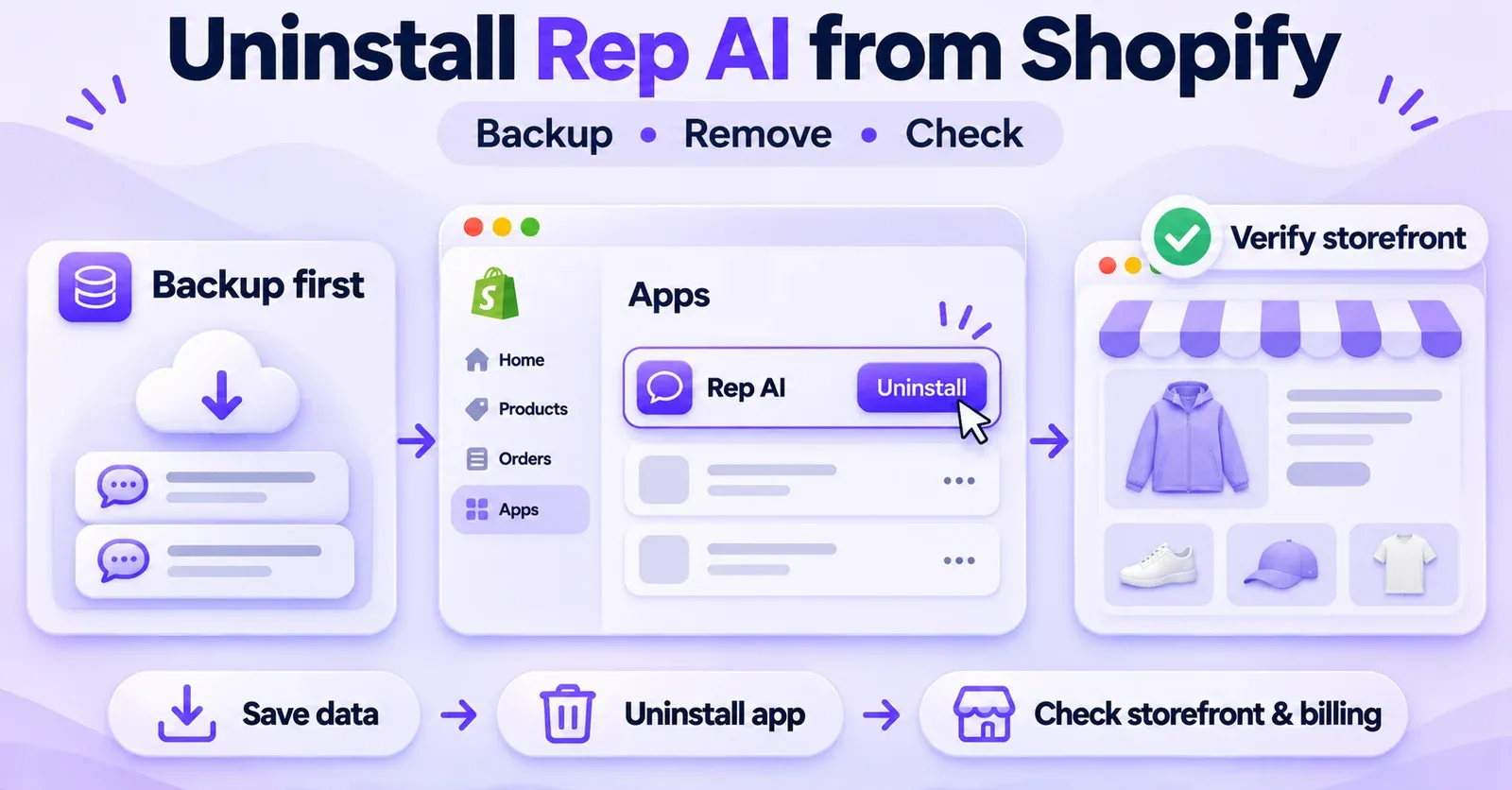
Save invoices, receipts, any contractual documents, and the confirmation of the subscription's current status. If you need chat history or knowledge material for reporting, support continuity, or migration, export what you are entitled to retain before making a potentially irreversible account change.
Rep documents a conversation-export API, subject to credentials, pagination, and an approximately one-year accessible history limit. That does not mean every merchant has a one-click CSV export of all past conversations. Review access rights and permitted data handling rather than assuming a universal export button.
Rep's published documents are not perfectly aligned on how much Console access remains after uninstalling a paid account. For that reason, backing up first is safer than relying on the last day of a subscription to retrieve essential information.
Method 1: cancel Rep AI through Shopify
Rep's official cancellation guide lists uninstalling its app from Shopify as one way to end the subscription. Shopify's current generic instructions are accessible from the app-management page of the store admin.
Steps to follow
- Sign in to the Shopify admin for the correct store.
- Open Settings > Apps. Depending on the interface version, the area might also be described as Apps and sales channels.
- Locate the Rep AI application and open its actions menu.
- Choose Uninstall and review the confirmation screen.
- Confirm only after you have exported necessary data and understood the impact on the storefront.
- Save evidence of the action, including its date, and review Settings > Billing to identify any current charges and future recurring entries.
This method removes the app as well as addressing the Shopify-managed subscription. It is not simply an instruction to disable automatic renewal while leaving the storefront integration untouched. Rep's account documentation says uninstalling removes the widget; it distinguishes what happens to an account in a trial from what happens to a paid account.
If you still need the assistant live for a few more days, first ask whether the Console or support can process cancellation with a later effective service date. Do not assume the widget remains on your store merely because the current period is prepaid.
What happens to Shopify app charges?
Shopify explains that uninstalling a paid application stops future recurring Shopify-managed app charges, but a charge for the already-started billing cycle may remain payable. Shopify's subscription billing cycle and an individual app's billing cycle can also be offset from each other.
A line appearing on a Shopify invoice after uninstalling does not automatically mean the app renewed after cancellation. It might be a charge that was generated before cancellation and included on a later Shopify invoice. Check the period and the charge creation date before deciding that the cancellation failed.
The opposite caution matters too: if you have a direct Stripe subscription or other off-platform Rep charges, uninstalling through Shopify alone is not sufficient evidence that those external payments have ended. Check the direct billing record or obtain written confirmation from Rep.
Does the trial behave differently?
Rep says that, when the main Rep AI account is still in its free trial, uninstalling the Shopify application disconnects the store and removes the widget, while Console access can continue until the trial's original expiration. Reinstalling the app does not automatically restart that trial. A paid account is described differently, with account closure and cancellation scheduled around the paid period.
Because those outcomes affect access as well as billing, use the account status displayed in your own Console—not an assumed number of free trial days—to decide when to act.
Method 2: cancel from the Rep AI Console
If you want to manage your subscription directly in Rep rather than uninstall the Shopify app first, the Rep Console is another documented cancellation route. It is especially useful when you need to understand the billing provider, review other subscriptions, or request a particular end date.
Where is the cancellation option?
Rep's October 2025 cancellation guide describes the following flow:
- Sign in to the Rep AI Console.
- Open the store/account menu and choose Billing.
- Find Delete Account in the Billing area.
- Select a reason for leaving when prompted.
- Review and confirm the account-deletion request.
There is an important qualification. A newer April 2026 Billing guide describes reaching Billing through the profile menu and using Edit subscriptions to manage products, but it does not independently confirm the exact current location of the Delete Account button. Without access to a merchant's authenticated Console, it would be misleading to promise that every account will display the 2025 button in the same place.
Use the documented route as a starting point. If Delete Account is missing, do not conclude that cancellation is impossible, and do not use a similarly named control without understanding it. Ask Rep support for the current account-specific procedure and the effective date. A subscription-editing interface for an add-on is not automatically the main account cancellation control.
What to verify before confirming
Review the account name, plan, billing cycle, and any text explaining the consequences. A button labelled Delete Account may sound like immediate removal of data or complete loss of every service, while the contractual cancellation terms and Rep's account-help material discuss end-of-period timing and differing levels of continued access.
For a paid account, specifically request clarity on these three questions:
- Will the main subscription stop renewing, and on what date?
- Will the widget remain live through the end of the paid period, or stop earlier?
- Will you retain Console access for exports and invoices after submitting the request?
If the interface shows a cancellation date or sends a confirmation email, save it. If it does not, obtain written support confirmation rather than interpreting an ordinary profile or billing screen as a successful cancellation receipt.
Cancelling in the Console does not replace a billing review
A cancellation in the Rep application should be cross-checked against the platform that actually manages the recurring payment. Shopify's own guidance warns that cancelling inside a third-party application does not always remove Shopify-managed app billing if the application remains installed. Conversely, uninstalling an app does not automatically terminate charges the developer collects elsewhere.
This is why a complete exit has two proofs: the provider confirms the Rep subscription end date, and the relevant billing system shows that future renewal has stopped. Existing fees may still appear, but you should know what they represent.
Method 3: request cancellation by email
Rep's revised service terms recognize email to support@hellorep.ai as a cancellation method. Rep's help article also gives that address for cancellation assistance.
An email is particularly useful if you cannot log in, the cancellation button has moved, you have a direct-billing arrangement, or the status of an annual contract is uncertain. Make the request explicit and give enough information for Rep to identify the correct merchant account, without including passwords, API keys, or payment card numbers.
A practical request can include:
Subject: Request to cancel Rep AI subscription — [Store name]
Hello Rep AI Support,
Please cancel the Rep AI subscription associated with my Shopify store [store domain/account identifier] and confirm the date the subscription will stop renewing. Please also confirm the status of any Rep Inbox or Omnichannel AI subscriptions, whether additional charges are pending, and which billing provider handles the final invoice.
I would like to know whether the widget and Console access will remain available until the end of the current paid period, and whether I need to take any additional action in Shopify.
Thank you.
Sending the email is a documented way to request cancellation. However, you should still retain a response confirming that it was processed, the effective date, and any account-specific conditions. Do not treat an unanswered request as definitive proof that every future charge has been stopped.
If a renewal is near, send the request promptly and preserve the timestamp. The public materials reviewed do not establish a general grace period that reverses a charge automatically when a merchant writes after the renewal date.
 Quentin Olaya
Which cancellation method should you choose?
There is no single best route for every store. The right choice depends on whether you want to keep service operating, how you pay, and whether other functions rely on Rep AI.
| Situation | Practical starting point | Main risk to manage |
|---|---|---|
| You are certain you want Rep removed from Shopify immediately | Shopify uninstall | The storefront widget and connected workflows may stop at once |
| You want to stop the next renewal but preserve access during the paid term | Console or support | Confirm what service stays available and when it ends |
| You pay directly through Stripe | Console and support, then invoice review | A separate recurring charge may remain outside Shopify |
| You have an annual order form | Contract review and support | Cancellation timing and refunds may differ from generic terms |
| You are in a trial approaching its end | Prompt cancellation and verification | Unwanted conversion to a paid plan |
| You only want to stop Rep Inbox or Omnichannel AI | Specific add-on controls | Accidentally closing the main account or leaving extra usage active |
These choices are an operating framework, not a promise about how a particular merchant's Console will behave. If you are uncertain which provider bills you, resolve that uncertainty before taking an irreversible step.
When does Rep AI cancellation take effect?
Monthly subscription: renewal date versus last service date
Rep's revised terms describe subscriptions as renewing automatically for another period unless cancelled before renewal. They say cancellation generally takes effect at the end of the current billing period, and usage-based charges incurred beforehand remain payable. That contractual statement is separate from the practical observation that removing the Shopify app can take the on-site assistant offline immediately.
Imagine a merchant whose hypothetical plan renews on December 5. If cancellation is properly accepted on November 20, the subscription would ordinarily be scheduled not to renew at the next term under the revised terms, subject to the applicable contract. But if the merchant uninstalls the app on November 20, the storefront widget may stop on November 20, not December 5. Those are different events.
Do not read an end-of-period term as a guarantee that the widget will remain visible after app removal. Equally, do not assume that stopping the widget means the financial obligations for the current cycle have vanished.
Free trial: cancel before the displayed expiry
Rep's trial terms say an offered trial starts for the duration shown to the merchant and can convert to a paid plan if it is not cancelled before its end. The main Rep trial length should therefore be checked in the account; it is not safe to apply the duration of a different Rep add-on to every trial.
Rep Inbox, for example, has documented its own 14-day trial and a conversion to paid service if not cancelled in time. That does not establish a universal 14-day duration for the main Rep AI plan or for Omnichannel AI.
If you are leaving during an active trial, take a screenshot of the displayed expiration and cancellation confirmation. Check for any add-on trial with an independent conversion date, and confirm that no paid service remains queued to begin.
Annual plan: non-renewal does not mean mid-term refund
Annual subscriptions make timing especially important. A merchant might have prepaid for a full term, yet wish to stop using the product halfway through. Ordinarily, cancellation means no next annual renewal, not an automatic return of all unused months.
Rep's documentation is explicit that an annual Rep Inbox subscription does not receive a general mid-term partial refund when cancelled. Its revised SaaS terms also state that fees are generally non-refundable, with specific exceptions. The provisions applicable to the merchant's original agreement, order form, and billing platform still need to be checked.
One narrow exception in Rep's revised terms concerns a material feature removal that materially reduces the service on a prepaid annual plan. Under the stated conditions, the merchant can cancel within 30 days following that change and receive a prorated refund of the remaining prepaid term. That is not a general right to refund simply because the merchant changes providers or no longer wants the app.
Date-sensitive contractual note: the version of the SaaS terms revised on October 28, 2026 says it applies to new customers when accepted but only from December 2, 2026 for customers who accepted the earlier version. As of November 14, 2026, do not assume that every existing merchant already has the rights and obligations in the revised version. A separately signed agreement may control where it conflicts with the public terms.
Can Rep AI charge you after you cancel?
Yes, an invoice can arrive after cancellation without necessarily representing an invalid renewal. There are several possible explanations. The key is to distinguish a charge's creation date, the service period it covers, its consumption date if usage-based, and the date it appears on the invoice.
Charge already generated during the paid period
Shopify states that a pending app charge that was generated before uninstalling can still appear on the next Shopify invoice. This follows from the separation between the Shopify store's billing cycle and the app's own billing cycle.
For example, suppose an app generates a fixed charge on November 5 covering the period ending December 4, a merchant uninstalls it on November 9, and Shopify issues the store invoice on November 14. That November 14 bill might legitimately include the earlier November 5 charge. These dates are an illustrative calendar, not a reconstruction of a specific Rep merchant's invoice.
Look beyond the invoice arrival date. Ask: was the charge created before cancellation? Does it cover the existing paid period? Or does it represent a genuinely new renewal after the effective cancellation date? Those distinctions determine whether a dispute is warranted.
Usage incurred before cancellation
A subscription fee and a usage charge are not the same. Depending on the plan and features enabled, Rep may bill for usage over an included allowance, including particular sessions or eligible automated resolutions. Charges can be calculated and settled after the activity occurred.
The revised terms state that usage incurred before cancellation remains payable. For Omnichannel AI, Rep's documentation specifically describes unsettled overage amounts being settled when the customer cancels the package, changes it, or reaches a cycle boundary.
Do not assume that all Rep products use the same unit of billing. Web shopper sessions and Omnichannel AI resolutions are different concepts; seeing a usage-based charge does not identify which of them created it. Examine the invoice line and account usage record.
A separate external payment is still active
Shopify can stop recurring charges managed through its own app billing system, but cannot automatically close a direct Stripe arrangement with the app developer. If you receive a post-uninstall charge outside Shopify, check whether you had a separate direct Rep contract, whether it covered activity before cancellation, and whether the subscription was actually marked as ended.
If you find a genuinely active external renewal, contact Rep with the store account identifier and ask for cancellation confirmation and an explanation of the charge. Avoid trying to resolve a billing question by repeatedly uninstalling and reinstalling the Shopify app; that can complicate service and account access without resolving an external agreement.
How to audit a final invoice
In Shopify admin > Settings > Billing, inspect View current charges for amounts awaiting a bill, then examine previous bills for amounts already collected. For direct-billed customers, use the invoice history in Rep Billing and any payment confirmations from the relevant provider.
For each disputed line, record its description, amount, currency, date generated, covered period, and whether it is recurring, usage-based, or a credit. Save the invoice ID and the cancellation acknowledgment. Then compare the evidence against the actual end date confirmed for the subscription.
This process is more useful than assuming that any charge posted after you clicked Cancel is automatically unauthorized—or that every such charge must be valid.
Are Rep AI subscriptions refundable?
The answer depends on the agreement, billing method, and reason for the request. Under Rep's revised published terms, fees are generally non-refundable except where the terms provide otherwise, the law requires otherwise, or the payment platform's applicable rules produce a different outcome.
Shopify distinguishes a pending charge from a paid charge. A pending charge is shown among current charges but has not yet been invoiced; a paid one appears on a past bill. In either case, Shopify directs merchants seeking a third-party app refund to the app developer. The developer may assess a credit or refund depending on the circumstances, but requesting one does not guarantee approval.
For an annual Rep plan, examine whether a particular contractual exception applies, especially if a material feature was withdrawn and the merchant meets the notice and cancellation conditions in the operative contract. For ordinary non-renewal or a switch to another application, do not budget for a guaranteed unused-term refund.
Keep separate records of a refund, an app credit, and a future invoice adjustment. A credit shown on Shopify may offset a future app-related charge rather than produce an immediate payment back to your bank. Ask how the merchant's specific proposed resolution will be delivered.
 Quentin Olaya
What happens to Rep Inbox when you cancel Rep AI?
Rep Inbox is an add-on to the main Rep AI subscription. Its official help article states that cancelling the Rep AI plan also cancels Rep Inbox. Cancelling Inbox alone, however, is a separate operation and should not be confused with ending the parent Rep account.
This matters for support teams. Rep Inbox may centralize conversations, allow human agents to take over, and charge seats linked to Console users. If it disappears during a broader cancellation, someone must be ready to handle conversations arriving through the store's remaining support channels. Review coverage before terminating the parent plan.
How to cancel only Rep Inbox
Rep documents this add-on-specific path:
- Open Billing in the Rep Console.
- Turn on Edit subscriptions.
- Locate the Rep Inbox card and select Cancel.
- Confirm the operation.
- Check the Cancels on date displayed on the card.
The documentation says Inbox remains available through the current paid period when cancelled this way. If the Inbox subscription is annual, it ends at the annual term and does not carry a general mid-term partial refund. Those are rules for the Inbox product, not a universal statement about every Rep AI payment.
Reducing team seats is also different from cancelling Inbox. Rep documents prorated seat adjustments in some circumstances; revoking the last seat is not the same as cancelling the subscription, because the product has its own cancellation control. Confirm which operation you actually need.
If you cancel the main Rep AI subscription, do not assume that Inbox will remain available indefinitely just because your human agents still have Console credentials. Plan the cutover of conversations and account access based on the confirmed end date.
What about Omnichannel AI subscriptions and usage?
Rep's Omnichannel AI package addresses automated conversations on channels such as email, Instagram, Facebook and WhatsApp. It has subscription and usage behavior distinct from the on-site chat plan, so cancellation needs its own review.
Within Rep Billing, identify the active Omnichannel AI package, its renewal date, remaining resolutions, and whether additional usage after the package allowance is enabled. Rep's help documentation describes a Manage control for overage preferences. Turning off extra usage and cancelling a package are not necessarily the same action. One may restrict what happens after the allowance is exhausted without ending the underlying subscription.
When Omnichannel AI is cancelled or changed, unsettled charges for previously eligible overage resolutions may become due. Rep's documentation also describes channel-specific changes to AI Answering when a package runs out or pauses. Therefore, confirm both the billing outcome and the operational outcome: whether automated replies stop, whether drafting remains available, and whether humans will respond instead.
If you have a Shopify annual billing arrangement, note that some Omnichannel overage configurations work differently from monthly plans. Avoid copying a monthly-plan overage assumption to an annual merchant. The account's actual enabled package and billing record should govern the review.
Some official Rep pages have also presented inconsistent descriptions of Omnichannel trial allocations. This article deliberately avoids stating a universal number of free tickets or treating one trial allocation as the current rule for every account. That question belongs to the specific offer a merchant accepted.
What happens to your data and access after cancellation?
A subscription can stop renewing, the widget can disappear, and stored data can remain subject to retention or deletion provisions—three different events. They should never be treated as if they all occur in the same second.
Rep's revised published terms discuss deletion of customer data within 90 days of account closure, with exceptions for information that must legally be retained and backup copies subject to their normal schedule. This is not a promise that every copy is deleted immediately, or that every type of record disappears exactly on day 90. Again, the operative agreement and its effective date matter.
Rep also refers to possible data exports through the Console through the end of a final billing period. At the same time, its account guide describes a paid account as closed following Shopify uninstall. Since the practical post-uninstall access is not fully unambiguous across the documentation, export first. You should not depend on the right to log in after removing the app to retrieve the only copy of a conversation archive.
A reasonable exit package includes the invoices you need for accounting; the list of channels and integrations in use; conversation exports you are authorized to retain; training content and store policies you may need to recreate elsewhere; and a record of the effective cancellation date. Protect customer personal data and follow your applicable privacy obligations while exporting or storing it.
If you need a formal deletion confirmation, ask Rep through the relevant support or privacy process. Cancelling an invoice does not automatically satisfy every data-protection request, and a deletion request does not automatically cancel a commercial subscription.
Troubleshooting: when cancellation seems unsuccessful
The Cancel or Delete Account control is missing
First make sure you are signed in to the right store and have permission to manage billing. Open Billing via the profile menu if the older store-menu instructions do not match your Console. Check whether you are viewing the main subscription or a particular add-on.
The available public documentation reflects different interface dates. A missing control therefore does not prove there is no cancellation route. Contact Rep support with the account identifier and ask for the current procedure, a written acknowledgment, and the precise end date. Do not substitute a button to hide the chat or change an AI Talent for subscription cancellation.
The widget is off but billing still shows an active plan
Rep offers settings to hide or deactivate the chat widget. Those settings are for its visibility or behavior; they are not a subscription cancellation. Return to Billing, confirm the active plan, and use a recognized cancellation route if your goal is to prevent renewal. Review any separately activated channel or add-on packages as well.
The app is uninstalled but a Stripe invoice arrives
Confirm whether the invoice belongs to a direct arrangement. Check the billed period and whether it is a previously incurred fee or a new renewal. Provide the invoice reference to Rep support and request confirmation that all relevant direct subscriptions are cancelled. Shopify's uninstall record will not, by itself, establish the status of an external agreement.
 Quentin Olaya
You clicked Delete Account but Rep remains listed in Shopify
Check the cancellation confirmation from Rep and the status of any recurring Shopify app charge. A Console action does not necessarily remove the app from the Shopify admin or address every integration. If you also decide to uninstall, save needed data first and account for any service disruption. The detailed theme and technical cleanup are separate from the billing decision.
You cancelled but there are still usage fees
Look for usage incurred before the effective cancellation or while an add-on remained active. Omnichannel AI may settle eligible overage when a package changes or ends; Shopify may invoice usage charges after the associated activity. Review transaction dates and meter definitions rather than assuming all usage stops financially at the moment a request is submitted.
The support request has no response and renewal is close
Preserve the email timestamp and any ticket identifier. Follow up with the account and renewal details, and check the actual billing interface if you still have access. You should not assume that an unanswered message constitutes a confirmed cancellation. If the renewal is imminent, explain the urgency and request explicit treatment of the renewal date.
You want to pause, not end, the service
Consider whether a lower plan or a temporary change in chat visibility achieves your operational goal. But remember: hiding the widget is not cancelling its subscription, and a downgrade has its own billing conditions. If cost reduction is the objective, obtain confirmation of the revised recurring amount rather than assuming that an inactive widget has no cost.
Four practical cancellation scenarios
Scenario 1: a trial merchant with no intention of subscribing
A Shopify merchant has tested Rep AI and wants to avoid conversion to paid service. The first step is to check the specific trial's end date and all active trials, including any Rep Inbox add-on. The merchant then uses a documented cancellation channel before that date, saves confirmation, and verifies the billing status. If the merchant uninstalls during the main Rep trial, the widget is removed; that does not mean a second trial begins on reinstallation.
The desired outcome is not simply a missing widget. It is proof that the relevant subscription will not convert into a charge.
Scenario 2: a monthly Shopify-billed merchant who sees a later invoice
A merchant cancels the Rep app after a subscription period has already begun. A charge appears on the following Shopify invoice. Rather than declaring the charge invalid, the merchant identifies when it was generated and which service dates it covers. If it relates to the existing period, it may still be payable. If it represents a new period after the confirmed effective cancellation, the merchant has a clear basis for asking Rep to investigate.
This is why saving both the cancellation timestamp and the actual billing-cycle information is more useful than relying on the date of the bank debit alone.
Scenario 3: an annual customer changing support tools
A store has a prepaid annual Rep plan and Rep Inbox seats. The merchant wants to move to another platform before the next renewal. They review the order form, request non-renewal in writing, check the Inbox dependency, and plan a replacement for any human handoff workflow. Unless a specific refund provision applies, they do not assume unused months will be repaid.
If service continuity is required, they ask whether the account can remain operational until the prepaid period ends before uninstalling the Shopify application.
Scenario 4: an Omnichannel AI customer with usage still unsettled
A merchant has automated email and social replies and has enabled overage. Before cancelling, they download or record the relevant usage figures, inspect the package renewal date, and decide when human support will take over. After cancellation, they reconcile any usage invoice against resolutions already counted and verify that no unnecessary recurring package remains active.
The merchant is solving two problems: preventing future subscription renewal and settling correctly billed past activity. They are related, but not identical.
Final cancellation checklist
Use this checklist for an auditable exit, especially if the store has multiple billing components or team workflows.
Before submitting cancellation
- Identify the correct Rep AI store account and billing owner.
- Save the active plan name, monthly or annual term, and next renewal date.
- Determine whether Shopify, Stripe, or another signed billing arrangement applies.
- List Rep Inbox, Omnichannel AI, seats, approved usage overages, and other active add-ons.
- Save invoices and any order form or special contract terms.
- Export permitted conversations and other essential operational information.
- Plan who will handle chat, email, and social conversations when Rep stops.
When submitting cancellation
- Choose Shopify, the Rep Console, or support according to your objective.
- Keep the request timestamp and any transaction or support ticket identifier.
- Confirm whether the app/widget disappears immediately or at a later date.
- Request the exact subscription end date and renewal status in writing.
- Verify the cancellation state of add-ons and direct-billed subscriptions.
After submitting cancellation
- Check Shopify current charges and past bills if Shopify is your billing provider.
- Check direct Rep invoices if you pay through Stripe or an order form.
- Distinguish existing-period and usage charges from any new renewal.
- Keep the cancellation confirmation with your accounting records.
- Review account-access and customer-data retention requirements.
- Verify that your replacement support channel is operating as intended.
The final check is about evidence, not merely interface appearance. You should be able to explain which subscriptions ended, when they ended, what outstanding charges remain, and what was done with the data and workflows that depended on Rep AI.
The bottom line
Cancelling Rep AI is straightforward in principle: use the Shopify uninstall option, the Rep Console cancellation route, or Rep support, then confirm that the appropriate subscription will not renew. The difficult part is managing the differences between the cancellation request, the storefront's operational shutdown, the billing period, and any usage or add-on charges already earned.
For the safest result, identify your billing provider and renewal date first, export important information before access changes, and obtain written confirmation of the subscription and add-on end dates. If a later invoice appears, compare its billing period with the cancellation record before deciding whether it needs to be challenged.
That process helps you close Rep AI in a controlled way—without relying on an assumed refund, an unverified button, or an incomplete check of your final bill.
Frequently asked questions
1. Can I cancel Rep AI directly from Shopify?
Yes. Rep's cancellation help article recognizes uninstalling its Shopify app as a way to cancel. Shopify also states that uninstalling stops future recurring charges billed through Shopify, though the current cycle can still be charged. Any external billing arrangements must be reviewed separately, and app removal may immediately affect the storefront widget.
2. Can I cancel Rep AI without uninstalling the Shopify app?
Rep documents cancellation through the Console and recognizes email cancellation in its revised terms. If you need to keep the app operational through a paid period, use one of those routes to clarify the effective service date. Confirm separately that Shopify-managed billing is no longer scheduled to renew, because cancellation inside an app and the platform's recurring-charge status are not always the same thing.
3. Does turning off the Rep AI widget cancel my subscription?
No. Hiding or deactivating the widget changes its availability on the store, not necessarily your financial commitment. To stop renewal, use a recognized subscription-cancellation method and verify its result through the appropriate billing provider.
4. How do I cancel if the Delete Account button is missing?
Use the current Billing area, check you are viewing the correct account, and contact Rep support if the older documented button is absent. The 2025 cancellation guide and 2026 Billing guide describe different menu layouts. Neither proves the other is the current layout for every merchant. Request confirmation of the cancellation date instead of relying on an uncertain button label.
5. What happens if I cancel during the free trial?
The published trial terms describe conversion to a paid plan if the merchant does not cancel before the displayed trial ends. Rep's account documentation says uninstalling the main app during its trial removes the widget and Shopify connection but can leave Console access until the trial's original expiry. Check independent add-on trials and their end dates too.
6. Will Rep AI refund unused months of an annual plan?
Not automatically. Rep's revised terms generally make fees non-refundable subject to exceptions, and Rep Inbox specifically states that an annual cancellation does not provide a general mid-term partial refund. A narrowly defined refund mechanism may apply to a material removal of a paid feature, but the applicable contract, effective date, and conditions must be checked.
7. Why did I receive a Rep AI-related charge after cancelling?
It may be an existing subscription charge included on a later Shopify bill, usage incurred before cancellation, an add-on settlement, or a separate direct billing arrangement. Compare the charge generation date, covered period, and cancellation effective date. If a new cycle was billed after confirmed cancellation, contact the developer with those records.
8. How do I know if Rep AI bills me through Shopify or Stripe?
Rep's Billing documentation separates the two experiences. Shopify-billed merchants generally see a route to invoices in Shopify admin; directly billed merchants may see their card and invoices in Rep Console. Your actual invoices and signed agreement are the most reliable confirmation, especially if the store has a customized commercial arrangement.
9. Does cancelling the main Rep AI subscription cancel Rep Inbox?
Rep's Rep Inbox documentation says yes: Inbox is an add-on tied to the main Rep AI plan. But cancelling Rep Inbox alone is different and should not be assumed to cancel the parent subscription. Plan for the loss of any human-support workflow that uses Inbox when the parent plan ends.
10. Can I cancel Rep Inbox without cancelling Rep AI?
Yes. Rep documents a specific Inbox cancellation option under Billing > Edit subscriptions > Rep Inbox > Cancel. The Inbox card should then show its cancellation date. This operation is for the Inbox add-on, not the main Rep AI account.
11. Can I stop Omnichannel AI and keep Rep AI on my storefront?
Omnichannel AI is documented as a separate package, so merchants should review its own cancellation and usage controls. Confirm the state of the package, the web plan, and any connected channels individually. Turning off overage or AI Answering is not necessarily the same as ending the paid package.
12. Do all usage charges stop immediately when I click Cancel?
No such universal guarantee is documented. Usage already incurred may remain payable, and unsettled usage can be billed afterward. Moreover, a cancellation request may be scheduled for a later effective date and an add-on may have its own billing state. Review the actual package and cancellation confirmation.
13. Will I lose my Rep AI conversation history after cancellation?
You should assume access may change and export what you need beforehand. Rep has a documented conversation-export API with an accessible historical window and technical constraints; its data retention and account-access documents also include conditions and exceptions. Cancellation does not provide a guaranteed indefinite archive or immediate deletion of every record.
14. How do I confirm that Rep AI has stopped renewing?
Keep the cancellation acknowledgment showing the correct account and effective date. Confirm the status of Shopify app charges if Shopify bills you, or the direct subscription if Rep/Stripe bills you. Review add-on statuses separately and reconcile any pending or final invoice. A hidden widget or absent app icon alone is not sufficient proof for every billing arrangement.