How Does Rep AI Work? Shopify Sales, Support, and Proactive Chat Explained
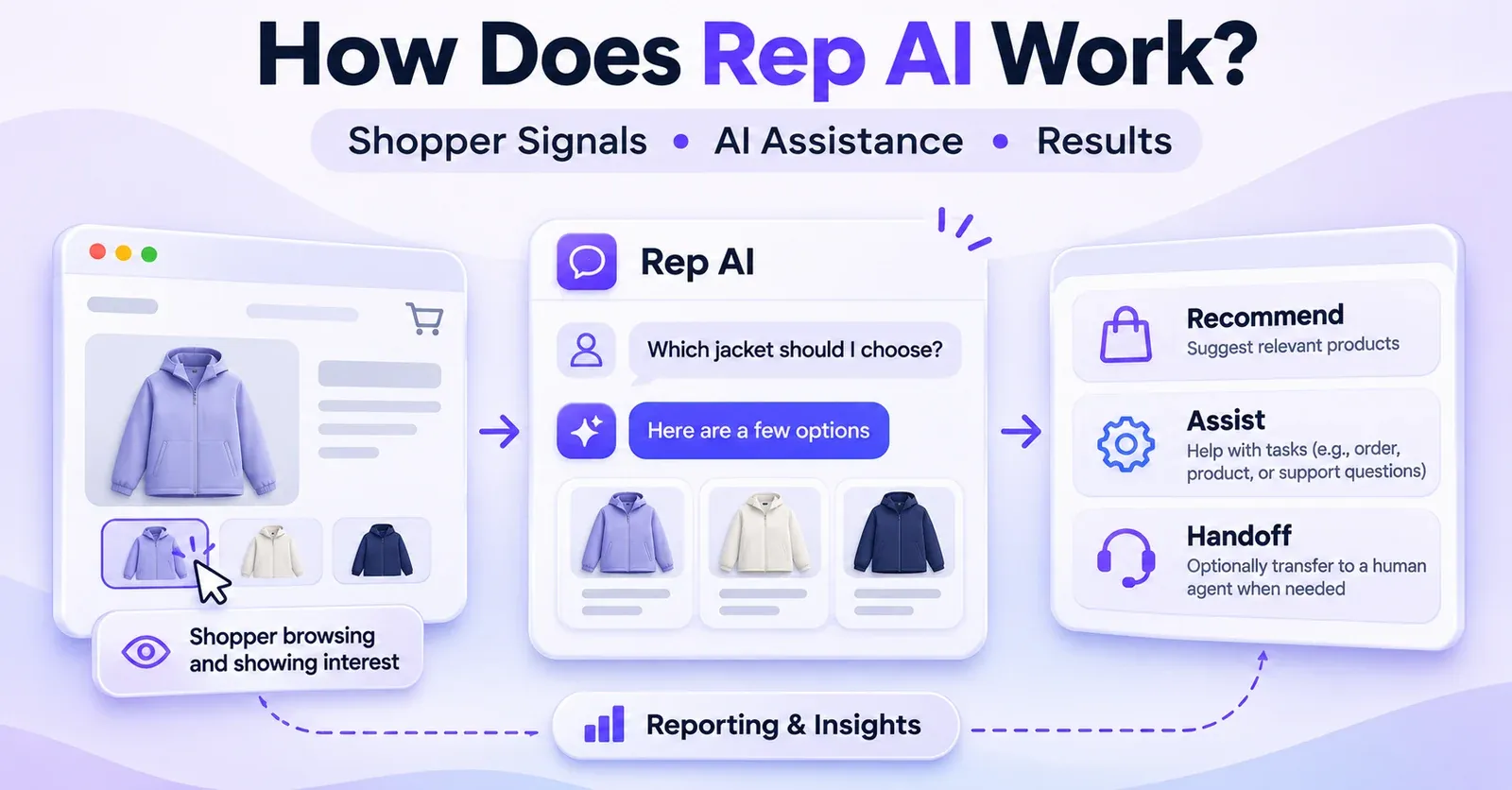
Rep AI works as a conversational shopping and customer-support assistant for Shopify. It can respond when a shopper opens the chat, and—when the relevant Sales Skills are available and enabled—it can also identify shopping behavior that suggests a visitor might need help and initiate a conversation. The assistant uses information available from the merchant's store, catalog, knowledge sources, and customer context to answer questions, suggest products, and perform certain permitted actions. Requests that it cannot handle can be directed to human support.
That is the short answer. The more useful answer is to understand when Rep intervenes, what information it can access, what it actually does with a request, and how merchants should interpret its results.
Rep is not a single fixed chatbot script. It combines storefront interaction, AI-generated dialogue, optional proactive sales behavior, controlled support actions, and reporting. Those parts work together, but they do not all become available merely because an app has been installed. The merchant's plan, integrations, permissions, settings, and the shopper's circumstances all matter.
This guide explains Rep AI's working model from the moment a shopper browses a Shopify store to the point where they receive an answer, take a shopping action, request human help, or complete a purchase. It focuses on how the system functions, rather than walking through the installation screens or repeating a pricing comparison.
Rep AI at a glance: the five moving parts
| Component | What it does | Important qualification |
|---|---|---|
| Storefront assistant | Provides a chat interface for questions about products, policies, and orders. | The widget must be available to the shopper; visibility and consent conditions can matter. |
| Reactive conversation | Answers when the shopper initiates a question. | The response depends on accessible, accurate store information. |
| Proactive Sales Skills | Can approach shoppers based on browsing behavior and defined triggers. | Requires eligible, enabled functionality; not every visit results in an approach. |
| Shopping and Support Skills | Can recommend products, support cart actions, and handle some authorized customer-service tasks. | The exact action is subject to product controls, permissions, merchant policy, and eligibility. |
| Reporting and review | Shows interactions and merchant-facing measures, including sales attributed by Rep's model. | Reported attribution is not the same as independently measured incremental revenue. |
The best way to understand the platform is to follow one customer journey. A shopper visits the store, looks at a product, hesitates, asks about sizing, receives a recommendation, and may choose to add a suitable product to the cart. Behind that apparent simplicity, Rep must match an interaction to an available source of information or an eligible capability. Some requests lead to useful explanations; others lead to actions or a handoff.
What is Rep AI, and where does it sit in a Shopify store?
Rep AI is an e-commerce assistant whose storefront experience is designed to accompany shoppers while they browse. It can operate alongside the store's product pages, collections, cart, and existing support operation. It does not replace Shopify's catalog, order system, checkout, or the merchant's underlying fulfillment processes. Instead, it draws upon available store information and interacts with certain Shopify capabilities through its integration.
For the shopper, the most visible part is the chat widget. They might ask for a recommendation, a comparison, a sizing explanation, a shipping-policy clarification, or help finding an order. When proactive sales functionality is active, the assistant may also display a message before the shopper starts a conversation.
For the merchant, the important components are less visible: a connected store, usable product information, a knowledge base, the relevant Sales and Support Skills, rules governing what the assistant is permitted to do, and a console for reviewing its behavior.
It is helpful to distinguish three different outcomes:
- An answer: Rep explains something, such as a return policy or product material.
- An action: Rep performs an eligible operation, such as adding an allowed item to the Shopify cart or making a narrowly permitted order change.
- A handoff: Rep collects information and routes the request to a human-supported process when the task needs human judgment or falls outside an enabled skill.
These outcomes should never be treated as equivalent. A helpful explanation about exchanges is not evidence that an exchange was processed. A ticket sent to a support desk is not evidence that a human has already resolved it. And a product recommendation is not evidence that the shopper purchased that product because of the assistant.
How Rep AI works: from storefront visit to customer outcome
Rep's published functionality can be understood as a practical sequence. This is a functional explanation, not a claim about the vendor's private model architecture, proprietary code, or exact internal decision algorithm.
1. A shopper visits a page where Rep is available
A merchant first needs a connected, launched storefront experience. Once the widget is available, Rep may observe supported shopping signals associated with the visit. Those can include the page being viewed, the products being explored, cart activity, scrolling, interactions with a page, and possible exit behavior.
This is significant because a shopper does not have to type in the chat for Rep to have a role during a visit. The system can evaluate whether an enabled proactive skill should intervene. It may also simply remain quiet. Silence is not necessarily a malfunction: the visitor may not have met a relevant trigger, or the merchant may prefer a less aggressive approach.
The actual visibility of the widget can depend on the published theme, where Rep has been enabled, country exclusions, and applicable consent behavior. A visit on a Shopify storefront does not automatically imply that every Rep feature was active or that a conversation occurred.
2. Something starts an interaction
There are two fundamentally different starting points:
Shopper-initiated interaction: A person opens the chat and says, for example, “Do these jackets come in a waterproof version?” Rep attempts to understand the request and answer it using accessible information. This is the reactive path.
Rep-initiated interaction: A configured Sales Skill identifies a qualifying situation and Rep sends an opening message—for example, an offer to help compare items after the shopper has spent time evaluating products. This is the proactive path.
Both paths can eventually become a normal conversation. But they are not operationally identical: an assistant can answer product questions without necessarily having permission or access to the proactive Sales Skills that approach visitors first.
3. Rep interprets the request in context
Suppose a shopper asks, “Would the navy version be better for winter?” That question cannot be answered responsibly from the word “navy” alone. Rep needs relevant product details, such as materials, insulation, variations, and possibly the product or collection currently being viewed.
Its answer can draw on synchronized catalog information, supported website content, merchant-added knowledge sources, and instructions defining how the brand communicates. When available and appropriate, shopper context may help personalize the result. The precise amount of context depends on the actual data, connection, account settings, and customer identification.
A shopper asking “Where is my order?” creates a different type of request. To retrieve or act on a particular order, the assistant may need to establish which order belongs to that customer and use an eligible support capability. A conversational answer and a privileged Shopify operation follow different rules.
4. Rep responds, recommends, acts, or escalates
When it has sufficient information, the assistant can explain an answer or suggest suitable products. Where an eligible shopping action is enabled, it may help move the customer toward the cart. Where a Support Skill has the appropriate authorization, it may carry out a narrowly defined task. Otherwise, it can explain the limitation and offer to route the request to the merchant's support team.
The sensible customer journey is therefore question or signal → relevant context → response → optional action or handoff. This is the level at which merchants should judge Rep's functionality. It does not imply that every request passes through an identical internal technical pipeline.
5. The merchant reviews the interaction and its outcome
Rep provides conversation views and reporting intended to help operators understand what happened: the exchanges, contextual shopping events, available answer-source information, and certain outcomes. Merchants can use these records to spot missing product knowledge, confusing policies, unsuitable proactive messages, or support cases that require improved handling.
A useful feedback loop is straightforward: review an interaction, identify the knowledge or policy issue, update the appropriate source or skill, then test the behavior again. This matters more than assuming that a newly connected chatbot will understand every store perfectly on day one.
Reactive chat: how Rep AI answers customer questions
Reactive chat starts with an explicit request from the shopper. The conversation can be simple: “Do you sell replacement filters?” Or it can require clarification: “I need a jacket for very cold weather, but I don't know which size to buy.”
The assistant can answer ordinary questions, follow up for relevant details, and recommend products based on store information. In an apparel store, it might first ask about intended weather conditions, then suggest suitable products. In a home-goods store, it could explain materials or point someone toward a compatible accessory if compatibility information is present and reliable.
In many cases, the most valuable response is not a long explanation. A concise answer that distinguishes two products, names an important trade-off, or directs the shopper to the correct page may remove uncertainty at the point of purchase.
However, the AI's fluency is not a substitute for accurate product data. If size charts are missing, material specifications conflict, or an old policy is still being used, the assistant can produce an incomplete or incorrect answer. The merchant remains responsible for checking the knowledge sources and the customer experience.
Product recommendations do not require a proactive greeting
A common misunderstanding is that all product recommendations are part of the proactive Sales Skills. They are not the same thing. Rep's published material distinguishes on-demand recommendations—made because the shopper asked—from proactive interventions prompted by browsing behavior.
For instance, a visitor can open the assistant and ask for running shoes suitable for a wet climate. Even if the assistant never proactively approaches them, an eligible reactive conversation can still produce product suggestions.
The available products also matter. A merchant can control which items are eligible for recommendations. The assistant should not be assumed to promote hidden items or bypass product-level restrictions simply because someone mentions a product in chat.
What happens when the question is unclear?
A useful conversational assistant can ask follow-up questions instead of selecting a product from insufficient information. The goal is not to pretend that every broad request has an obvious answer. For questions involving customer-specific records or restricted actions, the safer path may require identifying the customer or handing off.
The quality of this behavior should be tested with realistic customer questions, ambiguous product names, missing data, and policy edge cases. The test itself is a merchant quality-control process; it is not a guarantee of accuracy on every live request.
 Quentin Olaya
Proactive chat: how Rep AI approaches shoppers who may need help
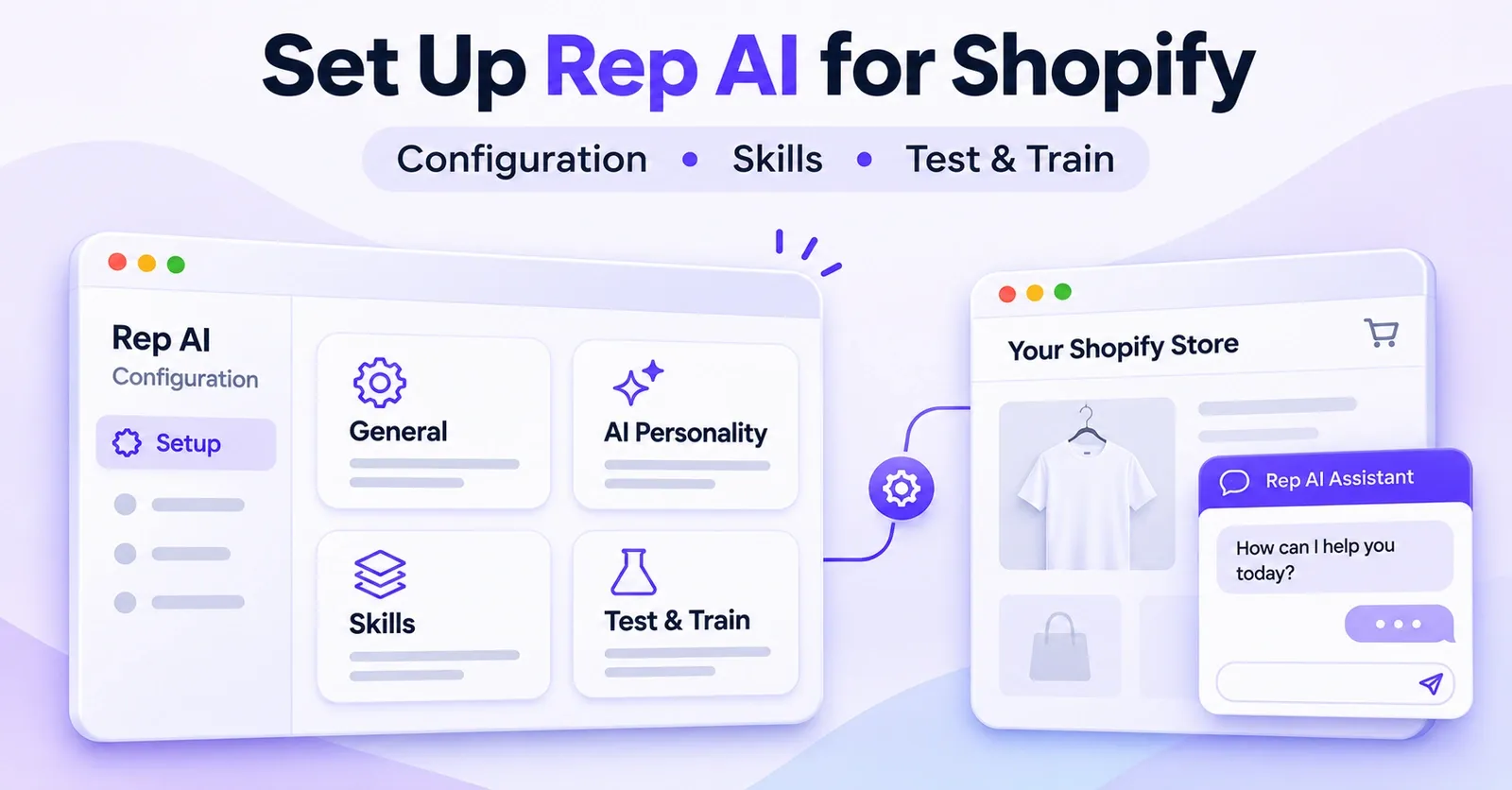
Proactive engagement is one of Rep's defining sales concepts. Its vendor-described Rescue Algorithm™ examines shopping behavior and helps determine when intervention might be useful. Rep says the system evaluates more than 500 data points. That figure is the vendor's description, not an independently verified measurement of the algorithm's scope or effectiveness.
The published examples of signals include page views, time on page, scrolling, clicks, cart activity, and behavior that may indicate a visitor is about to leave. The system looks for a meaningful situation; it is not an instruction to message every visitor.
Sales Skills turn signals into possible interventions
Think of a Sales Skill as a condition and a commercial purpose. A skill might aim to re-engage somebody who has been looking at a product without moving forward. Another might try to help a visitor who has added something to the cart but is hesitating.
The merchant's enabled skills and eligibility rules determine which opportunities Rep may act on. A proactive message could offer to answer product questions, compare alternatives, or help with a purchase decision. It should not be interpreted as proof that the assistant knows why a particular customer hesitated.
For example, repeated visits to a product page could mean indecision, comparison shopping, or simply that the visitor is checking a specification again. Rep attempts to infer an opportunity from observable signals. It does not read the shopper's mind.
How the eagerness setting changes the experience
Rep documents an eagerness control associated with proactive engagement. A more eager approach can lead to earlier or more frequent interventions; a more restrained approach reduces the tendency to interrupt. Certain eligible plans have been documented with a relatively high default, but a default is not a promise that every session will receive a message.
From a merchant's perspective, this is a customer-experience decision as much as a sales decision. A message that appears just as someone is comparing two complicated products may be welcome. The same message repeated too often can become a distraction.
A reasonable operating principle is to assess the actual experience against shopper expectations: Are the messages relevant? Do they arrive at sensible moments? Are they useful without being pushy? Rep can offer mechanisms for controlling behavior, but the merchant must decide what an appropriate intervention feels like for the brand.
Custom Sales Skills follow a similar principle
Rep also documents custom skills that combine a defined trigger with an objective written in natural language. For example, a merchant might want an approach after a specific browsing pattern, with the assistant adapting its wording to the product and context rather than replaying identical text to everyone.
Some triggers rely on an active Shopify integration, and custom skills have documented limits. These details are relevant when evaluating whether a desired experience is feasible, but configuring every trigger belongs in a dedicated Sales Skills tutorial. The key point here is that proactive chat is conditional, configurable behavior, not an unavoidable feature of every Rep conversation.
What information does Rep AI use to generate its answers?
An AI shopping assistant is useful only when its answers reflect the real business. Rep can draw from several kinds of information, and each has a different role.
The Shopify product catalog
A connected catalog can provide product titles, descriptions, relevant variants, and availability information. This gives the assistant a factual starting point for product questions and recommendations. Rep's controls can distinguish whether an item is available for recommendation and whether it may be added directly to the cart from chat.
That distinction is valuable for products with special purchase requirements. A customized item may be suitable for discussion in chat but unsuitable for direct add-to-cart if the customer must choose engraving, a complex option, or another input on the product page.
Product availability should be treated as current only to the extent that the integration and underlying store data are current. A confident answer cannot compensate for an outdated catalog or stock value.
Website pages and merchant-provided knowledge
Rep describes gathering information from store content and allows merchants to provide additional sources through a Knowledge Base. Depending on the content and its format, that can include FAQs, policies, product guides, URLs, and files.
The practical value is easy to see. A shipping-policy page can help answer delivery questions; a sizing guide can support product selection; a FAQ can explain subscription terms. This lets the assistant use the merchant's own facts rather than improvising business rules.
But not every page on the internet or in a merchant's account is automatically available to Rep. The published information-gathering guide excludes blog pages by default, and added sources must be accessible and successfully processed. A URL that was never scanned, or a file that cannot be read, is not a reliable knowledge source.
For example, Rep's documented Google Docs and Google Sheets workflow requires link-accessible documents. Google Sheets sources have specific scanning behavior and content-size restrictions. That makes them useful for appropriate, shareable material—not for confidential records that should never be exposed through a shareable URL.
Brand instructions and knowledge policies
The merchant can provide instructions affecting how the assistant presents answers. The intent is to align replies with a brand's tone, service policies, and preferred way of helping shoppers. Those instructions work alongside available knowledge, not in place of it.
A friendly brand voice might change how a return-policy answer is phrased; it should not turn a 30-day policy into an invented 90-day one. A polished response that conflicts with the actual terms is still a bad answer.
Shopper context and previous interactions
Rep documents contextual information that may be available about the visitor, including the current page, products viewed, cart contents, certain location details, and customer profile or order information when the relevant identity and integration exist. This can make answers more specific than generic chatbot text.
The phrase when available is essential. An anonymous browser does not automatically reveal a verified Shopify customer profile. Historical orders cannot be retrieved for somebody who has not been appropriately matched to the record. And a merchant should not assume that all fields or loyalty data exist for every customer.
Rep also describes an AI Memory feature that can retain relevant details from earlier conversations. For a returning visitor who is not signed in, continuity may depend on using the same browser and device. Memory should therefore not be presented as permanent, complete recall across every device and identity.
How Rep AI helps shoppers discover and buy products
The conversational sales path usually starts with a need, not a SKU. A shopper may know they want something suitable for a particular use but have no idea which catalog item meets that requirement. Rep can help narrow the options through conversation and make suggestions based on the knowledge it can access.
From a broad request to a relevant shortlist
Imagine a customer asking, “I need a warm, lightweight jacket for commuting. What should I look at?” The assistant may clarify the intended weather, budget, or preferred fit. It can then surface suitable products and explain the reasons for suggesting them, provided the relevant specifications are available.
This is a useful distinction from a static category page: the shopper can refine the request in natural language, and the assistant can adapt the response. It does not mean its judgment is infallible. A good merchant test should verify that product descriptions and recommendations match actual specifications.
Product cards and page navigation
Rep's shopping experience can include product suggestions presented as cards or links to product pages. The product page remains a natural place for the shopper to confirm sizes, materials, shipping details, and any specialized selections.
A recommendation is not necessarily an add-to-cart operation. The customer may simply browse the suggestion, ask a follow-up question, or leave the conversation. Reporting should keep those events separate.
Direct add-to-cart is controlled
Rep documents product-level controls for whether an item is available for recommendation and whether it may be added from chat. Product-group restrictions can take precedence over an individual item setting. As documented in October 2026, the relevant availability control operates at the product level rather than independently for every variant.
This matters for merchants that sell customized products or have complicated variants. A product can remain discussable and discoverable while the assistant is prevented from adding it directly. The shopper can then complete the necessary selection on the product page.
Subscription products illustrate the confirmation step
Rep's November 2026 documentation also describes conversational selection of supported Shopify subscription plans. Where the feature and product setup allow it, the shopper can review a subscription option and add it through the chat experience.
Selecting a subscription plan in a card does not necessarily place an item in the cart. The documented card flow requires the shopper's Add to cart action. A merchant should not confuse an option that has been displayed or chosen with a confirmed cart update or completed checkout.
How Rep AI works for customer support
Rep's support capability goes beyond generating conversational answers, but there is a crucial boundary between explaining a support policy and carrying out a change in Shopify.
A shopper can ask for shipping information, an order update, a change of address, a cancellation, or assistance with a return. Whether Rep can do more than answer depends on the specific Support Skill, the merchant's rules, available permissions, the state of the order, and sometimes a connected service.
Order-status requests
An order-status question is a good example of a request that can move from generic chat to customer-specific service. Rep may need an order number and the email address used at checkout to find and verify the relevant order. If the authorized data is available, it can share appropriate status or tracking information.
This should not be confused with access to every carrier's internal tracking system or every fulfillment update. Rep can only report what the relevant connected systems make available.
Cancellation, address changes, and returns
Rep documents skills for certain routine order operations, such as cancellations or shipping-address changes, with merchant-defined restrictions and checks related to fulfillment status. Requests that exceed those rules may need a human.
Returns and exchanges can also involve specific integrations and workflows. One documented historical returns flow depended on an external returns platform. Therefore, a conversation in which Rep explains a return process must not be described as a completed refund unless an authorized action actually took place.
 Quentin Olaya
Modify order: a concrete example of controlled automation
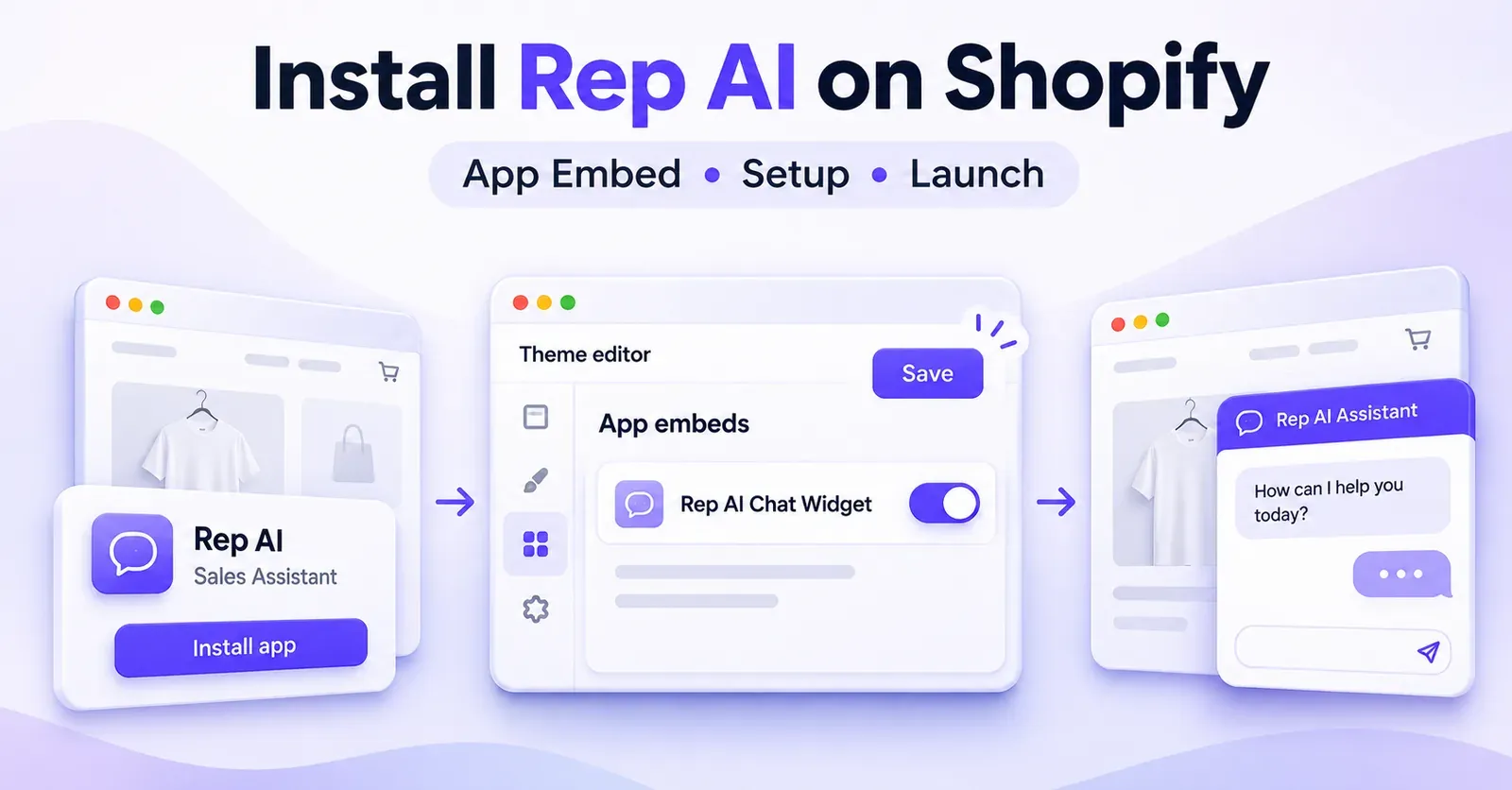
A newer Modify order Support Skill illustrates how specific the eligibility checks can be. Its documented purpose is to exchange a purchased variant for another variant of the same product. It is not a general-purpose order editor.
The action requires a Shopify store and the relevant order-editing permission. The purchased item must not have shipped. The order must meet the configured time window, the replacement variant must be in stock, and the new price cannot exceed what the shopper originally paid. Additional exclusions include discounted orders and other restricted cases.
If the replacement costs less, the skill may refund an eligible difference subject to the merchant's configured cap. It does not collect extra payment in chat when a replacement costs more. The shopper is also asked to confirm the proposed change before it is applied.
This example demonstrates the important difference between what an AI can discuss and what it is allowed to execute. “I can help you change the size” does not mean “I can change anything about any order.”
Damaged orders and store credit
Another documented Support Skill can issue store credit, subject to policy and customer verification, using a Shopify gift-card mechanism for certain damaged-item cases. That is store credit, not automatically the same as refunding the original payment method.
The merchant must still understand the rule and the customer-facing outcome. A buyer asking for a refund may not consider store credit an equivalent remedy, and a skill's existence does not mean every account has it enabled.
External tools and custom systems
Rep has also documented an Expert Zone path for connecting certain Support Skills to the merchant's own systems through configured API endpoints. This should be understood as a restricted, configured integration capability, not blanket evidence that Rep can call any business system without development, access, or testing.
In practice, the safest question to ask is not “Does Rep use AI?” but “What exact action is documented, on which system, with what permissions, under which conditions?” That question reveals the actual operational value and its boundaries.
What happens when Rep AI cannot complete a request?
A reliable support journey needs an exit route. If the shopper asks for a person, cannot be verified, or requests an action outside a configured policy, Rep can use a human handoff path.
The documented Contact Support flow can gather necessary information, such as an email address and relevant order details, and create or route a request to the merchant's support operation. The conversation context may accompany the request so that staff can understand what has already been discussed.
There are important distinctions:
- Escalation is not immediate resolution. Creating a ticket does not guarantee that a live agent is available at that exact moment.
- A ticket is not a completed Shopify action. A request to refund or modify an order still needs an authorized outcome.
- The handoff destination matters. A connected helpdesk and other channel arrangements affect where the request appears.
- Context still needs review. An agent should be able to understand why the AI handed the case over and what the shopper expects next.
Rep Inbox is another source of potential confusion. Rep's documentation distinguishes live storefront chats, viewed through the console's Conversations area, from the Rep AI Inbox view used for certain email and social-channel workflows. Merchants should not assume every interaction appears as an identical live conversation in one inbox.
A good customer experience makes the boundary explicit: what the assistant has done, what has been passed to support, and what the shopper should expect next.
Does Rep AI work on email, Instagram, Facebook, and WhatsApp?
Rep's storefront widget is only one part of its broader product. The vendor also documents Omnichannel AI, which extends AI answering to selected channels beyond the Shopify website, including email through a connected helpdesk and supported Meta messaging channels: Instagram direct messages, Facebook Messenger, and WhatsApp.
This is not automatically activated by installing Rep on Shopify. It has its own commercial and operational requirements. The appropriate plan must be in place, each intended channel must be connected, and AI answering must be activated according to that channel's current setup.
The shopper's experience also changes with the channel. An email support request is not the same as an active website chat; a Facebook Messenger conversation is not an open storefront product card. The underlying knowledge and supported skills may overlap, but channel-specific constraints still apply.
How omnichannel resolution differs from website activity
On the website, a session may count even if the visitor never opens the assistant. In Omnichannel AI, the documented usage concept concerns conversations resolved by AI on connected channels. Those are different units with different operational meanings.
For a merchant, the distinction is not just financial. It affects reporting: a website visit, a proactive approach, a message exchange, an automated answer, and an AI-resolved support conversation are separate events. A single number should not be used interchangeably for all of them.
The precise free allocations, package amounts, and billing details are subject to change and belong in a dedicated pricing analysis, not in a general explanation of how Rep works.
Test conversations are not proof of live activation
Rep's Test & Train tools can simulate an AI answer on connected-channel scenarios even when live AI answering has not been enabled there. A successful preview demonstrates a potential answer, not necessarily a message sent to a customer.
Merchants should distinguish a test environment from the live answering state and validate any intended handoff or channel behavior before depending on it in production.
What can Rep AI know about an individual shopper?
Personalization is useful, but only when its inputs are understood. Rep's documentation describes potential access to browsing context, product interests, cart data, geographical context, customer profiles, past purchases, and other connected attributes. Potential access does not mean universal access.
A customer who is signed in to Shopify may be more readily associated with existing account information than an anonymous visitor. A customer who previously chatted in the same browser may have relevant conversational memory. But neither case establishes that Rep has an accurate, complete, or permanent profile of every individual.
Merchants should ask which data fields are actually available to their enabled integration, whether they are current, and whether the assistant is allowed to use them for a particular request. A personalized recommendation can be helpful. Revealing or acting on an unverified person's order information would be a different matter.
How privacy and cookie settings affect the experience
Rep documents an optional Shopify cookie-banner integration for standard Shopify storefronts. When that setting is enabled, its published behavior depends on the shopper granting both analytics and marketing consent through Shopify. The option is not described as enabled by default and is not the same as a universal solution for headless storefronts.
This can affect when the chat becomes available, and therefore the numbers a merchant sees for store visits versus Rep interactions. It also illustrates why an AI integration's privacy behavior should be evaluated within the store's actual consent setup and legal obligations, not assumed from a marketing claim.
How merchants measure what Rep AI does
Rep's console is intended to help merchants understand the assistant's activity. But the usefulness of a metric depends on understanding what is being counted.
Conversations and answer review
Conversation records can help a merchant inspect questions, responses, some relevant shopping context, handoffs, and information used to support answers. This creates a practical way to find gaps: perhaps Rep lacked a sizing chart, misinterpreted a policy, or referred a case that could be answered more clearly.
Seeing the source associated with an answer helps an operator investigate it. It does not certify that the answer was correct. The underlying source itself may be outdated, incomplete, or ambiguous.
Sessions, approaches, and outcomes
Rep's reporting describes measures such as sessions, proactive approaches, AI-handled conversations, product interactions, cart actions, and sales attributed to Rep. These figures describe different steps in a shopping journey.
Consider the following hypothetical funnel. A store has 1,000 relevant visits in a reporting period. Only a subset of those visits meet an enabled proactive trigger. Some approached shoppers engage in conversation. Some conversations lead to product exploration or cart activity. Some shoppers eventually purchase.
Those numbers are illustrative, not Rep performance statistics. No fixed conversion rate or uplift follows from the example. Its purpose is to show why a merchant should not equate all visits with chats or all chats with purchases.
What counts as a website session?
Rep's November 2026 guidance describes a website session in terms of a shopper's device visiting the store on a UTC calendar day when the Rep chat is shown. A conversation is not required. Multiple page views within that day can form one counted session; a return on another day can count again. The vendor also documents exclusions for certain bots, very brief visits, and situations where chat is not shown.
This means a Shopify analytics visit and a Rep billable session may not match exactly. Differences in definitions, visibility, exclusions, and reporting dates must be checked before treating the numbers as inconsistent.
AI-generated sales are attributed sales—not proven incremental sales
Rep describes a proprietary attribution process: it links an order to a conversation in the same shopping session, then uses AI review to decide whether the exchange meaningfully influenced the purchase. The vendor says superficial or unsuccessful exchanges can be excluded.
That is more specific than simply taking credit for every order placed after a chat opens. Still, it remains the vendor's attribution methodology. It does not establish how many orders would not have happened without Rep. An independently measured incremental effect would require an appropriate evaluation design rather than assuming all attributed sales are new sales.
For decision-making, merchants should compare the assistant's attributed outcomes with the underlying conversation quality, customer experience, support impact, and any properly designed experiments available to them.
 Quentin Olaya

Three realistic examples of Rep AI in action
These are illustrative scenarios, not recordings of an actual merchant account or verified live tests. They show how the documented components fit together.
Example 1: A shopper asks for a product recommendation
A customer opens a clothing store and asks, “Which of your jackets would work for a rainy city commute?”
Rep may look at accessible product descriptions and relevant buying guides. It could ask a clarifying question about warmth, fit, or budget, then suggest items whose documented characteristics match. The shopper can view suggested products and, when eligible, use a supported add-to-cart interaction or visit the product page.
What Rep has done is help the customer navigate available product information. What it has not necessarily done is prove that a recommendation was correct for that person's needs, add anything to a cart, or produce a purchase.
A merchant can improve this journey by ensuring that weather resistance, insulation, fit, and care instructions are clearly documented for each product.
Example 2: A visitor hesitates during shopping
A customer opens several product pages, adds an item to the cart, and spends some time comparing options.
With an eligible proactive Sales Skill enabled, Rep may recognize a qualifying situation and offer help, perhaps asking whether the visitor wants a product comparison. The visitor might respond, ignore the message, or close it. Rep may also remain silent if the trigger is not satisfied.
What matters is that the proactive message is an opportunity to assist, not a guaranteed recovery of an abandoned cart. The merchant should monitor whether it is timely and relevant, not count every proactive approach as a sale.
Example 3: A customer requests a change to an existing order
A buyer asks, “I ordered the medium, but I need the large. Can you fix it?”
Rep may ask for the information required to identify the order. If the merchant has activated an appropriate Support Skill, granted the necessary Shopify permissions, and the purchase satisfies the rules, the assistant may offer an eligible same-product variant swap. It would need to confirm the proposed change with the customer before applying it.
If the item has shipped, the replacement costs more, the order has a disqualifying discount, or another rule blocks the action, Rep can explain the limitation and offer human support instead.
The difference between success and handoff here is not whether the AI understands the sentence. It is whether the specific Shopify action is authorized and valid.
How to evaluate Rep AI for your own store
Knowing how Rep works is only the starting point. To assess whether its behavior fits a particular Shopify operation, evaluate the system against the customer journeys that actually matter to that merchant.
Begin with the questions people really ask. Review recurring product questions and support requests. A store selling technical equipment might care most about compatibility and warranty information; an apparel store might emphasize fit, availability, and delivery. The same conversational capability can produce very different practical value depending on the accuracy of available information.
Separate informative assistance from operational automation. A clear shipping answer is beneficial, but it is not equivalent to a successfully modified Shopify order. Track how often the assistant resolves questions with information, how often it completes a permitted action, and how often it needs a human.
Review proactive engagement as a customer experience. Ask whether interventions are relevant, whether the timing feels appropriate, and whether visitors still have a straightforward way to shop without being interrupted. Avoid interpreting a large number of approaches as inherently positive.
Inspect failures and edge cases. Try out-of-stock products, unusual variants, missing knowledge, an unverified order, and a customer who asks for an action the merchant cannot permit. The ability to acknowledge uncertainty or transfer a difficult case is part of a trustworthy experience.
Check channel boundaries. If support is provided through email, Instagram, Facebook Messenger, or WhatsApp, verify which channels are connected, which are set to answer with AI, and where employees see handoffs. Do not infer omnichannel coverage from the presence of a Shopify widget.
Interpret reporting carefully. Sessions, engagement, AI-handled conversations, support outcomes, and sales attributed by the vendor measure different aspects of the system. A disciplined review compares definitions and seeks evidence of useful customer outcomes, rather than selecting whichever number appears most impressive.
The bottom line: what Rep AI actually does
Rep AI combines conversational assistance, optional behavioral outreach, contextual knowledge, controlled commerce and support actions, and reporting around a Shopify store. It can answer a shopper's direct question, sometimes recognize an opportunity to offer help first, recommend products, act within supported rules, and escalate requests that need people or additional permissions.
The most useful way to evaluate it is to trace a complete outcome: what triggered the interaction, which information supported the answer, whether the result was an explanation or a real Shopify action, what happened when a rule blocked the request, and how the merchant measured it afterward.
That approach makes Rep AI's capabilities clearer—and avoids mistaking an engaging chat experience for unlimited automation or an attributed sale for proven incremental revenue.
Rep AI frequently asked questions
1. Is Rep AI just a chatbot for Shopify?
No. Its documented storefront functionality includes shopper-initiated chat, potential proactive outreach through enabled Sales Skills, product recommendations, selected shopping and support actions, human handoff, and merchant-facing reporting. Which capabilities are available depends on the account, integration, and configuration.
2. Does Rep AI start conversations automatically?
It can, if the relevant proactive Sales Skills are available and enabled and a shopper meets the applicable conditions. It does not necessarily contact every visitor. A store can have ordinary reactive chat conversations even when proactive outreach is not part of the active experience.
3. How does Rep AI know what a shopper wants?
It combines the request with available store and shopper context, such as product pages, catalog information, shopping activity, and usable knowledge sources. Proactive engagement can also use behavioral signals. These are forms of context and inference, not proof of a shopper's private intent or guaranteed prediction accuracy.
4. Can Rep AI recommend products without a proactive Sales Skill?
Yes. Rep documents product recommendations in response to direct shopper questions separately from proactive engagement. Whether a particular item is suggested or available for direct cart actions depends on store information and merchant controls.
5. Does Rep AI scan the whole Shopify website automatically?
Rep describes collecting and processing supported website content, but it would be inaccurate to assume every URL is indexed without exceptions. Its documentation has identified exclusions, including blog pages by default, and additional knowledge sources must be accessible and successfully scanned.
6. Can Rep AI add products to the Shopify cart?
Rep documents add-to-cart functionality for eligible products and supported flows. The merchant can control recommendation and add-to-cart availability. Product restrictions, required customization, variants, and the shopper's final selection can affect what happens. An item shown in a recommendation is not automatically an item added to the cart.
7. Can Rep AI modify or cancel Shopify orders?
Certain Support Skills can perform specific actions when enabled and authorized. For example, the documented Modify order skill is limited to qualifying same-product variant changes under rules involving shipment status, timing, stock, pricing, and permissions. This should not be read as permission to alter every order in any way.
8. Can Rep AI process returns and refunds by itself?
It can explain policies and participate in supported return or support workflows, but merchant settings, integrations, permissions, and the actual skill determine what can happen. A documented store-credit operation is not the same as a refund to the original payment method. Do not assume universal autonomous refunds.
9. What happens if Rep AI cannot answer a question?
The assistant may explain that it lacks the necessary information or route the customer to a support process. Depending on the handoff setup, it can collect contact and order context and create or direct a request to the relevant team. A handoff is not a promise of immediate human availability.
10. Does Rep AI remember returning customers?
Rep documents memory of relevant prior conversational details. For a visitor who is not signed into the store, recognition can depend on the same browser and device. It should not be assumed to remember every sentence forever or identify an anonymous shopper across all devices.
11. Does Rep AI also answer Instagram DMs and emails?
Rep documents an optional Omnichannel AI offering for connected email/helpdesk and messaging channels, including Instagram, Facebook Messenger, and WhatsApp. It requires the appropriate plan and channel activation; installation of the Shopify widget alone does not make those channels live.
12. Is every Rep AI session a conversation?
No. For its website usage definition, a session can count when the chat is displayed during a qualifying visit even if the person never opens it. Proactive approaches, chat conversations, and AI-resolved omnichannel tickets are separate events.
13. Does a Rep AI-attributed sale mean Rep created an extra sale?
Not necessarily. Rep attributes sales using its documented same-session conversation review. Attribution indicates that the vendor's system judged a conversation relevant to the order, not that an independent controlled study has demonstrated the purchase would otherwise have been lost.
14. Can the assistant be tested without answering live customers?
Rep provides Test & Train functionality for reviewing potential responses. Its documentation specifically distinguishes previews from live AI answering on some channels. A merchant should verify production activation separately from simulations.