How to Use Rep AI Features on Shopify: Sales, Support, and AI Tools
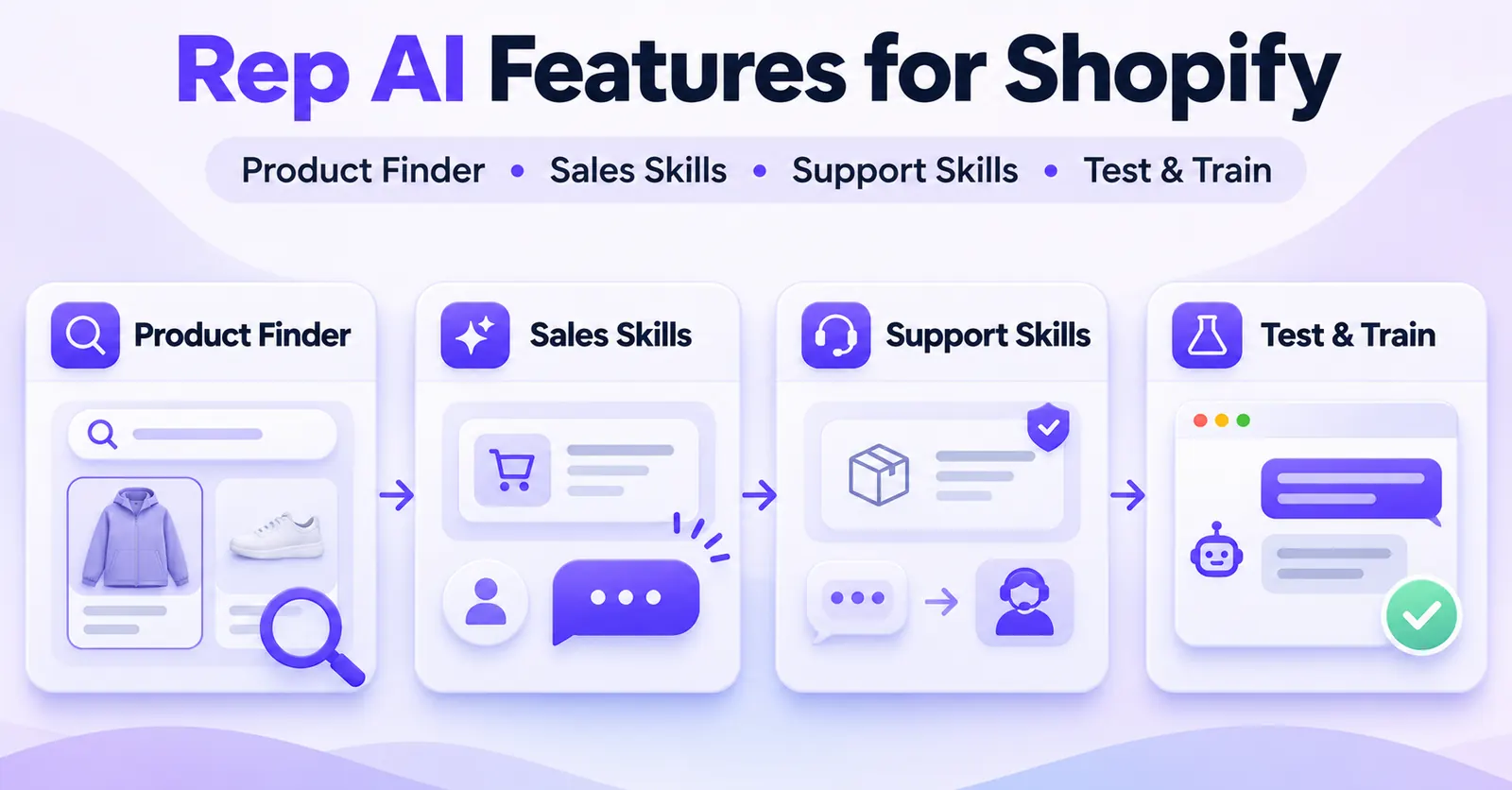
Rep AI offers several ways to use AI in a Shopify store: answering shopper questions, finding suitable products, approaching visitors at relevant moments, handling selected support requests, and improving responses through testing and knowledge sources. The most effective way to start is to test one customer question, enable one eligible feature, and verify its behavior before expanding.
You do not need to switch on every feature to get value from the assistant. In fact, activating multiple Sales Skills and order-related Support Skills before checking your catalog, policies, and handoff process can make it harder to tell which setting affected the result.
This guide explains how to use Rep AI's main AI features, which console areas to inspect, what to test, and where the limits matter. It assumes you have already installed Rep AI, connected the intended Shopify store, and made the storefront chat available. It is not an installation walkthrough or an exhaustive account-setup manual.
A crucial distinction: the ability to answer a product question is not the same as access to the Product Finder Sales Skill, and neither is the same as a proactive Sales Skill. Rep AI's Sales Assistant, Support Agent, and Concierge offerings distinguish capabilities. Check the features enabled in your own account instead of assuming every tool is included in every plan.
Rep AI features at a glance
| Feature | What you can do with it | What to confirm first |
|---|---|---|
| AI chat and on-demand answers | Answer store-policy, product, and shopping questions | Chat is active and relevant knowledge is accurate |
| Product Finder | Guide shoppers through broad requests or show a named product | Sales Skill access, catalog status, published products |
| Product and collection recommendations | Suggest relevant alternatives, groups, or complementary products | Product groups, inventory, and availability switches |
| Built-in Sales Skills | Offer contextual help before the shopper opens chat | Sales access, trigger rules, targeting, preview |
| Custom Sales Skills | Define a behavior, AI goal, audience, and timing | Feature access, Shopify integration for cart conditions |
| Support Skills | Handle selected questions or permitted order tasks | Support access, Shopify permissions, safe policy limits |
| Knowledge Base and Custom FAQs | Supply factual answers and correct recurring gaps | Valid sources and an ongoing review process |
| Test & Train | Simulate conversations, inspect sources, and correct responses | Appropriate channel connected for email or Meta testing |
| Virtual Try-On and other extras | Offer selected shopping interactions | Feature eligibility, product suitability, theme compatibility |
| AI Social / Omnichannel | Work with connected email and social channels | Separate integrations and live AI Answering settings |
The table is a menu of possible uses, not a promise that all features appear in every Rep AI subscription. Navigation labels and access may vary as Rep updates its console.
1. Start with the account and the problem you want to solve
Before choosing a skill, write down one specific outcome. For example: help someone choose between two jackets; offer assistance after a visitor reviews several products without buying; answer an order-status question; or stop the assistant from repeating an outdated shipping policy.
These goals require different tools. Product guidance normally starts with the catalog and Product Finder. A behavioral nudge belongs to Sales Skills. A request affecting an order belongs to Support Skills. An incorrect answer points first to a knowledge, instruction, or QA issue rather than a new sales automation.
Open the correct store in the Rep AI Console and run this short readiness check:
- Confirm the product experience. The Shopify connection and catalog should correspond to the store you are testing. Look for the intended products and collections, not just a successful integration badge.
- Check your available capabilities. Locate AI Sales, AI Support, and AI Training. A Sales Skill may require Sales Assistant or Concierge access; a Support Skill may require Support Agent or Concierge access. A button's appearance in a help article does not establish your account's entitlement.
- Inspect permissions before actions. Reading order details, editing orders, generating discounts, and issuing gift cards do not require identical Shopify permissions.
- Keep a safe test environment. Use fictitious shopper questions and preview tools whenever possible. Do not casually test an order-changing skill against a real customer's paid order.
- Decide what success looks like. A good product result should be available, relevant, and verifiable. A good support result should follow policy and escalate when it cannot safely proceed.
The first objective is not maximum automation. It is a predictable, auditable experience for the type of request your shoppers actually make.
2. Use AI chat for questions and recommendations on demand
The simplest Rep AI interaction begins when a customer opens the chat and asks a question. This is reactive assistance: the visitor decides when the conversation starts. It is a useful foundation because you can evaluate the assistant's factual answers before testing more complicated triggers or transactional actions.
Test realistic customer questions
In the console, open AI Training → Test & Train and choose Chat. Start with questions that customers might genuinely ask:
- “Which jacket is suitable for rainy weather?”
- “How long does delivery take to France?”
- “Can I return a product if I ordered the wrong size?”
- “Show me something similar to this item under my budget.”
Do not judge a response solely by its tone. Check whether the product really has the claimed feature, whether the shipping policy covers the destination, and whether the assistant correctly distinguishes a return from an exchange. Follow up naturally: “What if I need a larger size?” or “Is that color still available?” A conversational answer is only useful if its facts remain consistent over several turns.
In Test & Train, use Sources where available to inspect what supported the answer. If the assistant quotes an obsolete policy, fix the underlying material. If shoppers repeatedly ask the same question and the available information is missing, add a targeted Custom FAQ. Use Correct the AI when the correction workflow fits the problem, then rerun the original question.
Separate facts from behavior instructions
Rep AI's Knowledge Base is intended to supply facts: return rules, fit guides, store policies, product details, and other merchant content. Personality and AI Instructions influence how the assistant communicates and behaves. A polite instruction such as “be concise” does not make an unknown delivery date true; an instruction to recommend a jacket does not turn an unpublished product into an available item.
A practical testing method is to ask one policy question in three forms. For instance, compare “How long is shipping?”, “When will my order arrive?”, and “Delivery time to France?” The assistant should not invent a destination-specific promise if the source only provides a general estimate. When the evidence does not support a precise answer, a cautious response or handoff is better than confident speculation.
Know the limits of the preview
Test & Train is a simulation, not a live customer conversation. In particular, an email or Meta channel preview can produce an AI response even if AI Answering is turned off for that channel. This is intentional: you can test before exposing real shoppers to the feature. Keep that distinction in mind when you later use Omnichannel AI.
 Quentin Olaya
3. Use Product Finder to guide shoppers through your catalog
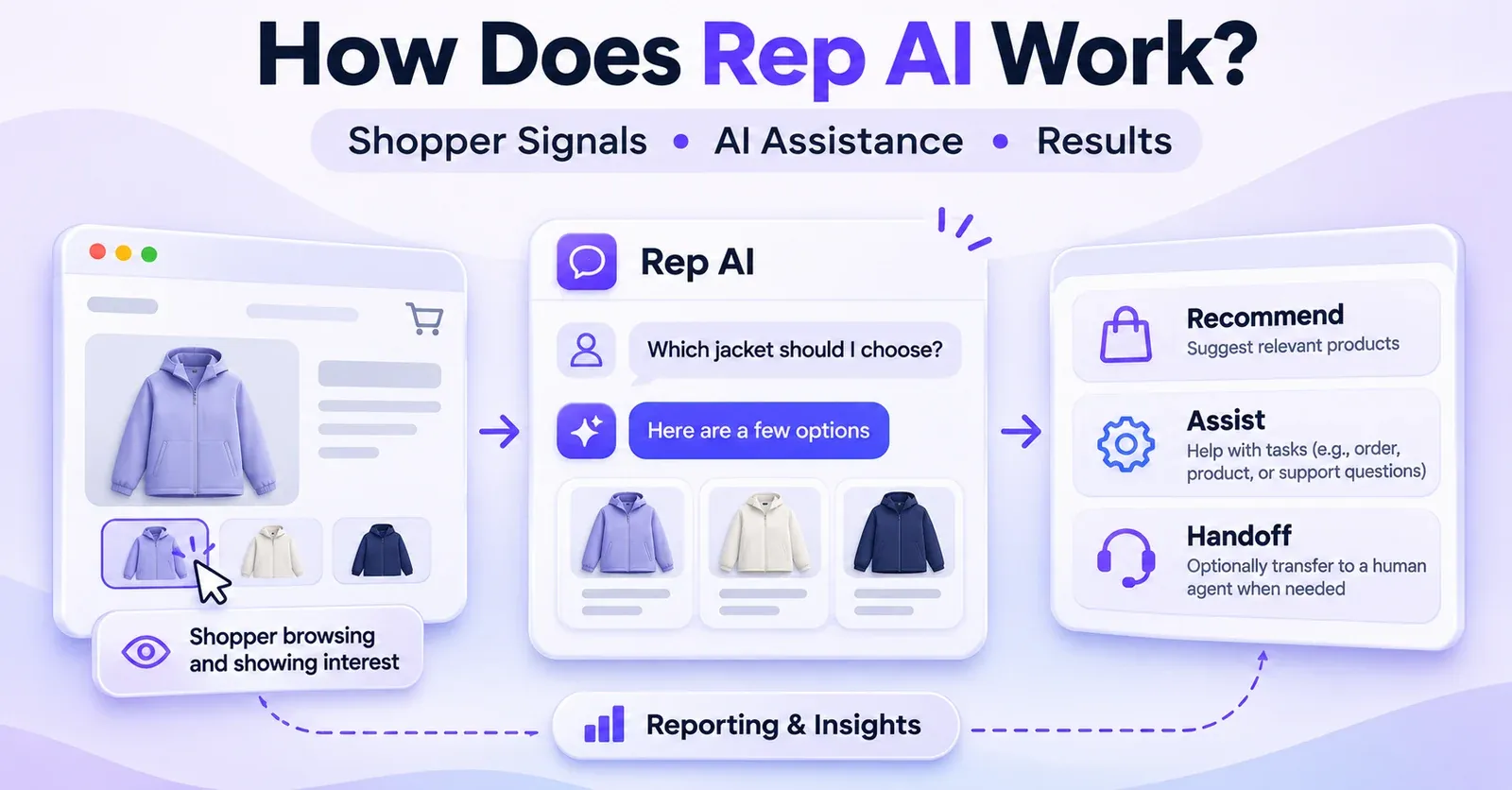
Product Finder is a dedicated Sales Skill for discovering products in a Shopify catalog. Rep's documentation describes two modes: Guided Search for broad shopping needs and Direct Product Search when instructions specify particular products. Its availability is described for Sales Assistant or Concierge, so confirm access before following this section.
Guided Search: let the AI narrow down a broad request
Suppose someone types “Show me shirts.” A broad response might be unhelpful because the store sells many styles. Guided Search can use Product Groups to ask a clarifying question—for example, whether the shopper wants a casual or formal shirt—before showing matching items in a product carousel.
To evaluate this behavior, choose a category with meaningful distinctions and try a broad request in Test & Train. Observe whether the follow-up question helps, whether the resulting products belong to the relevant groups, and whether the options are actually purchasable. A result that looks plausible but includes an unavailable product should not be accepted as a successful test.
Direct Product Search: name the intended product precisely
Direct Product Search is designed for situations where your instructions mention a specific catalog item. If your store sells a product called “Trail Shell Jacket,” you can test an instruction along the lines of:
When someone asks for a lightweight rain jacket, recommend Trail Shell Jacket if it is available. Otherwise, help them explore relevant alternatives.
This is an example merchant instruction, not an official preset. Replace the name with an item that exists in your own store. Rep recommends using exact product names and ensuring that referenced products are published and in stock.
A typical workflow is to open AI Sales → Sales Skills, find Product Finder, open its settings if your account provides them, add or review a precise instruction, and run a test. Some historical Rep guides use AI Training → Sales Skillsinstead. Treat these as documentation-version differences, not two separate features.
Check the catalog switches when a product does not appear
In AI Sales → Catalog → Products, the documented controls include Available, Promoted, and Add-to-cart.
- Available off: the product should not be shown or recommended by the AI.
- Promoted on: the product receives prominence in carousel ordering; it does not make an unsuitable result relevant to every query.
- Add-to-cart off: the assistant may still discuss or recommend a product while declining to add it to the cart through chat.
This last distinction is especially important. A product recommendation and a chat-enabled add-to-cart action are different capabilities. A product group can also impose an add-to-cart restriction on its members. When a result looks wrong, inspect group-level settings as well as the individual product.
Use collections and Product Groups deliberately
Product Groups may be informed by Shopify collections, Shopify tags, manually assigned Rep tags, and Rep-generated tags. They help structure product discovery, but the groups must still represent useful choices for customers. A “Winter Essentials” collection filled with summer items will not become coherent simply because an AI uses it.
When you want collection recommendations, make your intent explicit: test a prompt such as “Show me your hiking collection” and verify that the named collection exists and contains eligible products. Empty collections should not be treated as reliable product recommendations. For stores with complicated catalogs, begin with a few well-maintained groups before attempting a sophisticated guided-selling journey.
Try complementary and similar-product suggestions
Rep also documents context-based suggestions, such as similar products when an item is unavailable or complementary products during shopping. These opportunities are not identical to Product Finder's guided flow or to a timed proactive approach. Test a request such as “I added hiking boots. What else might go with them?” and check whether the suggested items are actually complementary, in stock, and suitable for the current purchase.
Do not assume a suggestion will appear in every conversation. Its usefulness depends on the actual context and catalog. Treat conversion rate, average order value, and attributed revenue as outcomes to measure—not as guaranteed results of enabling a feature.
4. Use built-in Sales Skills for proactive shopping assistance
A proactive Sales Skill can reach out before the visitor opens chat. Rep documents scenarios related to product browsing, carts, returning shoppers, and other shopping moments. The tool is intended to respond to behavior in context; it is not a universal popup that must be shown to every visitor.
This matters because reactive recommendations and proactive approaches answer different needs. If shoppers already ask detailed product questions, improve reactive answers first. If visitors browse multiple product pages and often leave without engaging, a narrowly targeted proactive skill may be worth testing.
Launch one focused skill first
Within AI Sales → Sales Skills, inspect the built-in options available to your plan. Select one scenario that corresponds to an observed need. Open its settings, check whether it is enabled, review the objective and the available eagernesscontrols, then use its preview tools where provided.
For example, you might choose a product-page assistance scenario and aim for a helpful question about fit, rather than immediately pushing a discount. In the preview, verify that the approach message matches the shopper's context and that the ensuing AI conversation can answer the likely question accurately.
The absence of an approach during a single manual visit is not sufficient evidence of a malfunction. Trigger conditions, targeting, frequency controls, skill priority, and an experimental control group can all affect whether a visitor sees a proactive message.
Treat eagerness as an experiment, not a universal setting
A more eager approach can increase how quickly or often a shopper is contacted, depending on the selected skill. That does not mean the highest setting is best for every store. A premium brand may prefer a quieter experience; a technical-products store may want help to appear near comparison-heavy product pages.
Monitor whether users engage with the message and whether the conversation helps them progress. If a high eagerness setting creates interruptions without useful engagement, revisit the trigger, message, or audience rather than adding more skills.
5. Create a Custom Sales Skill for a specific shopper behavior
When the built-in templates do not capture a particular shopping moment, Custom Sales Skills allow merchants with the appropriate access to define their own behavior triggers and AI goals. Rep's September 2026 guide documents a limit of 10 custom skills at a time. You should not plan around an unlimited number of campaigns.
Example: visitors compare several products but have an empty cart
Imagine a store selling outdoor clothing. You observe shoppers visiting several jacket pages, but many leave without adding anything. The purpose of a custom skill could be to offer fit or weather-use guidance after a visitor has browsed several products. This is a suggested merchant use case, not a claim about your store's current conversion data.
Open AI Sales → Sales Skills → Add new skill. The documented wizard supports choosing a template or building a custom trigger, defining the AI goal, targeting the audience, choosing timing and frequency, and previewing the conversation before launch.
Step 1: Choose a template or build your trigger
Rep's templates include browsing multiple products, time on page, returning visitor, high cart value, exit intent, and viewing a specific collection. You can adapt a template rather than starting from scratch. Advanced triggers can combine conditions with ALL or ANY, so decide whether every condition must be satisfied or any one is enough.
For the jacket scenario, the trigger might involve viewing at least three products and having no items in the cart. Review the exact condition options in your account. Cart-value and cart-item conditions require an active Shopify integration; a disconnected shop cannot use those triggers as if cart data were available.
Step 2: Write a useful AI goal
Keep the goal about helping the shopper, not forcing a sale. For example:
Help visitors compare the jackets they have viewed. Ask what weather and activity they are shopping for, make recommendations only from eligible catalog items, and avoid claiming technical features not stated in our product data.
You can separately define an approach message. A good first message might be: “Need help comparing these jackets?” This is easier for a shopper to understand than a generic promotion or an overly confident claim about what they are thinking.
Step 3: Set audience, timing, and frequency
Target relevant page types, visitor segments, or traffic sources where supported. Set a delay that gives visitors a chance to browse. Choose a frequency such as once per session or once per day if the interface offers it. Rep's guide also describes a once-ever option and skill priority settings.
Start narrowly. An interruption on every page risks creating an experience that feels like repeated advertising rather than assistance. Check the priority of your custom skill if built-in skills are also eligible. Rep documents one proactive approach per page load, with custom skills taking priority over built-in skills in the relevant selection logic.
Step 4: Preview, then decide whether to activate
Use Preview Conversation to see the intended behavior. It is not enough to confirm that the initial message looks attractive; ask a follow-up and check the recommendations. The preview workflow can leave a skill paused until you finish and choose the appropriate activation state, so verify its final status.
After activation, compare approaches, engagements, and outcomes over a meaningful period. Rep describes an A/B holdout in which some sessions deliberately receive no proactive approach. A visitor not seeing the skill on a single test page does not prove that the rules are broken.
Step 5: Avoid currency mistakes on international storefronts
If you build a cart-value trigger, do not assume a numeric threshold is automatically converted to a universal base currency. Rep describes comparison to the amount in the shopper's displayed currency. Review behavior across markets when the same campaign targets different regions.
6. Use Support Skills for permitted service actions
Support Skills address operational customer-service requests, not just product discovery. Depending on your plan, Shopify permissions, integrations, and configured policies, they can help with order status, selected order changes, returns workflows, and contacting support. These features are powerful precisely because some of them may change business data. That makes limits and testing essential.
Begin with lower-risk service questions
A practical first scenario is an order-status question. Confirm which customer-identification and order-data requirements apply to the available skill. Use a safe fictional scenario to test how the assistant asks for information and what it does when it cannot verify the order.
Move to more consequential actions only after reviewing the policy. A shopper's request does not override the store's restrictions, Shopify's permissions, or the selected skill's supported operation.
| Shopper asks | Potential Rep AI workflow | Important boundary |
|---|---|---|
| “Where is my order?” | Order-status assistance, if enabled | Identity and data availability may limit the answer |
| “Can I change the delivery address?” | Address-change skill, if eligible | Policy and order status matter |
| “I ordered the wrong size.” | Modify order skill | Specific variant, shipment, price, and permission limits |
| “My order arrived damaged.” | Damaged Order workflow | Store-credit eligibility and policy restrictions |
| “I want a refund.” | Return or support workflow | No blanket authority to refund any order |
| “I need a person.” | Contact Support or human handoff | Requires the appropriate support destination and workflow |
Example: the Modify order Support Skill
Rep documents a Modify order skill that can substitute a different variant of the same product, such as size M for size L, under strict conditions. The item must be unshipped, the change must be within the merchant-defined time window, the replacement variant must be in stock, its price must not exceed what the shopper paid, and the order must not have a discount applied.
That is quite different from allowing arbitrary edits. The documented skill does not add products, remove products, change quantities, swap to a different product, collect extra payment in chat, or change shipping costs or methods. Shopify Order Editing permission is required. Where the replacement costs less, any difference handled by the skill remains subject to the merchant's refund cap and the documented payment conditions.
An operationally safe test checks one permitted scenario and one refused scenario. For example, compare an in-stock same-product size change with a request to exchange for a completely different product. If the second request escalates, that can be correct policy behavior rather than an AI failure. Do not perform this exercise by changing a real customer's order without appropriate authorization and safeguards.
Example: damaged items and store credit
Rep's documented Damaged Order workflow can offer store credit as a Shopify gift card for eligible damaged items, after the required information and customer agreement have been collected. This depends on the relevant skill being enabled, Standard policy, eligibility rules, and any required Shopify permissions. The merchant sets limits and other policy choices.
A gift card is not the same as a refund to the original payment method. Issuing one does not automatically cancel or refund the original order. If the system cannot confirm issuance, the merchant should check the Shopify gift-card record before providing compensation again. This avoids paying twice for a result that may already have succeeded.
When a human must take over
Not every request should be automated. An order outside the approved window, an unverified identity, an unavailable replacement, a policy exception, or a failed system action can require assistance from a person. Rep's Contact Supportworkflow can gather details and hand off or create a ticket when an appropriate helpdesk is connected. It does not guarantee an immediate human reply or a ticket without a configured destination.
For P04, the decision rule is simple: enable a Support Skill only when you can explain its permissions, allowed actions, refusal conditions, and fallback. Detailed order-management procedures belong in separate specialized guides.
 Quentin Olaya
Advanced integrations are not a default feature
Rep also documents API Endpoints for selected Support Skills under Custom policy, with Expert Zone access. A merchant may connect an endpoint for tasks such as querying a courier or another authorized system. The documentation limits this to five endpoints per skill and includes GET, POST, and PUT operations.
This is not a universal integration to every warehouse or ERP. A test can send a real API request, including one that changes data. Developers should use safe test endpoints, review credentials, require confirmation for sensitive actions, and define fallbacks for timeouts or errors. If you do not need custom endpoints, keep P04 focused on the built-in skills.
7. Improve the AI using the Knowledge Base and Custom FAQs
The best-performing assistant is not necessarily the one with the largest list of features. It is the one that uses current, trustworthy merchant information and knows when it lacks a reliable answer.
Rep's Knowledge Base covers categories such as File Sources, URL Sources, Custom FAQs, and Promotions. These sources complement your Shopify catalog. They should describe what your shop actually sells and promises: fit charts, care instructions, delivery policies, return rules, and active promotional terms.
Add only information you are prepared to maintain
Consider an electronics store. If a buyer asks whether a charger supports a particular device, an incorrect compatibility claim could cause a return or a damaged customer relationship. A precise product description or compatibility guide is more valuable than a general instruction to “answer confidently.”
When adding a source, check that the content is accessible and that the scan completes. Retest after you update a policy or remove a product. A source that was once scanned successfully may not reflect a later edit until refreshed, depending on its update mechanism.
For Google Docs and Google Sheets added as URL Sources, Rep's November 2026 documentation requires access for Anyone with the link and permission for viewers to copy, download, and print. Only use documents suitable for public sharing. Its Google Sheets importer reads visible tabs together, skips hidden tabs, and documents a 35,000-character combined limit. A larger spreadsheet can fail as an entire source rather than importing the first part successfully.
This is a useful reminder that “connected to a document” is not proof that every cell or private resource has become part of the AI's knowledge. Do not expose internal customer data just to make a file readable by the assistant.
Correct a recurring answer with a Custom FAQ
Suppose shoppers ask, “Do these boots run small?” but your size guide does not provide a clear answer. First establish the actual sizing guidance from the merchant or manufacturer. Then open AI Training → Knowledge Base → Custom FAQs, add a natural-language question and the verified answer, save it, and test again.
In Test & Train, the Correct the AI workflow can also create a custom FAQ from a correction. That does not prove the underlying model was retrained permanently. It means you have added or updated guidance the assistant can use when generating future replies.
Avoid contradictory FAQ entries. If one FAQ says returns are accepted for 30 days and another says 14, the assistant is not being given a coherent source of truth. Fix the underlying content before measuring response quality.
Use instructions for tone and limits, not to invent evidence
AI personality and instructions can define conversational style, desired detail, and guardrails. For instance, you can ask the assistant to acknowledge uncertainty and suggest human assistance when a product specification is unknown. That is materially different from ordering it to invent an answer.
If you use channel-specific instructions, check which channel they affect and click Save. A chat instruction is not necessarily a replacement for email or social channel settings. When you change the guidance, test the same scenario again rather than assuming the next customer reply will automatically reflect your intent.
8. Build a repeatable Test & Train workflow
Test & Train is the operational hub that connects almost every feature in this guide. Use it before introducing a new Sales Skill, after changing product data, and whenever you correct an important response.
A four-pass testing routine
Pass 1 — Normal question. Ask for a real catalog item or standard policy. Check the accuracy, clarity, and sources.
Pass 2 — Ambiguous request. Ask, “Which one is better?” without enough context. Look for an appropriate clarification instead of an arbitrary recommendation.
Pass 3 — Unsupported or restricted request. Ask for an unavailable product, an ineligible order change, or a promise your policies do not make. The correct behavior may be to decline, explain, or hand off.
Pass 4 — Follow-up and correction. Ask a follow-up that changes the context; correct any verified error through the source, FAQ, or instructions; then rerun the original scenario. The goal is consistency, not one impressive demonstration.
Use the Sources control to understand the content behind a response. When the answer is wrong, diagnose the category of error:
| Symptom | First place to check | Reason |
|---|---|---|
| Wrong shipping promise | Policy source or Custom FAQ | The assistant may be using stale or conflicting facts |
| Product never appears | Catalog, availability, Product Groups | A recommendation may be excluded by product settings |
| Proactive message does not fire | Trigger, targeting, timing, A/B control | The visitor may not meet activation conditions |
| AI suggests an unsupported order action | Support Skill policy and permissions | The action boundary may be misunderstood |
| Social simulation works, live replies do not | Connected channel and AI Answering state | Preview does not activate production replying |
| Response sounds off-brand | AI Personality or relevant channel instructions | The factual source may be fine but communication needs work |
Keep a simple log with the question, expected answer, actual answer, source reviewed, change made, and result after retesting. If multiple people maintain the store, this record prevents a corrected policy from being unknowingly overwritten later.
A practical sample test matrix
The following are illustrative prompts, not evidence that a particular Shopify store contains these products or policies.
| Test prompt | Success criterion | Warning sign |
|---|---|---|
| “Which jacket is best for heavy rain?” | Relevant in-stock item with supported features | Fabric performance invented |
| “Show your camping collection.” | Correct, nonempty collection | Unrelated or empty collection |
| “Is there a cheaper alternative?” | Real, available item under stated budget | Price invented or outdated |
| “I bought size M; can I switch to L?” | Eligibility checked or human handoff | Unrestricted promise to edit the order |
| “My item arrived damaged.” | Correct policy and consent workflow | Gift card described as cash refund |
| “My question is not in your help center.” | Honest uncertainty and next step | Confident, unsupported answer |
| “Can you answer my Instagram DM?” | Channel status is distinguished from preview | Assumption that simulation means live activation |
Repeat important tests after a new collection launch, seasonal shipping change, return-policy update, or material modification to Shopify permissions. You do not need a huge test suite to start, but you do need to know what each test proves.
9. Explore additional AI features selectively
Rep AI includes other documented tools, some of which may be useful after you have mastered the core flow. Treat them as optional extensions, not essentials for every merchant.
Promotion assistance and discount codes
Rep documents the ability to check Shopify coupon codes through an eligible workflow, as well as a Subscribe & Get a Discount Sales Skill that can connect to marketing services and offer an existing or newly generated code under the relevant permissions. A unique discount code may require additional Shopify permission to create codes.
Before using any discount feature, decide what shoppers should qualify for, how consent is collected, and how offers interact with existing promotions. Do not assume that an AI-generated message itself validates a discount or complies with every marketing requirement. Test redemption using the actual Shopify rules.
Virtual Try-On
For suitable items, Rep documents Virtual Try-On using a shopper-supplied photo. It also documents an optional product-page button that opens the relevant Rep chat experience. Eligibility varies by product and account capabilities, and a simulated visual result is not a guarantee of fit, sizing, or faithful reproduction of every material or pattern.
Where the feature is available, the product-page button can be configured under Settings → Chat Widget → Embedded widgets → Virtual Try-On button, after enabling the corresponding Sales Skill. Placement uses a stable element ID in the theme. Check the result on desktop and mobile, and avoid assuming every theme has a suitable element ready for use. The button is separate from some other embedded widgets and does not by itself guarantee that every catalog product supports try-on.
Suggestion chips
Suggestion chips give visitors prewritten ways to start a conversation. They can reduce the friction of an empty chat input, especially for common needs such as sizing, shipping, or product comparison. Some skills let merchants define a visible label and a fuller shopper request behind it.
A chip is a starting point for the conversation, not a guaranteed fixed answer. If a chip asks about something the assistant cannot verify, the underlying knowledge still needs attention.
 Quentin Olaya
10. Use AI Social and Omnichannel AI only after channel-specific checks
Rep's AI Social area groups social messaging, testing, and certain comment workflows for connected accounts. Its documentation describes Instagram, Facebook Messenger, and WhatsApp messaging, with separate settings for the accounts and channels involved. Email assistance depends on a connected helpdesk and its own options.
Do not confuse connected, testable, and live
There are three distinct states:
- Connected: the relevant channel or helpdesk is linked to Rep.
- Testable: the simulator can show what an AI response would look like.
- Live AI answering enabled: the account's channel settings actually permit Rep to respond to real customers.
These are not interchangeable. In particular, Test & Train can work while live AI Answering is off. Before enabling a channel, review its instructions, escalation destination, and any business-specific restrictions, then use a controlled live test if appropriate.
Rep's November 2026 AI Social documentation describes direct messages on Facebook Messenger while labeling Facebook comments as coming soon in that specific interface. Do not confuse these two use cases. WhatsApp is a messaging channel, not a comments feed. Feature availability and the Omnichannel commercial model should be checked separately; you do not need to state an uncertain number of trial tickets to explain how a merchant uses the tool.
Keep handoff and customer expectations realistic
A transfer flow may collect customer details and create a ticket when a helpdesk is connected. It should explain what will happen next without promising an immediate reply from a person who may not be available. A shopper should not be told that a request is resolved if an attempted action failed or its result is unconfirmed.
For a first rollout, test one social or email scenario at a time. Maintain consistent policy facts while allowing the tone and formatting to suit the channel. A short DM and a detailed support email may need different presentation, even when both rely on the same return policy.
11. Three real-world workflows to practice
These scenarios describe example merchant workflows. They are not measured case studies or verified outcomes at a specific store.
Workflow A: help a shopper choose an outdoor jacket
Goal: turn a vague browsing question into a helpful, verified shortlist.
Start with a small, accurate set of jacket Product Groups. In Test & Train, ask “I need a jacket for wet, windy hikes.” Let the assistant clarify the weather, fit, or budget if needed. If your plan includes Product Finder, test whether Guided Search finds the correct group and displays eligible products. Ask a follow-up about a named jacket to evaluate Direct Product Search.
Next, inspect each recommended item's description, stock status, and Available switch. If the AI recommends an unsuitable material or an item no longer sold, correct the catalog or relevant source before trying more prompts. Success means the assistant helps the buyer make an informed choice—not that it always closes the sale.
Workflow B: offer help to a hesitant returning visitor
Goal: assist someone who has browsed several product pages without adding a product to the cart.
If your account supports Custom Sales Skills, start with the multiple-products template. Set a precise trigger and write a helpful AI goal focused on comparison. Restrict the target pages if appropriate, choose a reasonable delay, and preview the full conversation. Test how it handles a customer who wants a recommendation and one who declines help.
Review priorities, frequency, and control-group behavior before calling the skill inactive. Once live, watch approaches and useful engagements. If visitors ignore the message, consider changing its relevance before increasing its frequency. The skill should solve a shopper problem, not merely increase the count of chat openings.
Workflow C: respond safely to an order-change request
Goal: help with a wrong-size complaint without authorizing an unsupported order modification.
Inspect whether the Modify order Support Skill is available and whether the merchant has granted the required Shopify permission. Read the approved time window, variant rules, refund cap, and handoff settings. In a safe test, simulate a request involving an unshipped, eligible item and a same-product replacement variant. Then test a request involving a more expensive variant or a different product.
The second case should not be treated as proof that the AI is unhelpful. An appropriate refusal and human handoff protect the shopper and the merchant when the requested action falls outside the skill's policy. Avoid changing real order data simply to confirm the workflow.
12. How to decide which Rep AI feature to use next
A small ecommerce team can maintain a simple improvement queue instead of turning on every option simultaneously:
| Current problem | First feature to evaluate | Measure or check |
|---|---|---|
| Repeated basic questions | Chat answers, Custom FAQs | Correctness across common question variants |
| Visitors struggle to choose products | Product Finder and Product Groups | Relevance and availability of recommendations |
| Visitors browse without engaging | Built-in or Custom Sales Skill | Useful engagement versus interruptions |
| Support agents answer the same order query | Eligible Support Skills | Policy-compliant handling and escalation quality |
| AI gives inconsistent information | Knowledge Base and Test & Train | Source consistency after correction |
| Customers ask through social channels | AI Social / Omnichannel | Integration, activation, and safe channel replies |
Prioritize errors that can directly mislead a shopper—wrong claims about refunds, shipping, stock, or product compatibility—over cosmetic conversational improvements. A well-written but incorrect answer is still a failure.
Avoid interpreting attributed sales metrics as proof that the assistant caused every associated purchase. If you evaluate business impact, consider changes in traffic, product availability, promotions, and the holdout design used for proactive skills. Reporting can show useful patterns, but careful attribution matters.
13. Common mistakes when using Rep AI features
Enabling Product Finder without checking catalog eligibility. An unavailable product will not become a valid result simply because its name appears in instructions. Check publication, stock, and the Available switch.
Confusing Product Finder with all product recommendations. Simple responses to shopper requests, guided product discovery, contextual recommendations, and proactive approaches are related but distinct interactions. Their feature access may differ.
Activating too many Sales Skills before testing one. With trigger overlap, priority, timing, and control groups, a confusing launch makes it hard to diagnose behavior. Start with one goal and one testable scenario.
Treating AI Instructions as a substitute for reliable data. If the delivery policy is wrong in the source, the assistant cannot safely repair it by adopting a more confident tone.
Assuming a preview controls real customer channels. Email and Meta simulations can function while live AI Answering remains disabled. Check each channel's production switch explicitly.
Testing data-changing actions against live orders. An API endpoint test may make a real request. An order-editing skill may have real operational consequences. Use authorization, controlled data, and safeguards.
Treating store credit as a refund. A Shopify gift card is not the same as money returned to the original payment method. Communicate the outcome accurately.
Assuming every support request should be resolved autonomously. Identification, policy limits, technical failures, or human judgment may require escalation. A correct handoff can be a successful service outcome.
Final checklist: a safe first rollout
Before declaring a Rep AI feature ready for customers, confirm the following:
- The correct Shopify store and relevant catalog are connected.
- Your plan includes the feature you intend to use.
- Required Shopify and external-system permissions are approved.
- Product availability, group rules, and chat add-to-cart settings make sense.
- Relevant policies and source documents are current and consistent.
- A normal customer question returns a supported, helpful answer.
- An ambiguous question results in clarification when necessary.
- An ineligible or unsupported request is declined or handed off safely.
- Proactive triggers have been previewed with timing, audience, and priority checked.
- Order or API actions have been tested without risking unauthorized live changes.
- Email or social channels have been separately checked for live AI Answering.
- Someone is responsible for reviewing conversations and correcting gaps.
The practical rule is to match the feature to a real customer need, establish trustworthy data, test both success and failure cases, and expand only after the behavior is understood. Used this way, Rep AI's sales and support features can become a structured part of the Shopify customer journey without treating automation as a substitute for merchant judgment.
Frequently asked questions about Rep AI AI features
1. What AI features does Rep AI offer for Shopify?
Rep AI documents conversational answers, product recommendations, Product Finder, proactive Sales Skills, selected Support Skills, Knowledge Base tools, Test & Train, and additional shopping or multichannel capabilities. Which features you can use depends on your subscription, permissions, integrations, and configuration.
2. How do I start using Rep AI features after installation?
Confirm the correct Shopify store is connected, then open AI Training → Test & Train → Chat. Test three representative customer questions, inspect the supporting sources, and correct inaccuracies. Only then move to an eligible Sales or Support Skill that solves a specific need.
3. Is Product Finder available on every Rep AI plan?
Do not assume so. Rep's September 2026 documentation identifies Product Finder as a Sales Skill available with Sales Assistant or Concierge. Older documentation also describes some on-demand product recommendations more broadly. Those statements concern different experiences, so check your account rather than treating all recommendation features as identical.
4. What is the difference between Sales Skills and Support Skills?
Sales Skills help with shopping moments such as product discovery or proactive engagement. Support Skills address customer-service tasks such as tracking orders or handling certain requests under merchant policies. They differ in access, purpose, permissions, and the consequences of an automated action.
5. Can I customize when Rep AI approaches shoppers?
If your plan supports Custom Sales Skills, you can define behavior triggers, AI goals, audiences, timing, and frequency. Rep's documentation describes up to 10 custom skills. An approach is still subject to trigger conditions, priority, targeting, and A/B control behavior, so it will not necessarily appear on every page view.
6. Can Rep AI recommend products that are unavailable?
Catalog status affects recommendations. Rep documents that Available off excludes a product from AI suggestions, and Product Finder requires published and in-stock products for the documented direct-search behavior. Review the current catalog and group settings when an item does not appear.
7. Can a recommended product always be added to the cart through chat?
No. Add-to-cart is a separate catalog control. A product may be discussed or recommended even when adding it through Rep chat is disabled. A product group can also restrict chat-based add-to-cart actions for its members.
8. Can Rep AI change or refund any Shopify order?
No. Specific Support Skills support specific actions under conditions. The documented Modify order skill is restricted to eligible same-product variant changes and requires Shopify Order Editing permission. Store credit for eligible damaged items is issued as a gift card and is not a general refund of the original order.
9. How do I correct inaccurate Rep AI answers?
Use Test & Train to reproduce the question and inspect Sources. Correct an inaccurate underlying document or product detail, add a verified Custom FAQ where appropriate, and adjust AI Instructions if the problem concerns behavior or tone. Then repeat the test with more than one wording.
10. Does Test & Train activate Rep AI on Instagram, WhatsApp, or email?
No. The simulator can display what Rep would answer even when AI Answering is off for a connected channel. Live answering requires the relevant integration, settings, and access to be active. Test a preview first, then separately verify the production state.
11. Can I use a Google Sheet as a Rep AI knowledge source?
Rep documents Google Sheets as URL Sources under defined sharing and size conditions. Its November 2026 guide requires publicly accessible link permissions suitable for scanning, reads visible sheets, skips hidden tabs, and limits the combined content to 35,000 characters. Do not put confidential customer data in a document made accessible to anyone with the link.
12. What are Rep AI's Virtual Try-On requirements?
Availability is conditional. The skill must be available and enabled, the products should be appropriate for the visual experience, and a product-page button requires compatible placement in the Shopify theme. Try-on results are illustrative rather than a guarantee of fit or exact appearance.
13. Why is my proactive Sales Skill not appearing?
Check whether the skill is enabled, whether the visitor matches its trigger and targeting conditions, whether frequency and priority allow it, and whether the session may be in the A/B holdout. Use Preview Conversation before concluding that the feature has failed.
14. Should I enable all Rep AI features at once?
Usually not. A staged approach gives you a clearer way to validate results and troubleshoot mistakes. Start with accurate reactive answers, then introduce one eligible feature at a time—such as Product Finder, a focused Sales Skill, or a policy-safe Support Skill—and measure what it actually does.